EasyManua.ls Logo

Kaba RAC 4XT - User Manual

Kaba RAC 4XT
40 pages
Print Icon
To Next Page IconTo Next Page
Loading...
INSTALLATION GUIDE
ILCO Remote Access Controller - RAC 4XT

Questions and Answers

  • B
    Brittany HartSep 12, 2025
    What to do if power supply DC ON red LED is off on Kaba RAC 4XT IP Access Controllers?
    • P
      Patrick JacksonSep 12, 2025
      If the Power supply DC ON red LED is OFF on your Kaba IP Access Controllers, verify the wiring between the power supply and the RAC 4XT controller and ensure that the power supply output is not shorted.
  • E
    ehollandAug 23, 2025
    Why is the locking device always unlocked on my Kaba RAC 4XT IP Access Controllers?
    • J
      Jonathan WilsonAug 23, 2025
      If the locking device on your Kaba IP Access Controllers remains unlocked, it could be due to several reasons. If the Locking Device Relay LED (D31) on the RAC4XT controller is ON, check if the delay setting of the DIP switch (SW2) is correct and confirm that the lock is not in Passage Mode. If the Locking Device Relay LED (D31) is OFF, ensure that the Bypass switch is not active (Bypass LED, D21, is OFF), verify that the Fire Alarm input is not active (Input contact closed, Fire Alarm LED, D47, is ON), and check the wiring to the locking device.
  • M
    Monica RussellAug 25, 2025
    What to do if the locking device does not unlock on Kaba RAC 4XT IP Access Controllers?
    • A
      annholmesAug 25, 2025
      If the locking device of your Kaba IP Access Controllers isn't unlocking, and the Locking Device Relay LED (D31) turns on, first ensure that the Fire Alarm input is not active (check if the Input contact is closed and the Fire Alarm LED, D47, is on). Next, verify the wiring to the locking device and, if a diode is installed, check its polarity. If the Locking Device Relay LED (D31) does not turn on, confirm that activating the Request to Exit or Remote Unlock unlocks the door, verify that the card is encoded correctly, ensure that the RAC 4XT is not in Lockout mode, and confirm that the RAC 4XT is programmed correctly.
  • D
    duanebrockAug 27, 2025
    Why are all RAC 4XT LEDs off on my Kaba IP Access Controllers?
    • A
      Amanda JuarezAug 27, 2025
      If all the LEDs on your Kaba IP Access Controllers RAC 4XT are off, begin by verifying that the DC ON LED on the power supply is lit. Then, check that AC power is active for the wall mount power adaptor. Also, ensure the RAC 4XT controller is properly connected to the power supply. If you are qualified, use a multi-meter to verify that 24 VAC (North American power adaptor) or 24 VDC (international power adaptor) is present across power supply terminal block XFMR_1 and XFMR_2.
  • H
    Heather BrownAug 27, 2025
    How to troubleshoot fire alarm not unlocking door on Kaba RAC 4XT IP Access Controllers?
    • M
      moralesemilyAug 28, 2025
      If the Fire Alarm feature isn't unlocking the door on your Kaba IP Access Controllers, first, verify that the Fire Alarm input is connected to a Normally Closed contact. Next, confirm that the Fire Alarm LED (D47) is normally on and turns off when the Fire Alarm is active. Finally, ensure that the 12V_Lock output of the RAC 4XT controller is connected to the COMMON of the locking device relay.
  • J
    juan99Aug 29, 2025
    Why does RAC 4XT Controller PCB reset when relay activates on Kaba IP Access Controllers?
    • E
      Erica CobbAug 29, 2025
      If the RAC 4XT Controller PCB resets when the relay is activated for your Kaba IP Access Controllers, first verify that there is no short-circuit on the locking device wiring. Also, if a diode is installed on the locking device, verify its polarity.
  • D
    Dalton ReedSep 22, 2025
    How to troubleshoot tamper alarm not being audited on Kaba RAC 4XT?
    • E
      ericmontgomerySep 22, 2025
      If the Tamper Alarm is not being audited on your Kaba IP Access Controllers, verify that the Tamper Alarm LED (D53) on the RAC 4XT controller turns on when the button is pressed. If it does not, verify the wiring to the Tamper Switch.
  • R
    Robert MooreSep 12, 2025
    Why is RAC 4XT enclosure's panel door “Power Status” LED off on Kaba IP Access Controllers?
    • R
      Robert SaundersSep 13, 2025
      If the RAC 4XT enclosure’s panel door “Power Status” LED is OFF on your Kaba IP Access Controllers, verify that the power supply is powered (both AC ON and DC ON LEDs are on) and check the LED wiring to the power supply.
  • K
    Kelly LeonSep 9, 2025
    How to troubleshoot power supply AC ON green LED being off on Kaba RAC 4XT IP Access Controllers?
    • S
      Sherry WoodardSep 9, 2025
      If the Power supply AC ON green LED is OFF on your Kaba IP Access Controllers, verify that the wiring to the power wall-mount adaptor is correct. If you're using the 24 VDC international adaptor, make sure the polarity is correct.
  • M
    Monique MitchellSep 6, 2025
    What to do if swipe reader green arrow LED is off on Kaba IP Access Controllers?
    • S
      stanley61Sep 6, 2025
      If the Swipe reader green Arrow LED is OFF on your Kaba IP Access Controllers, verify that the RAC 4XT is powered and check the wiring to the card reader.

Summary

2.0 Product Description

2.2 Components

Details the various physical components of the RAC 4XT system.

2.2.1 Controller box

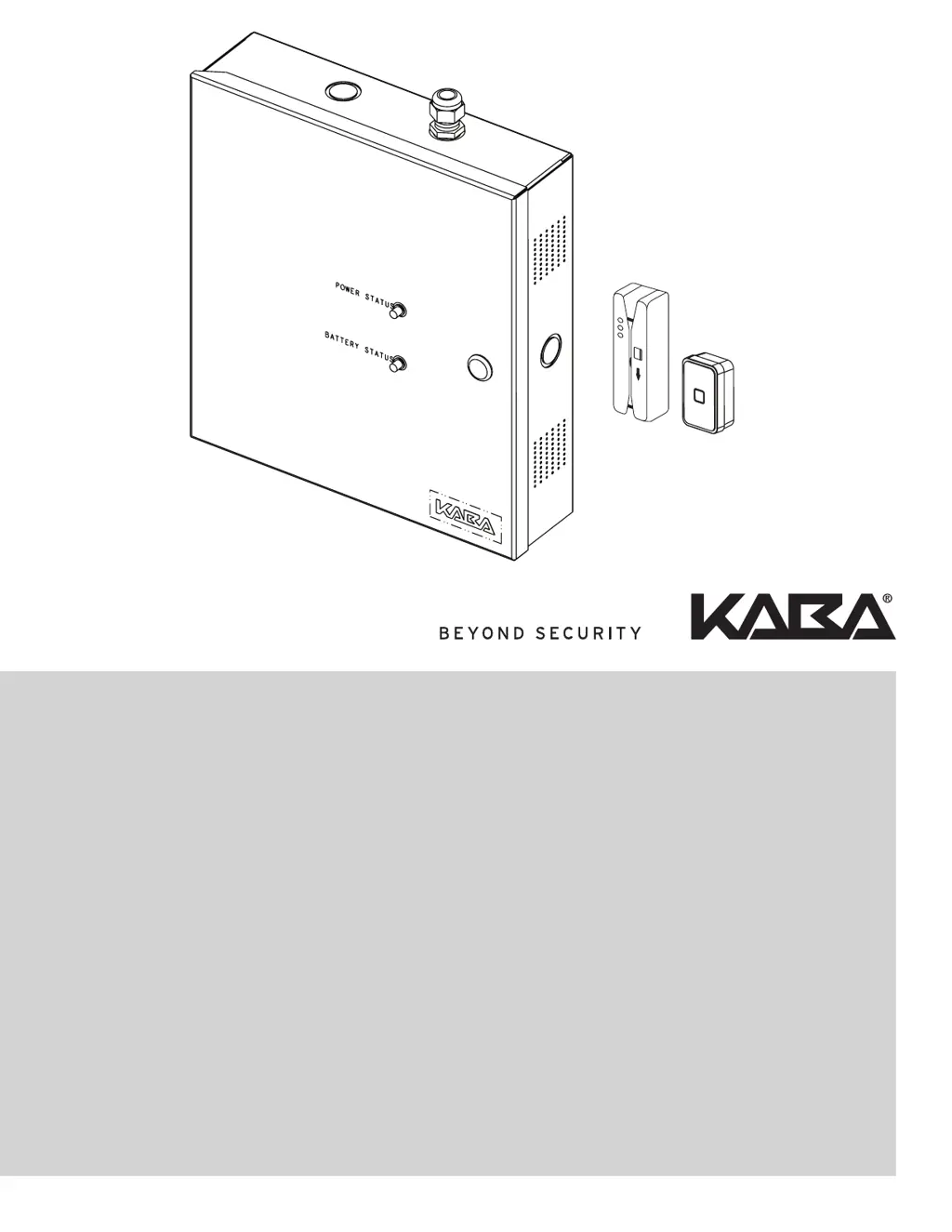
Describes the main enclosure and its internal components like PCB and power supply.

2.2.2 Card readers

Explains the types of card readers used for access control.

4.0 System Installation Overview

4.1 Pre-Installation Procedures

Steps to take before starting the physical installation of the RAC 4XT.

4.2 Installation & Wiring Procedures

Detailed steps for mounting the enclosure and wiring the system components.

5.0 Settings and Operation

5.1 Testing

Procedures to verify the proper functioning of the installed RAC 4XT system.

6.0 Annexes

6.1 Annex A Wiring Diagram and Tables

Wiring diagrams and tables for system connections.

6.2 Annex B Peripheral Wiring Diagrams

Wiring diagrams for various peripheral devices.

6.4 Annex D Quick Troubleshooting Guide

Solutions for common installation and operational problems.

Kaba RAC 4XT Specifications

General IconGeneral
BrandKaba
ModelRAC 4XT
CategoryIP Access Controllers
LanguageEnglish

Related product manuals