MDM2010 – ILB3210 Installation Guide
21 | Page
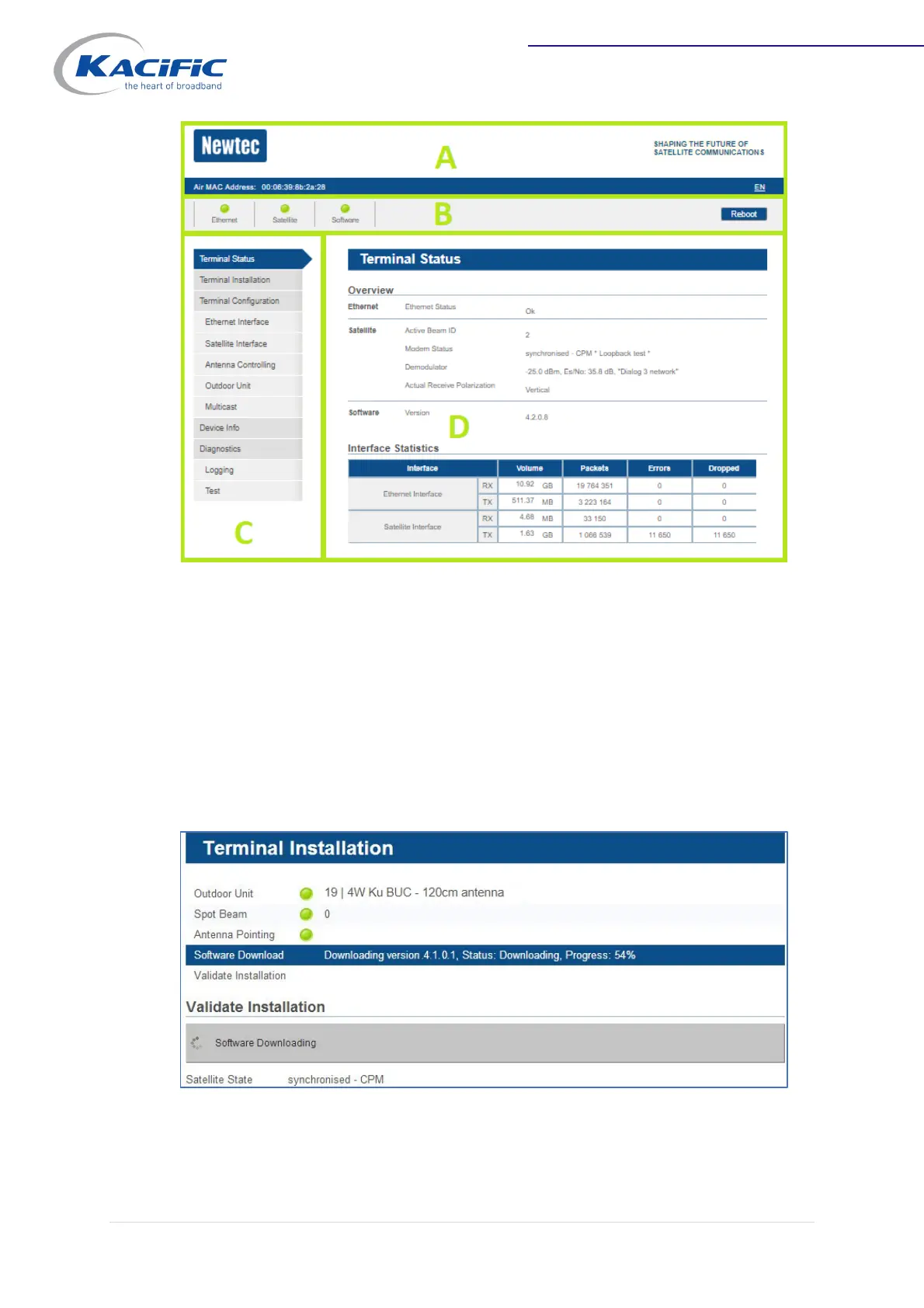
Go to the "Terminal Installation" page. Let the modem confirm it has the latest version
or (automatically) download it and reboot to activate the new software.
Otherwise, go to the connection test below.
A. Banner: Contains the Air MAC address and the languages in which the GUI can be displayed.
B. Status bar: Always shows the most important status LEDs. This information will be specified in
the body of the Status page.
C. Menu structure: Click an item to select it.
D. Body: Contains the actual content of the web interface. It shows the page title and one or
more content blocks or forms.


 To Next Page