71
EN
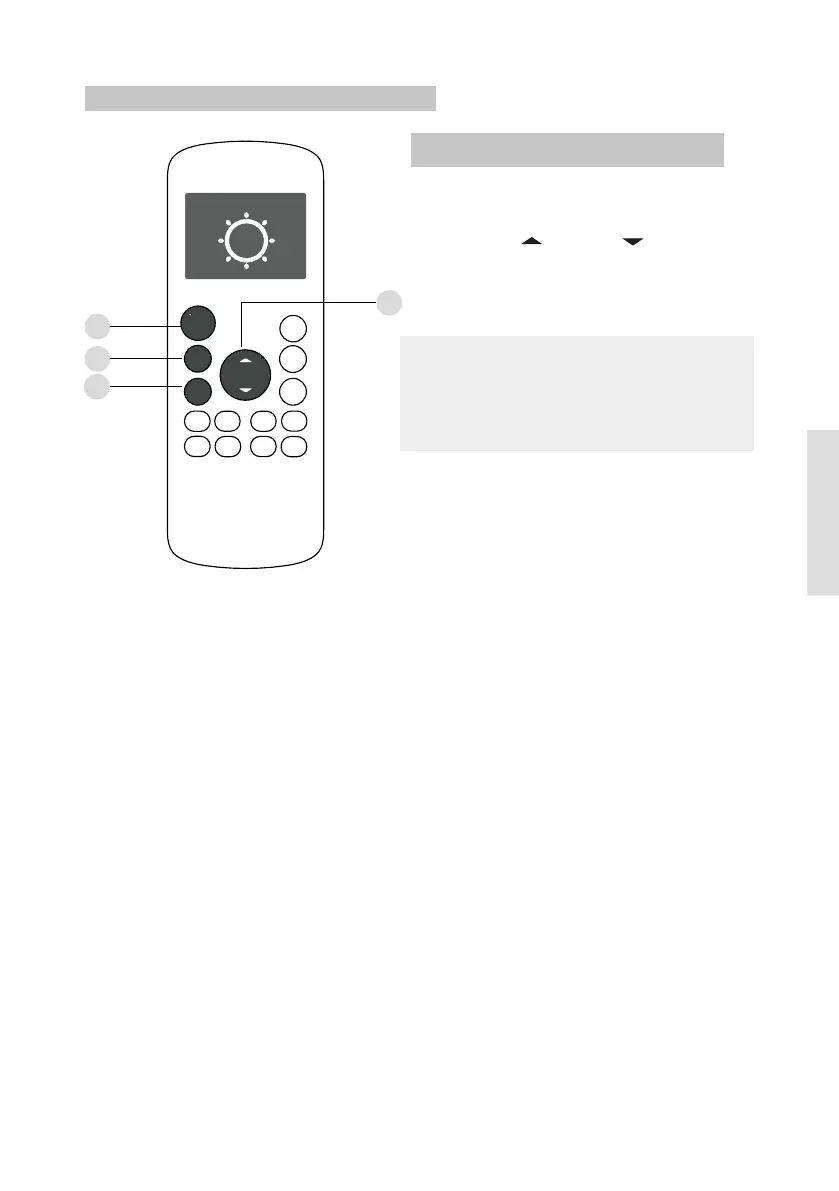
1. Press the MO D E button to select
H E A T mode.
2. Set your desired temperature using
the T e mp or Temp button.
3. Press the FAN button to select the
fan speed: AUTO, LOW, MED,or HIGH.
4. Press the O N /O F F button to start the
unit.
HEAT operation
NOTE: As outdoor temperature drops, the
performance of your unit s HEAT function
may be affected. In such instances, we
recommend using this air conditioner in
conjunction with other heating appliance.
,
1
3
2
4
How To Use The Basic Functions
O N /OF F
T E MP
TIMER
ON
TIMER
OFF
MODE
FAN
SLEEP
TURBO
CLEAN
LED
FOLLOW
SILENCE
FP
< >
< >
FRESH



 To Next Page