85
EN
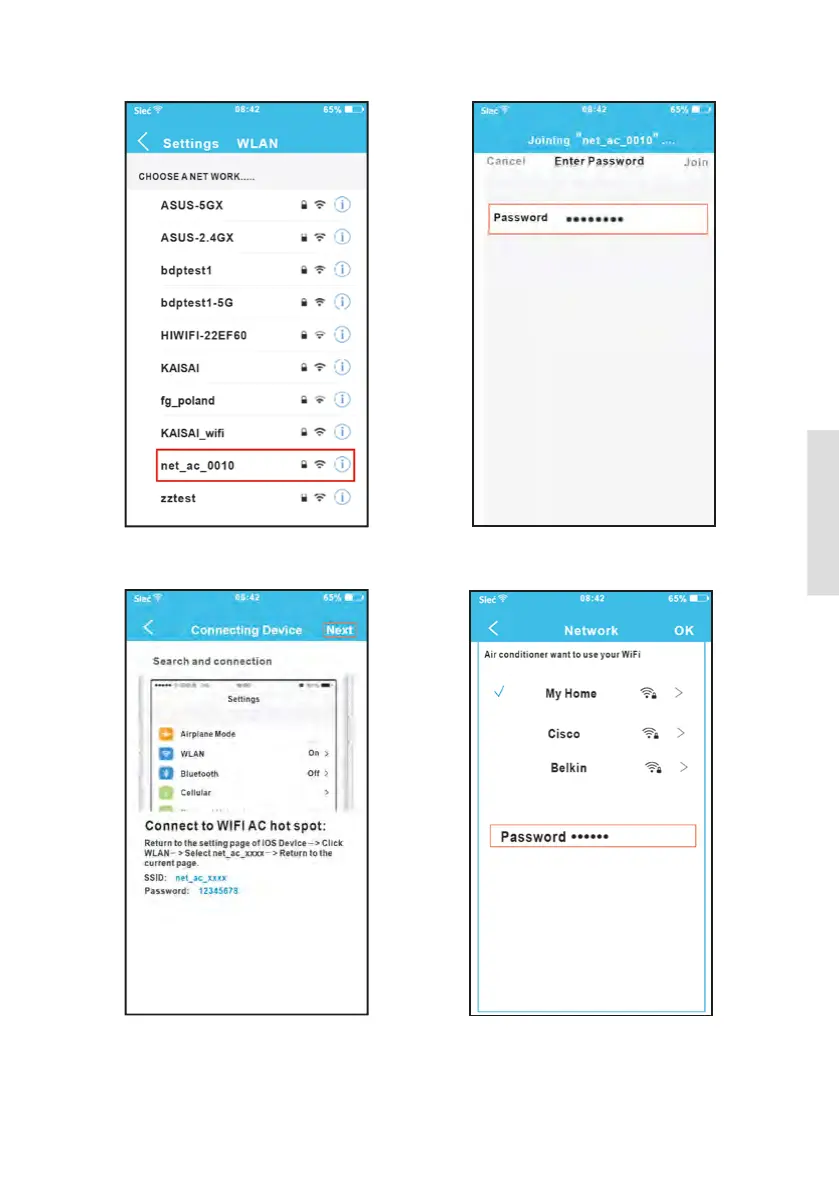
8. Click settings to enter the setting page,
select WLAN/WIFI.
7. Read the instruction above and press the
Home button to return to the device interface.
6. Scan QR Code which 9 is packed with smart
kit.
5. Press “+Add Device”.
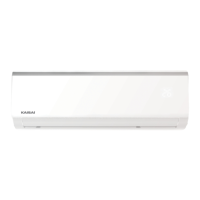
10. Type defult password: 12345678 and click
“Join”.
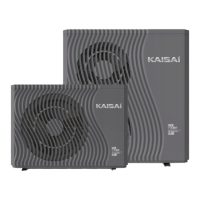
12. Select your own WiFi network, for example
My Home (the picture is only for reference).
13. Enter your own WiFi router password and
click OK.
10. Choose net_ac_XXXX.
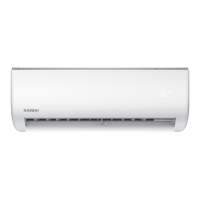
11. Return to APP and click Next.



 To Next Page