KaCool D 02.02.201750
Installation and Connection
Control overview
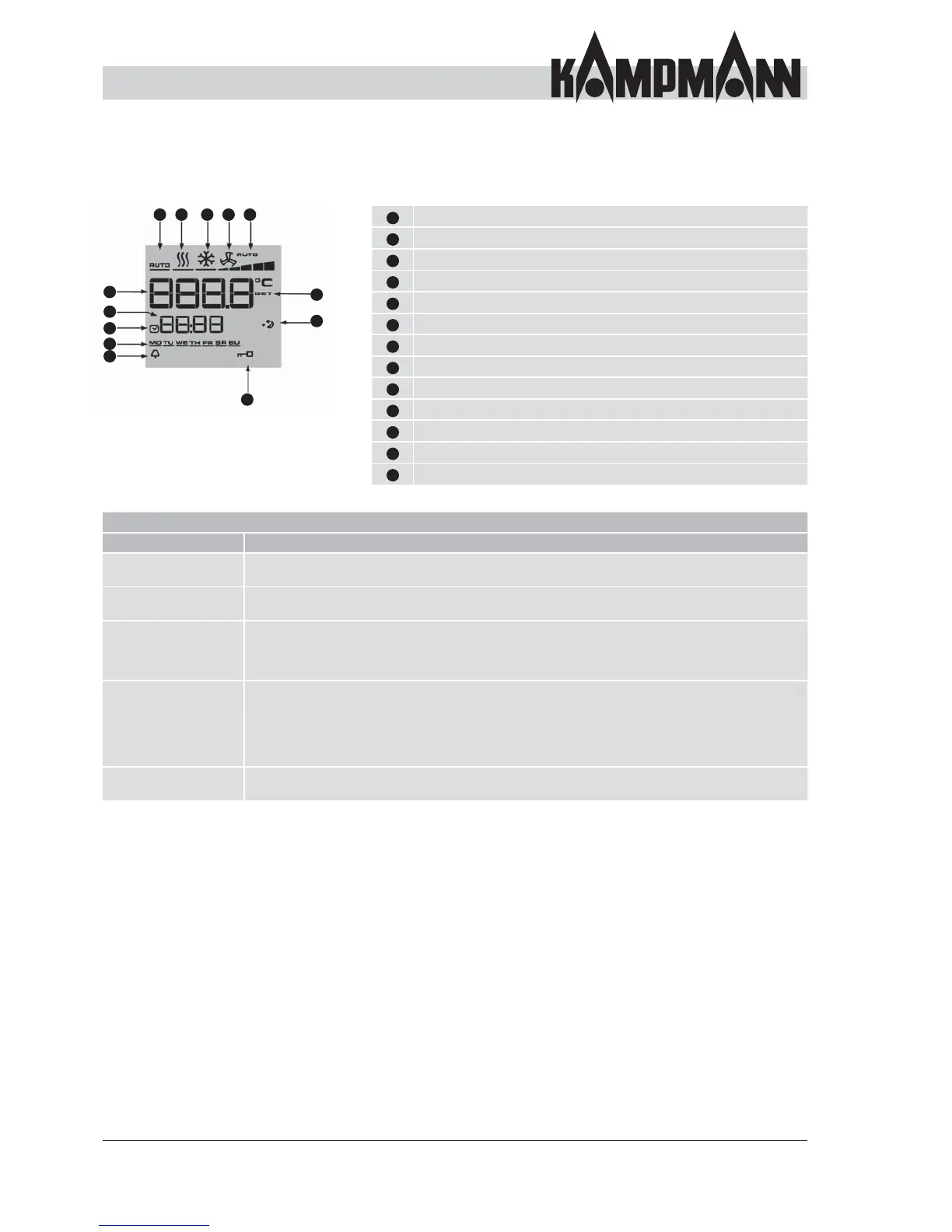
LCD display symbols
1
13 12 11 10 9
8
7
6
2
3
4
5
1
Display setpoint room temperature
2
Current time
3
Timer program enabled
4
Weekday
5
Alarm
6
Selected function is locked
7
Eco mode
8
Setpoint setting enabled
9
Fan control setting Auto-0-1-2-3-4-5
10
Ventilation mode
11
Cooling mode
12
Heating mode
13
Automatic heating/cooling changeover mode
Operation Basic functions
Function Description
Switch on/off Switch on by pressing key 2 or the navigator. The display shows a temperature
when switched on. Switch off by pressing key 2 or the navigator. OFF is displayed.
Change temperature Turn the navigator to the left to reduce the desired temperature or to the right to increase the
desired temperature. Confi rm the entry by pressing the navigator.
Fan speed Change by pressing the side fan button or using the navigator. To do this, press the navigator
once briefl y. Turning the navigator to the left reduces the desired speed and turning it to the right
increases the desired speed. Press the navigator again to confi rm the display. The speed is adjusted
to the setpoint temperature in automatic mode after a deviation in the room temperature.
Heating/cooling/
recirculating air
Change by pressing the side fan button or using the navigator.
To change over using the navigator, fi rstly press the navigator for approx. 1 sec.; this will take you to
the fan stage selection. Then press the navigator again for approx. 3 sec.; this will take you to the
time setting. Press it again for approx. 3 sec.; this will take you to the timer menu.
Press it again for approx. 3 sec.; this will take you to the mode menu. Press briefl y to confi rm the
entry.
Timer program The KaControl controller offers you the option of setting a weekly timer. Please refer to the separate
KaControl instructions.



 To Next Page