57KaCool D02.02.2017
Maintenance
Cleaning the fi lter
8.3.2 Cleaning the Unit
NOTE!
Protect furniture from dirt and water before
beginning the cleaning work. Keep the
maintenance area below the unit clear to allow for
the effi cient dismantling of parts to be cleaned.
Start by cleaning the fi lter, as described on the previous page.
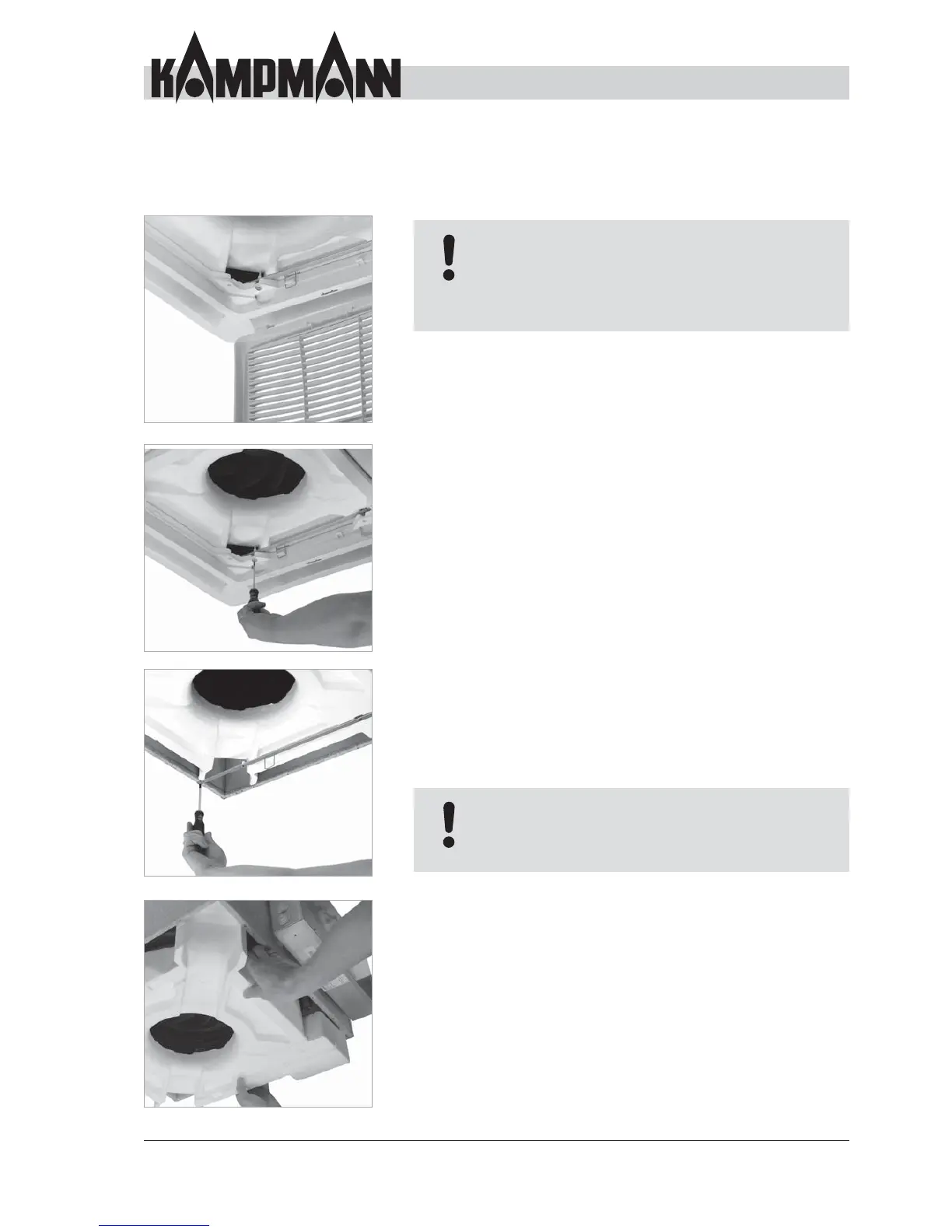
Use a Phillips screwdriver to unscrew the 4 screws in the air
outlet and remove the air outlet.
Unscrew the screws in the mounting brackets and remove the
mounting brackets; hold the condensation tray at the same
time, otherwise it will fall out.
Caution: Condensation tray may be fi lled with condensation
and dirt. Remove the condensation tray carefully by moving
it downwards in a horizontal position.
After removing the condensation tray, all unit components are
readily accessible and can be cleaned accordingly.
After all the components have been cleaned, the dismantled
components can be assembled in the reverse order.
NOTE!
Do not use any cleaning agents that may
destroy the existing protective layer on the
condensation tray!



 To Next Page