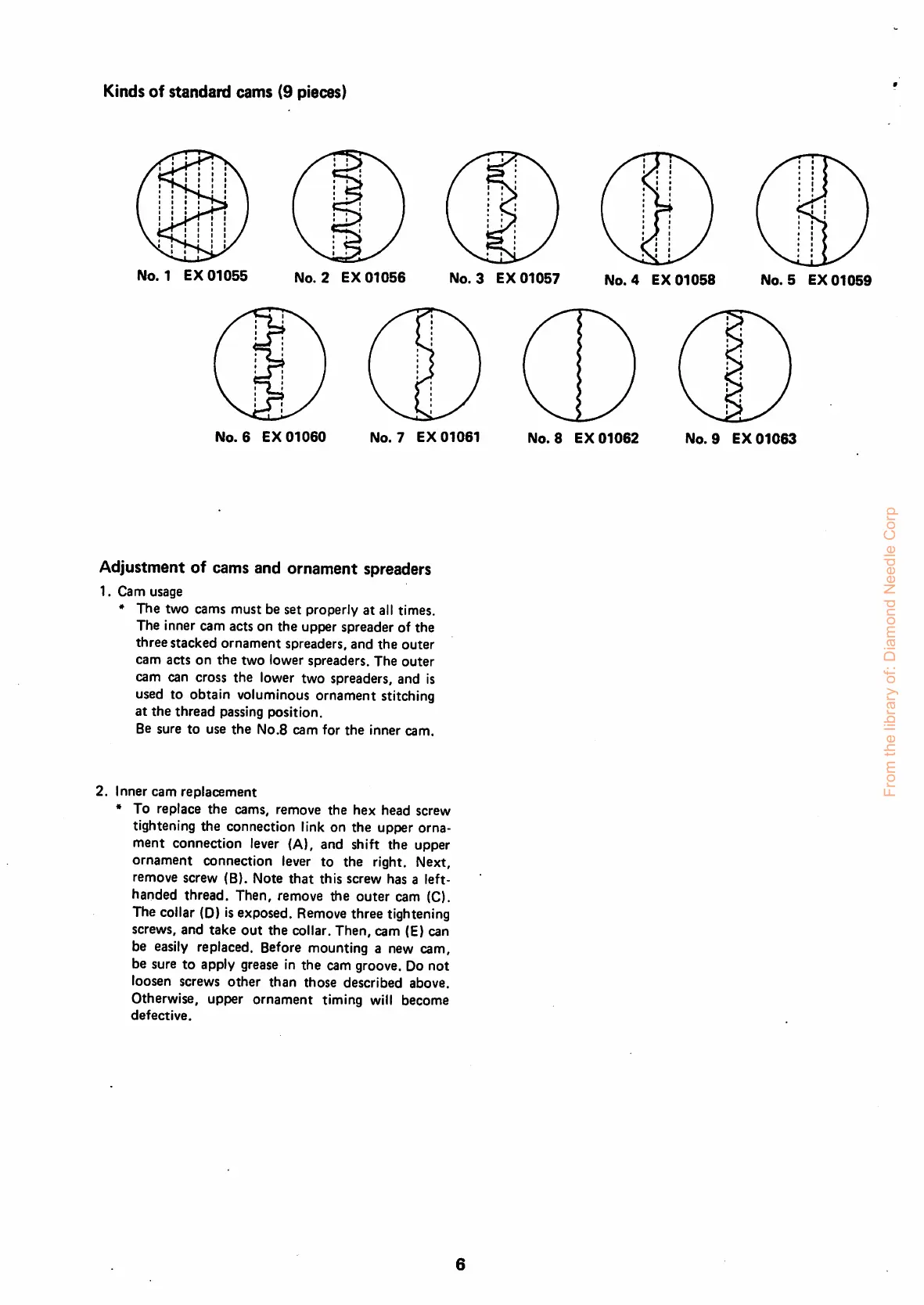
Kinds
of
standard
cams
(9 pieces)
No.
1
EX
01055
No.
2
EX
01056
No.
3
EX
01057
No.
4
EX
01058
No.
5
EX
01059
No.
6
EX
01060
No.
7
EX
01061
Adjustment of cams and ornament spreaders
1.
Cam
usage
*
The
two
cams
must
be
set
properly
at
all times.
The Inner
cam
acts on
the
upper
spreader
of
the
three
stacked
ornament
spreaders,
and
the
outer
cam
acts
on
the
two
lower
spreaders.
The
outer
cam can cross
the
lower
two
spreaders,
and
Is
used to obtain voluminous ornament stitching
at
the
thread
passing
position.
Be sure
to
use
the
No.B
cam
for
the
Inner
cam.
2. Inner
cam
replacement
* To
replace
the
cams,
remove
the
hex
head
screw
tightening the connection link on
the
upper orna
ment
connection
lever (A),
and
shift
the
upper
ornament
connection
lever
to
the
right.
Next,
remove
screw
(8).
Note
that
this
screw
has
a
left-
handed thread. Then, remove the
outer
cam (C).
The collar (D) isexposed. Remove three tightening
screws, and
take
out
the
collar.
Then,
cam (E) can
be easily replaced. Before mounting a new cam,
be sure to apply grease In the cam groove. Do not
loosen screws
other
than
those
described above.
Otherwise, upper ornament timing will become
defective.
No.
8
EX
01062
No.
9
EX
01063
From the library of: Diamond Needle Corp



 To Next Page