9
2.4 LED Indicator
STATUS EXPLANATION LED INDICATOR COLOUR
Power off, battery charging Red
Power off, battery fully charged LED light off
Power on, battery charging Red
Power on, battery fully charged Green
Standby / Standby with screen off Green
Recording / Recording with screen off Flashing red
2.5 Powering the Device On / Off
2.5.1 Auto Power On/Off
Once the vehicle engine is started, the device will automatically power up and start recording (unless the Automatic Record
function is disabled (2.6.1)).
2.5.2 Manual Power On/Off and Reset
2.5.2.1 Manual Power On
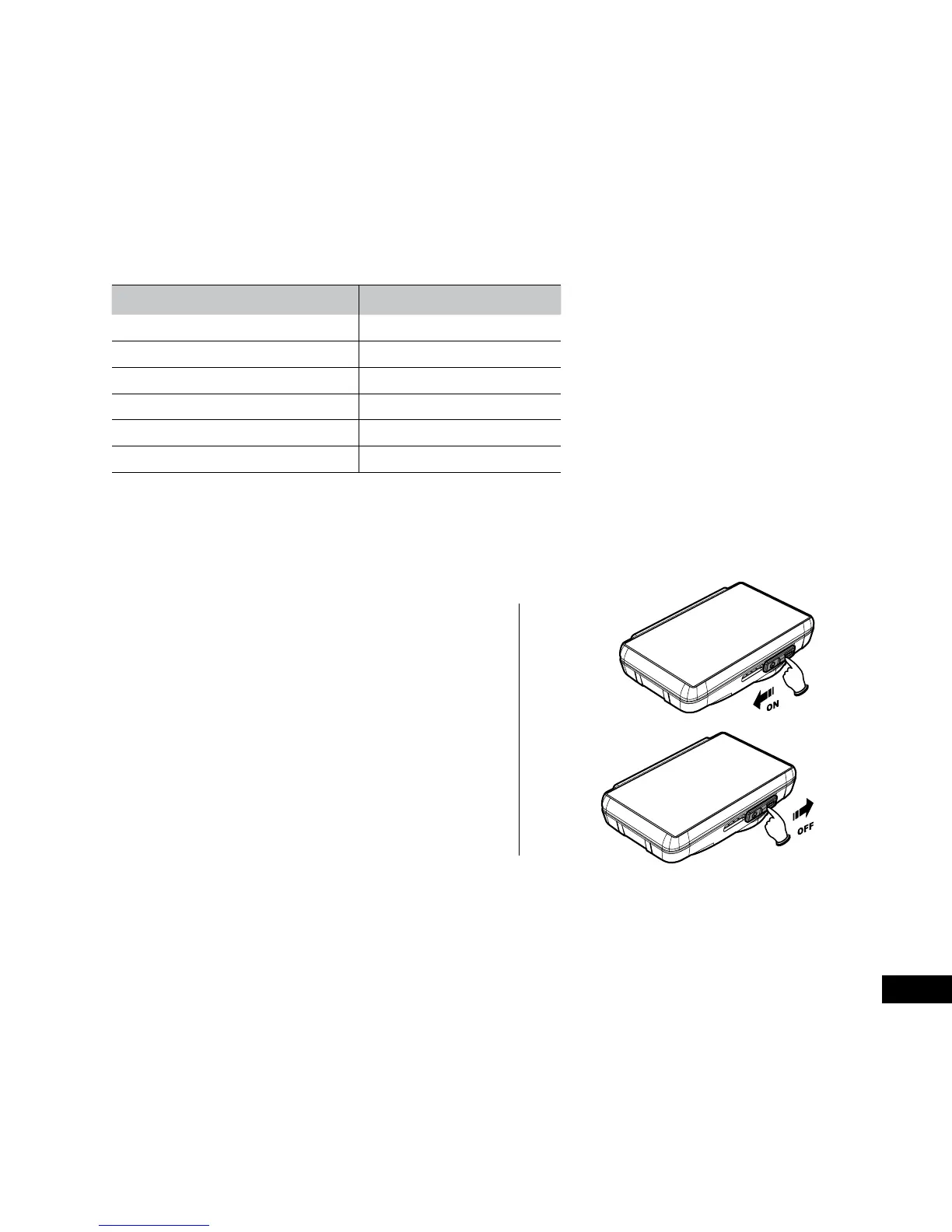
Slide the power switch
making sure that the
power switch locks over the memory card slot.
2.5.2.2 Power Off
Slide the power switch making sure that the
memory slot is open. The device will start the
power down sequence. Do not power on the
device during the power down sequence, as the
recorded data may be corrupted.
2.5.2.3 Reset the Device
If the device does not function normally, try restarting the Car DVR. To restart your Car DVR, slide the power switch
into the off position and verify the Micro SD Card is in the removable state; wait for 7 seconds and slide the power
switch back to the on position to restart the device.



 To Next Page