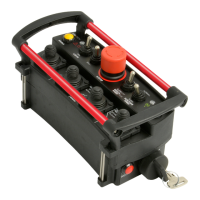
MACRO REMOTE
output to turn off
e. Frequency – Dither
frequency to valves in
Hz (Change affects all
outputs)
f. Step – Percentage of
total PWM width to
increase as function is
held (default is 10%
steps)
3. Enter the new value in the
new value box
4. Tap the Save button to
send the setting to memory
The lines to the right of the
parameter indicate the present
value of the output (if active),
and joystick voltage on the
transmitter.
Tap the Factory Settings button
to return all outputs to standard
values. Tap HOME to quit
calibration and return to the
main menu.
HISTOGRAM
Tap the Histogram icon to see a
set of screens that show which
error codes are active and how
many times the specific error
code has been active.
This feature can be used to
troubleshoot machine wiring and
other problems. Tapping the
Reset button resets the error
code counts. The password to
reset error codes is 1262.
Tapping Next and Back allows
access to all the histogram
pages. Tap the Done button to
return to the main menu.
Note: the GATE is not a
precision measurement
instrument. There may be
delays.



 To Next Page