( 1 800-537-4129 page 6
WORKING WITH DETERGENTS
Karcher Pressure washers operate at two pressures. The high pressure is used for cleaning,
you cannot apply detergents when working at high pressure. To apply detergents you must be
operating at low pressure.
Caution
Never use:
• Bleach, Chlorine products and other
corrosive chemicals
• Liquids containing solvents
(i.e., paint thinners, gasoline, oils)
• Tri-sodium phosphate products
• Ammonia products
• Acid-based products
These chemicals will harm the unit and
will damage the surface being cleaned.
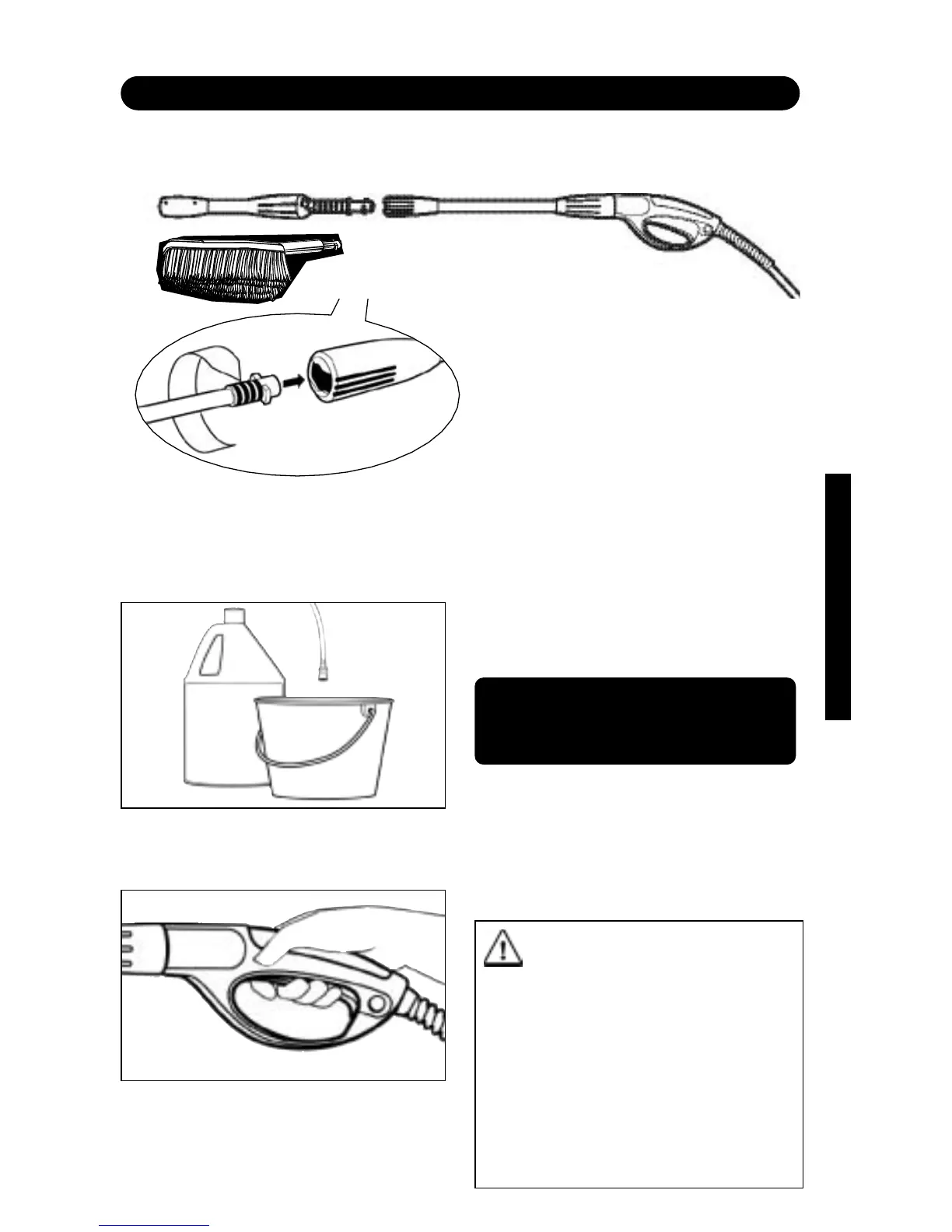
Step2 Fill a container with Karcher
detergent. Place the filter end of detergent
suction tube into the container.
Step3
Turn on the pressure washer.
Pull trigger to operate unit: Liquid detergent
is drawn into the unit and mixed with water.
Apply detergent to work area. Do not allow
detergent to dry on surface.
The following Karcher detergents are
available:
• Vehicle Wash • House Wash
• Degreaser • Deck Wash
• All Purpose Cleaner
In USA Call:
1-800-537-4129
or visit our website:
www.karcher-usa.com
For best results see Cleaning Tips
on pages 8 & 9 for specific
information on how to clean
different surfaces.
Always Use Karcher
Detergents for Best Results.
Karcher biodegradable detergents are
specially formulated to protect the environ-
ment and your pressure washer. Special
formula won’t clog the suction tube filter
and will protect the internal parts of the
pressure washer for a longer life.
For
Karcher Detergents, check your retailer
or call:
Step1 Install the Wash brush or the Vario
spray wand. Set the Vario spray wand to the
low pressure setting (-) by turning the wand
collar. The wand must be set in the low pres-
sure (-) position to apply detergents.



 To Next Page