Karel MS128 Installation & Maintenance Guide
Edition 3.2
70
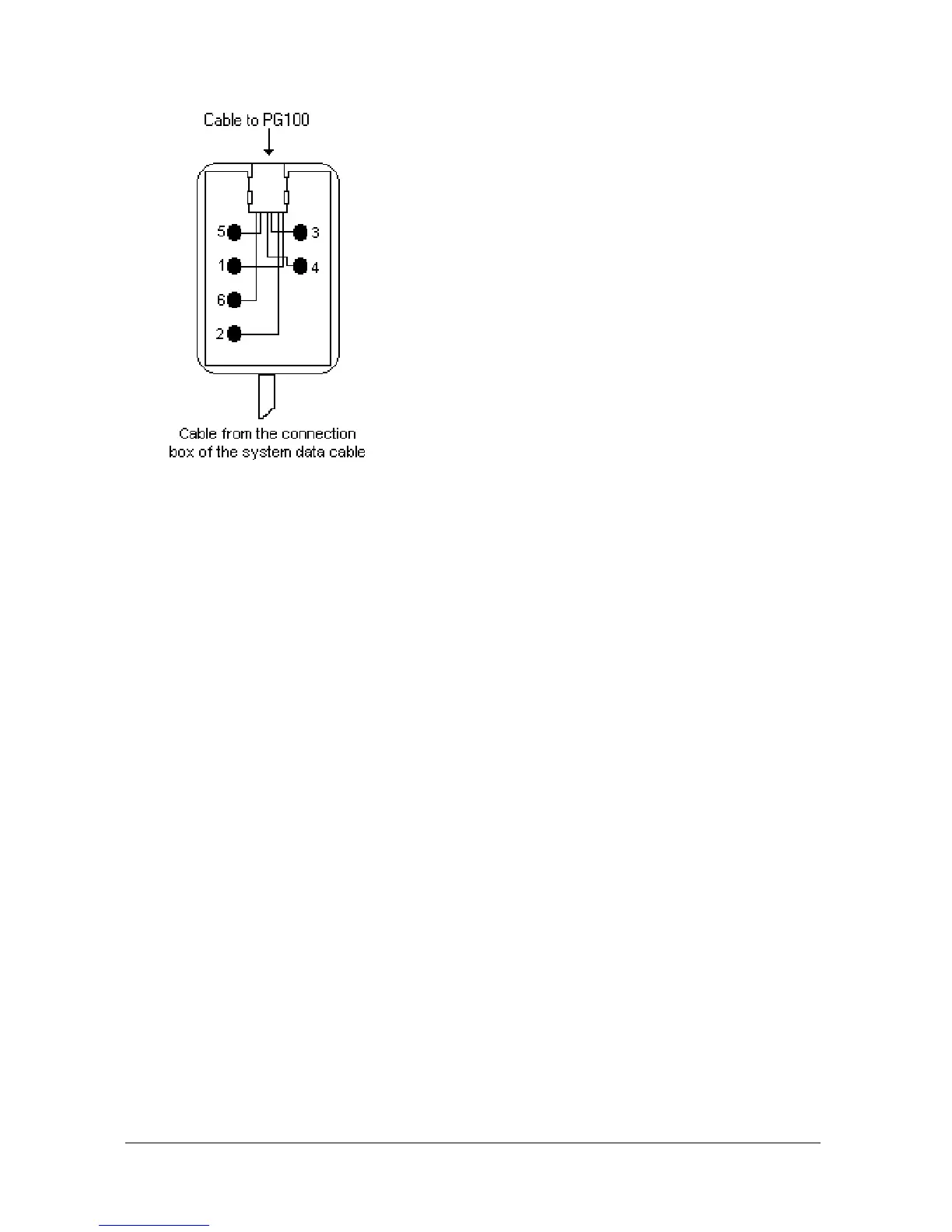
1- Data Signal
2- GND
3- No Connect
4- No Connect
5- No Connect
6- + 12 VDC
Figure B-27
PG100 shares the system data cable with OP48(-H) Consoles, LT48(-H)
Feature Phones and DSS80 / DSS40 Direct Station Select Modules.
For connecting the PG100 pager to the system :
1) The Data / + 12 VDC / GND signals on the connection box of the system
data cable must be wired in parallel to the corresponding pins of the
connection box of the pager data cable.
2) The RJ plug at the free end of the pager data cable must be attached to
the corresponding RJ socket at the bottom part of the PG100 cabinet.
The following figure illustrates the cabling of PG100 Local Pager.



 To Next Page