WLAN VDSL Gateway User Manual
39
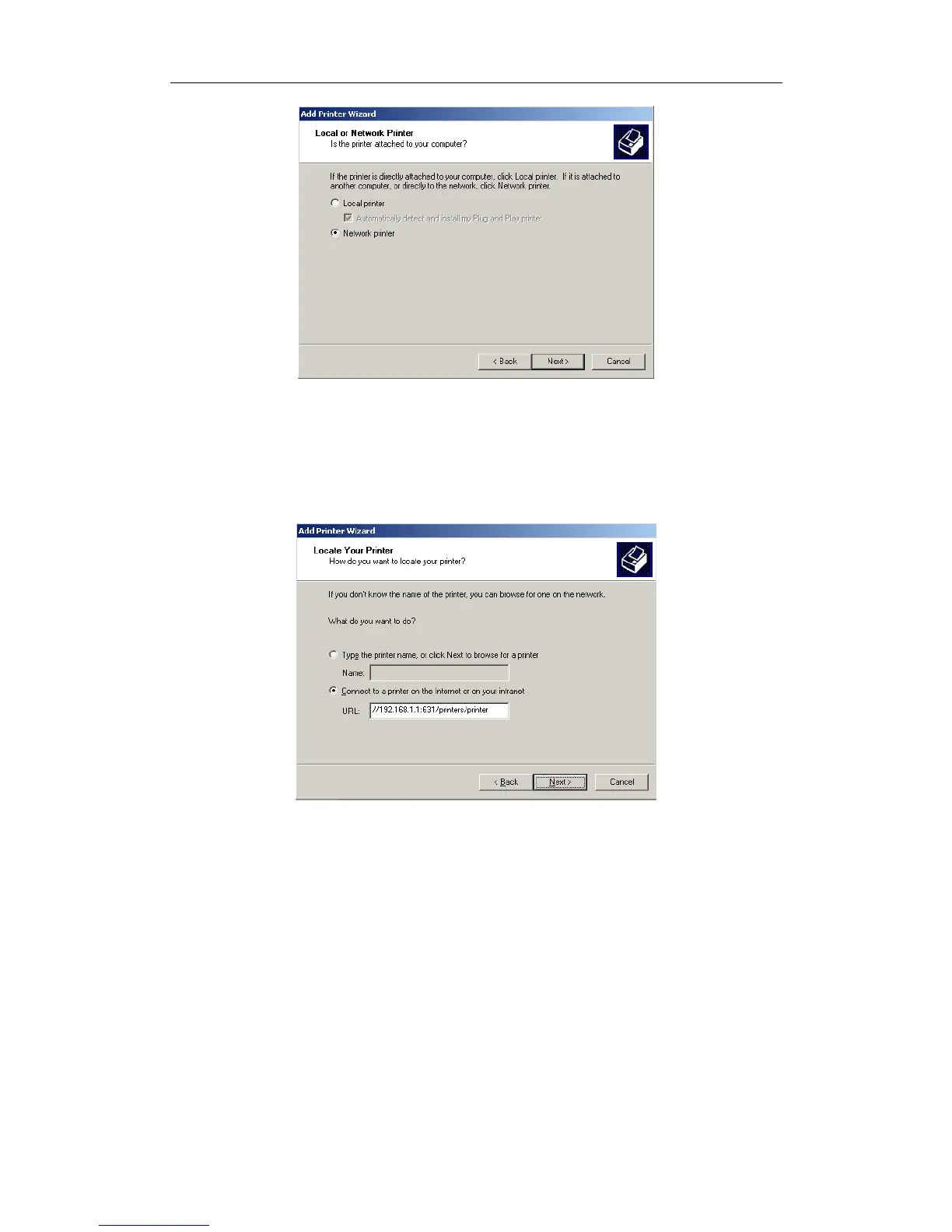
4. Select Connect to a printer on the Internet, type
“http://192.168.1.1:631/printers/printer” and click “Next”. The printer name
“Printer” must be the same name entered in the ADSL router “print server
setting” as in step 1.
5. Select driver file directory on CD-ROM or in your hard disk and click “OK”.
6. Choose “Yes” or “No” for default printer setting and click “Next”.


 To Next Page