WLAN VDSL Gateway User Manual
7
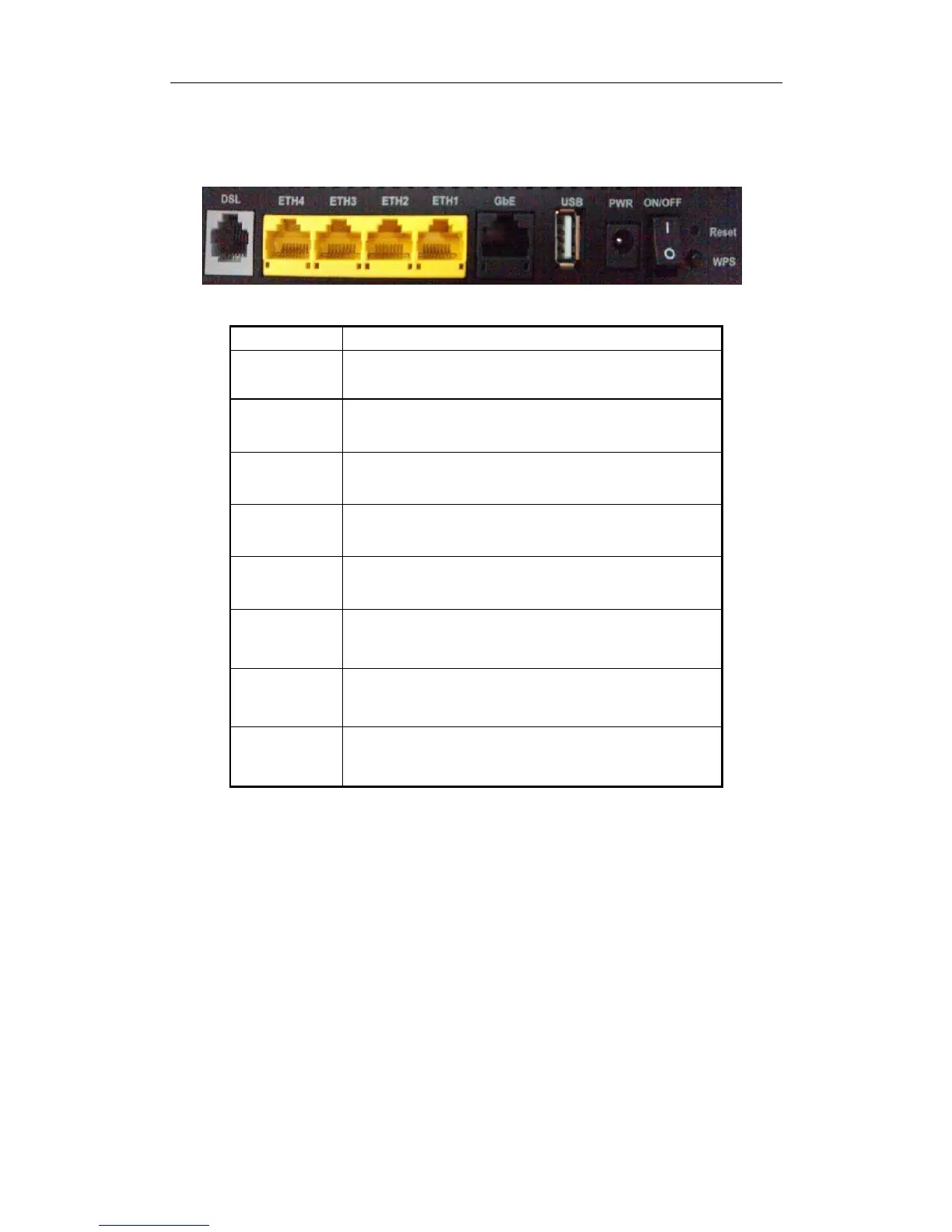
Rear panel
Connect the device to an ADSL telephone jack or splitter
using a RJ-11 telephone cable
Connect the device to your PC's Ethernet port, or to the
uplink port on user’s hub/switch, using a RJ-45 cable
Connect the device to user’s PC’s Ethernet port,or to the
uplink port on user’s hub/switch, using a RJ-45 cable
Connect the device to a Printer
Connect to the supplied power adapter
ystem reset to factory default
A convenient way for WPS set.


 To Next Page