PRACTICING WITH PATTERNS
SELLECTING A PATTERN AND PRACTICING WITH IT
There are three types of patterns in LEARNING mode.
Beat: Snare Practice
Rhythm: Drum Practice
Pattern: Drum Practice with accompaniment
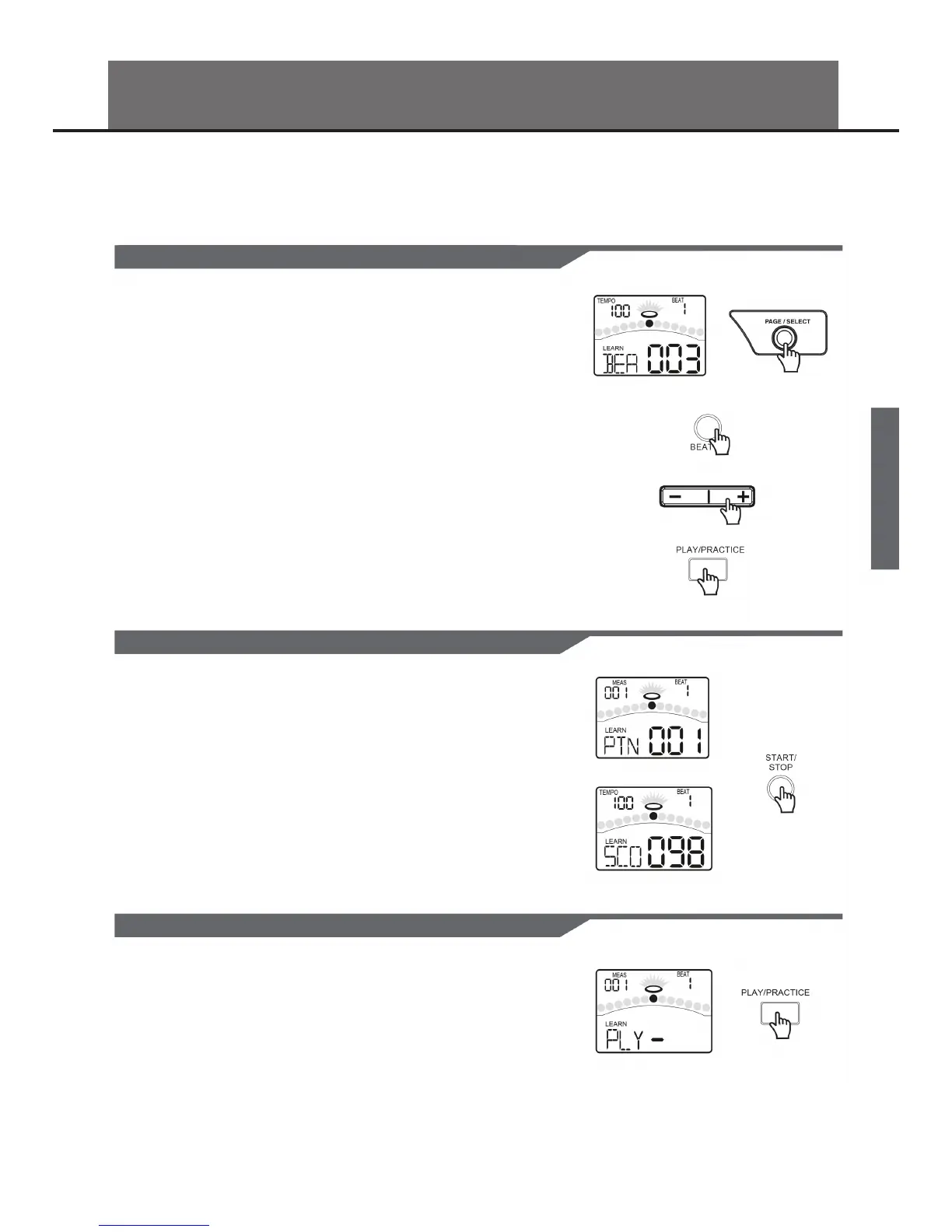
When you are in NORMAL mode, please press and hold the [PAGE/SELECT] but-
ton for 1 second. The LED of LEARNING mode will turn on. The display will show:
1. Press the [BEAT] button.
Select the Beat Choosing page.
2. Press the [ - ] or [ + ] button.
Select the beat which you want to practice.
3. Press the [PRACTICE] button.
Start or stop playing the pattern with your practice. The PAD indicators will
display which pads are being played by drum track.
If you want to select the Rhythm or Pattern, please follow the steps described
above.
SCORING YOUR PRACTICE
PLAYING BACK YOUR RECORD PRACTICE
If you want to check your progress, please press the [START/STOP] button. The
display will show:
A measure count-in will be inserted before playing back the pattern so that you
can practice in good time. Your practice will be recorded automatically. When
nished playing back the pattern, the digital drum will score your practice auto-
matically.
The display will show the score.
If you are not satised with your score, please press the [START/STOP] button and
try again.
1. Press and hold the [PLAY/PRACTICE] button for 2 seconds.
The display will show:
You can listen to your recorded practice.
2. Press the [PLAY/PRACTICE] button again.
Stop playing back the recorded practice.
13


 To Next Page