EasyManua.ls Logo

KaVo DIAGNOdent 2190 - User Manual

KaVo DIAGNOdent 2190
44 pages
Print Icon
To Next Page IconTo Next Page
Loading...
Instructions for use
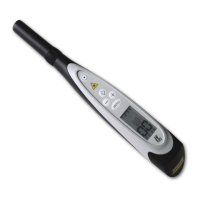
DIAGNOdent pen 2190
Always be on the safe side.

Table of Contents

Questions and Answers

  • M
    Michelle CamachoAug 1, 2025
    What to do if my KaVo Dental equipment won't turn on?
    • D
      Daniel WhiteAug 1, 2025
      If your KaVo dental equipment won't turn on, the issue might be due to a lack of power. Ensure the battery is properly inserted or try inserting a new battery.
  • J
    Jonathan WeaverAug 5, 2025
    Why does my KaVo Dental equipment get stuck in the turned-on state?
    • M
      Makayla AdamsAug 5, 2025
      If your KaVo dental equipment remains on, the ring switch contacts may be dirty or wet. Remove the gripping sleeve, then clean and dry the ring switch contacts.
  • A
    amyterrellAug 9, 2025
    What to do if my KaVo Dental equipment display shows: ERR1?
    • A
      austinscottAug 9, 2025
      If your KaVo dental equipment displays 'ERR1', it indicates that the checksum of the program memory is incorrect. Try turning the instrument on again. If the error persists, send the unit to KaVo for repair.
  • R
    Ryan PhillipsAug 14, 2025
    What does it mean if the battery icon is on in my KaVo Dental equipment?
    • F
      fhughesAug 14, 2025
      If the battery icon is displayed on your KaVo dental equipment, it means the battery is weak. Replace it with a new battery as soon as 'BATT' is displayed.
  • K
    Krystal DavisAug 18, 2025
    What does it mean if my KaVo Dental equipment display shows BATT?
    • J
      John PerryAug 18, 2025
      If your KaVo dental equipment's display shows 'BATT', it means the battery is dead. You should insert a new battery.
  • T
    Trevor MartinAug 22, 2025
    What to do if my KaVo Dental equipment display shows: ERR 4?
    • B
      Brian MartinAug 22, 2025
      If your KaVo dental equipment displays 'ERR 4', it indicates that the laser power consumption is too high. Do not turn the instrument on again. Send the instrument to KaVo for repair.
  • K
    Krystal GonzalesAug 26, 2025
    Why does my KaVo Dental equipment make a double audio signal after the start sound?
    • B
      Bethany PetersAug 27, 2025
      If your KaVo dental equipment emits a double audio signal after the start sound, it suggests there is no acknowledgement signal from the LCD display. Send the instrument to KaVo for repair.

Summary

User Instructions

1.1 User guide

Read these instructions prior to first use to avoid misuse and prevent damage.

Safety

2.1 Description of safety instructions

Details on how safety instructions and hazard levels are presented.

2.2 Safety instructions

Specific safety precautions related to product use and potential hazards.

2.2.1 Product-specific

Product-specific safety warnings, e.g., battery handling and electrical safety.

Product description

3.1 DIAGNOdent pen 2190

Overview and identification of the DIAGNOdent pen 2190 components.

3.2 Purpose - Proper use

Defines the intended purpose and correct usage of the DIAGNOdent pen 2190.

3.4 Technical Specifications

Detailed technical specifications and operating parameters of the device.

First use

4.1 Insert the battery

Step-by-step instructions for correctly inserting the battery into the device.

Operation

5.1 Mode of operation of the DIAGNOdent pen 2190

Explanation of how the DIAGNOdent pen 2190 detects and analyzes fluorescence.

5.3 Turning on;off

Procedures for powering the device on and off.

5.4.3 Calibrating the probes with a reference

Steps for calibrating probes using a reference standard.

5.5 Determine findings

Methods and interpretation of findings using the DIAGNOdent pen 2190.

5.5.2 Procedure

Recommended procedure for using the DIAGNOdent pen 2190 on patients.

5.5.3 Individually adjust the DIAGNOdent pen 2190 to the patient

How to calibrate the device to individual patient fluorescence levels.

Maintenance

6.1 Setup methods according to DIN EN ISO 17664

Instructions for cleaning and sterilizing the device according to ISO standards.

KaVo DIAGNOdent 2190 Specifications

General IconGeneral
Wavelength655 nm
DisplayLCD
Power SupplyRechargeable Battery
Laser Output Power1 mW
Laser ClassClass 2
TypeLaser Caries Detector
WeightApprox. 300 g

Related product manuals