EasyManua.ls Logo

KaVo HealOzone 2130 C - User Manual

KaVo HealOzone 2130 C
61 pages
Print Icon
To Next Page IconTo Next Page
Loading...
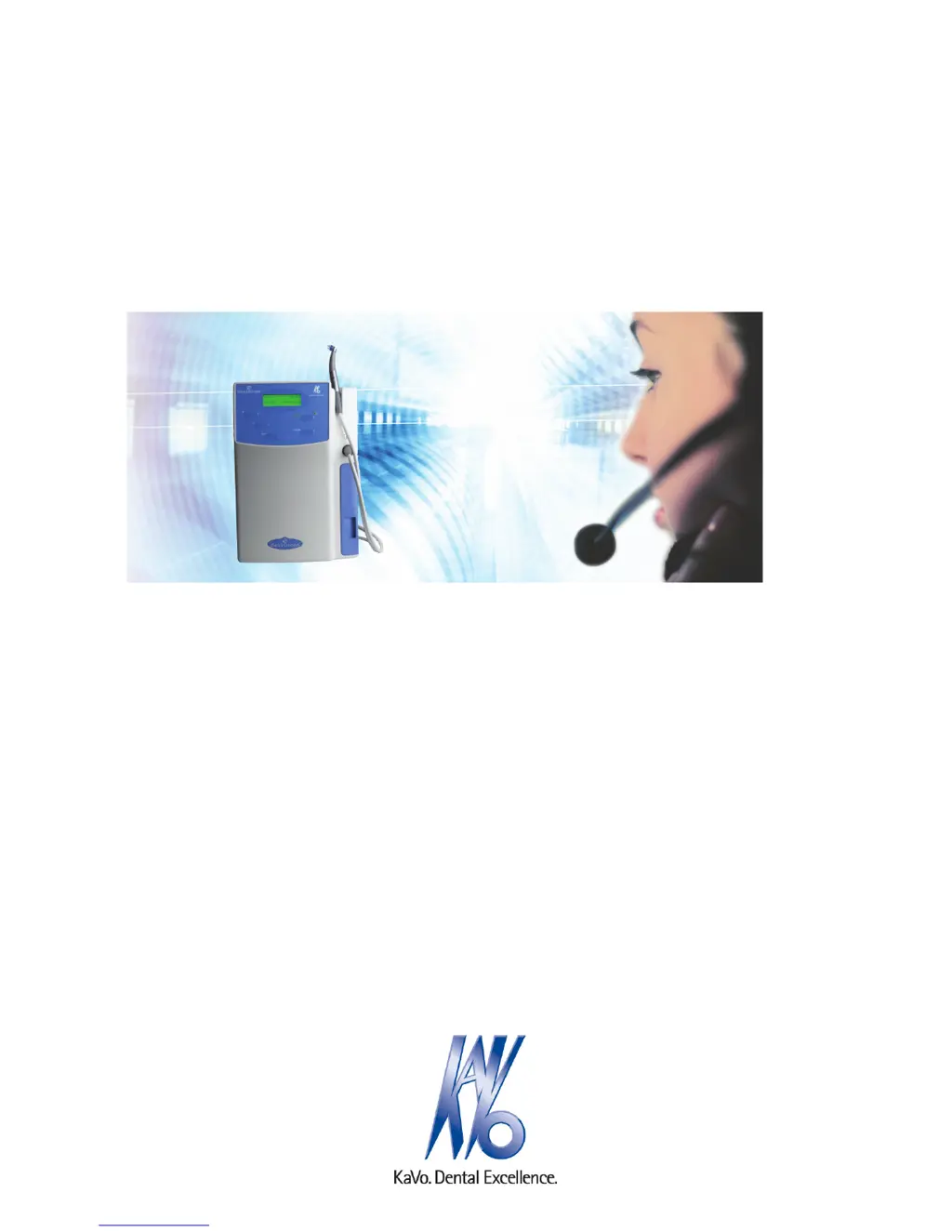
Instructions for use
HealOzone 2130 C
Always be on the safe side.

Table of Contents

Questions and Answers

  • J
    Jennifer ElliottAug 17, 2025
    What to do if KaVo HealOzone 2130 C Medical Equipment shows 'Warning: 1 Waiting time expired'?
    • J
      jessica58Aug 17, 2025
      If you see a 'Warning: 1 Waiting time expired Continue with button' message on your KaVo Medical Equipment, it could be due to several reasons. First, the ozone generator might not be starting because an airtight seal isn't forming at the tooth. You can try pressing any button to continue and then restart the treatment, making sure to close the air circuit within 60 seconds. Alternatively, the moisture trap might be at the end of its service life and needs replacing. Another possibility is a blockage in the cannula, handpiece, or tubing, or a faulty O-ring. Try cleaning the handpiece or replacing the O-ring.
  • J
    Joseph CooperAug 19, 2025
    What should I do if my KaVo HealOzone 2130 C Medical Equipment shows 'Counter mode Warning: 3 Desiccant used up'?
    • A
      Anthony MezaSep 12, 2025
      If your KaVo Medical Equipment displays 'Counter mode Warning: 3 Desiccant used up Please replace Press ' after switching on or during the self-test, it means the programmed threshold of 600 hours of operating time or 1,000 treatments has been exceeded. To resolve this, confirm the change of desiccant by pressing the SET button and then confirm 'New desiccant' with 'Yes'. This will reset the counter to zero. Note that if you confirm the desiccant change with 'Yes', the message will reappear after the next use.
  • K
    Katherine Hill MDAug 22, 2025
    What does 'Sensor mode Warning: 3 Desiccant used up' mean for KaVo Medical Equipment?
    • M
      Michelle JonesAug 22, 2025
      If you encounter the message 'Sensor mode Warning: 3 Desiccant used up Threshold almost reached Continue with button' on your KaVo Medical Equipment, it indicates that the average humidity is below the set 7% threshold after switching on or during the self-test. To address this, you should change the desiccant and then press any button to continue.
  • P
    Patrick AcostaAug 25, 2025
    Why does my KaVo Medical Equipment show 'Counter mode Warning: 6 Desiccant used up'?
    • J
      Jack HancockAug 26, 2025
      If your KaVo Medical Equipment displays 'Counter mode Warning: 6 Desiccant used up Please replace Press ', it means that the allocated humidity level wasn't reached in the specified timeframe, and the initial humidity reading is above 20%, indicating the desiccant is used up. Alternatively, the desiccant may not be connected. Confirm the desiccant change by pressing the SET button and selecting 'Yes' for 'New desiccant' to reset the counter to zero. If the message reappears, check whether the desiccant is connected.
  • J
    jeffery23Aug 27, 2025
    What to do if KaVo HealOzone 2130 C Medical Equipment displays 'Sensor mode Warning: 7 Desiccant used up'?
    • S
      Sandra BellAug 28, 2025
      If you see 'Sensor mode Warning: 7 Desiccant used up Please replace Continue with button' on your KaVo Medical Equipment, it means that after the current treatment, the average humidity is below the 7% threshold. You can confirm the desiccant change with the SET button or continue by pressing any button.
  • I
    iwilliamsAug 30, 2025
    How to fix 'Warning: 2 Set the time' on KaVo HealOzone 2130 C Medical Equipment?
    • A
      Angela MitchellAug 30, 2025
      If your KaVo Medical Equipment shows 'Warning: 2 Set the time Continue with button', it means the treatment time you've entered is invalid. To fix this, press any key to continue and then adjust the treatment time to ensure it falls within the correct limits.
  • R
    Randall NicholsSep 2, 2025
    What does 'Sensor mode Warning: 6 Desiccant used up' mean on KaVo HealOzone 2130 C Medical Equipment?
    • A
      Allison SmithSep 2, 2025
      If you see 'Sensor mode Warning: 6 Desiccant used up' on your KaVo Medical Equipment, the allocated humidity level wasn't reached within the specified timeframe. The solution is to change the desiccant and then press any button to continue.
  • A
    Alexa StoneSep 4, 2025
    What should I do if KaVo Medical Equipment shows 'Counter mode Warning: 7 Desiccant used up'?
    • J
      Jose TaylorSep 4, 2025
      If your KaVo Medical Equipment displays 'Counter mode Warning: 7 Desiccant used up Please replace Confirm ', it indicates that after the current treatment, the counter shows the programmed threshold of 600 hours of operating time or 1,000 treatments has been exceeded. To resolve this, confirm the desiccant change with the SET button, and confirm 'New desiccant' with 'Yes'. This will reset the counter to zero. Note that if the desiccant change is confirmed with 'Yes', the message will reappear after the next use.
  • R
    Robert StewartSep 7, 2025
    Why does KaVo HealOzone 2130 C say 'Please replace Continue with button'?
    • A
      Alexis HooverSep 7, 2025
      If you see the message 'Please replace Continue with button' on your KaVo Medical Equipment, it could mean that the initial humidity reading is above 10%, indicating the desiccant is used up. Another possibility is that the desiccant is not connected. Check whether the desiccant is connected.
  • G
    Gina JohnsonSep 10, 2025
    What to do if KaVo Medical Equipment shows 'Warning: 4 Number of treatments Remaining'?
    • D
      David HernandezSep 10, 2025
      If your KaVo Medical Equipment shows 'Warning: 4 Number of treatments Remaining: xxx Continue with button', it means the unit requires servicing because the total permissible treatment time has been reached. Press any key to continue.

Summary

User Notes

Service Contact and Support

Contact information and resources for technical support and service.

Safety Information

Explanation of Safety Symbols

Definitions of hazard symbols and safety instruction levels.

Product-Specific Safety Instructions

Product-specific safety precautions, warnings, and handling.

Product Description

Purpose and Clinical Applications

How the system works and its clinical applications.

Commissioning the Device

Device Operation

Treatment Procedure Steps

Detailed steps for performing treatments: start, dry, treatment, rinse.

Preparation Methods DIN EN ISO 17664

Troubleshooting Guide

Understanding Warning Messages

Explains warning messages, their causes, and remedies.

Error Message Codes

Lists error codes, their causes, and recommended actions.

KaVo HealOzone 2130 C Specifications

General IconGeneral
Voltage100-240 V
Frequency50/60 Hz
ApplicationDental treatment, disinfection
Power SupplyMains adapter
Operating Humidity30-75%

Related product manuals