EasyManua.ls Logo

KaVo NOMAD PRO 2 - User Manual

KaVo NOMAD PRO 2
52 pages
Print Icon
To Next Page IconTo Next Page
Loading...
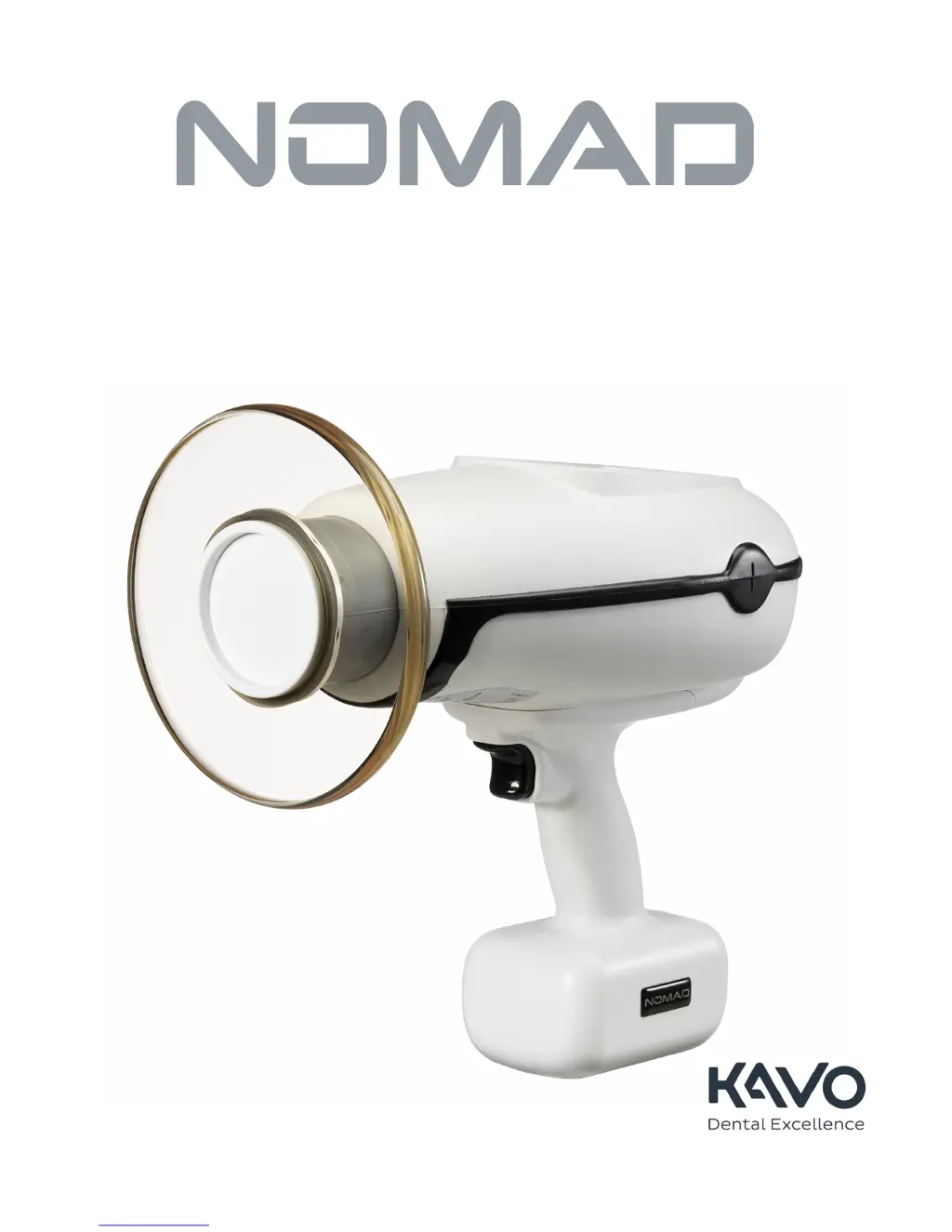
Handheld X-ray System
for Intraoral Radiographic Imaging
OperatOr Manual
TM

Questions and Answers

  • E
    Edward PerezAug 19, 2025
    Why does my KaVo Medical Equipment automatically shut down?
    • L
      Lauren RichardsonAug 19, 2025
      If the KaVo NOMAD PRO 2 automatically shuts down after about three minutes of inactivity, manually turn it on when you are ready to use the device. If shut-down occurred during regular activity, the KaVo NOMAD PRO 2 will require authorized service.
  • S
    sbrownAug 21, 2025
    How to fix KaVo NOMAD PRO 2 handset that won't completely charge?
    • M
      Michael DunnAug 21, 2025
      If the handset does not completely charge after 5 hours, and the green power indicator is illuminated but the handset fails to charge, there may be an issue with compatibility of components. Ensure that compatible components are being used by checking the labels of both the handset and charger and verifying that the correct part numbers are being used. If the green power indicator is illuminated but the correct components fail to charge, the handset may be in sleep mode. Plug in the charger. Place the handset on the charger. Leaving the handset on the charger, unplug the charger by unplugging the power supply from either the cradle or the wall. Plug in the charger to reset the handset and begin charging. Charging a handset from the sleep mode may take slightly longer than normal.
  • A
    Andrew RiosAug 23, 2025
    What to do if the 'Handset Failure' alarm appears on my KaVo NOMAD PRO 2 Medical Equipment?
    • W
      William MillerAug 25, 2025
      If the Handset Failure alarm is displayed on the screen, ensure the handset is securely attached. If the batteries are impaired or at the end of their life cycle, replace with a newly charged handset in order to continue. Use the charging cradle to determine the handset status. If the charging bars illuminate solid red or if no illumination occurs, the handset will require authorized service. If all handsets appear fully charged, the KaVo NOMAD PRO 2 will require authorized service.
  • R
    Raymond MitchellAug 26, 2025
    Why are the indicator lights red when charging my KaVo NOMAD PRO 2 handset?
    • K
      Kevin LeeAug 26, 2025
      If the indicator lights illuminate solid or flashing red when placing the handset on the charging cradle, and the indicator lights are solid red, there is an issue with either the handset or charger. Ensure that the compatible components are being used by checking the labels of both the handset and charger and verifying that the correct part numbers are being used. If the indicator light blinks red, the handset is outside of the operating temperature range. Remove the handset from the charger. Allow the handset to equilibrate to room temperature. Place the handset on the charger. If the error persists, the handset will require authorized service.
  • A
    Anthony BarnesAug 27, 2025
    What does the 'System Failure' alarm mean on my KaVo Medical Equipment?
    • S
      sara59Aug 27, 2025
      If the System Failure alarm is displayed on-screen, this warning alarm can be cleared by powering off, then on. If the alarm redisplays, the KaVo NOMAD PRO 2 will require authorized service.
  • L
    Lindsay BarnesAug 30, 2025
    Why does my KaVo NOMAD PRO 2 X-ray image lack contrast and appear too dark?
    • M
      Michael MartinezAug 30, 2025
      If the image from X-ray exposure does not have sufficient contrast, and it is too dark (overexposure), decrease the exposure time setting. Also, check the film expiration date because old film can produce dark, grainy/foggy images.
  • D
    Dakota VaughnSep 1, 2025
    How to improve the contrast of X-ray images from my KaVo NOMAD PRO 2?
    • C
      Craig WarrenSep 1, 2025
      If the image from X-ray exposure does not have sufficient contrast, and it is too light (underexposure), increase the exposure time setting or see “Incomplete Exposure”. Also ensure chemical freshness and proper temperature.
  • K
    Kimberly SimmonsSep 3, 2025
    Why are my KaVo NOMAD PRO 2 Medical Equipment X-ray images blurred?
    • G
      gloriahopkinsSep 3, 2025
      If the image from X-ray exposure is blurred, it is because combined movements of operator and patient during exposure produced too much distortion. Check the exposure time setting and re-enable when operator and patient are again properly situated.
  • W
    William RobinsonSep 5, 2025
    Why is there no power to my KaVo Medical Equipment control panel?
    • W
      williamcontrerasSep 5, 2025
      If there was no power to KaVo NOMAD PRO 2 control panel and pressing Power several times does not cause the display to illuminate, the attached handset is the likely problem. Ensure handset is securely attached. If all handsets appear fully charged, KaVo NOMAD PRO 2 will require authorized service.
  • K
    Kathryn RodriguezSep 7, 2025
    Why does the Ready state terminate early on my KaVo NOMAD PRO 2?
    • S
      sortizSep 7, 2025
      If the Ready state terminated before an exposure started, it is because the Ready state expires because the X-ray exposure is not initiated within 15 seconds of the start of the Ready state. Double-check the exposure time setting and re-enable when operator and patient are again properly situated.

Summary

Getting Started

Indication for Use

Specifies the intended use of the KaVo NOMAD PRO 2 for trained dental professionals.

Warnings and Precautions

Details safety considerations for specific patient groups like pregnant women and children.

Safety Precautions

Radiation Safety

Outlines essential safety measures and best practices for radiation protection.

Studies and Data on Leakage and Scatter

Presents data and analysis regarding radiation leakage and scatter from the device.

Usage and Duty Cycle

Details device operation limits, duty cycle, and precautions against moisture.

Setup and Power Check

Attaching a Charged Handset

Step-by-step guide on how to properly attach a charged handset to the device.

Operation

Ensuring the Right Exposure Time is Set

Guides on setting and verifying correct exposure times for different scenarios.

Initiating and Completing an X-ray Exposure

Detailed process for starting and finishing an X-ray exposure.

Exposure Techniques

Provides guidance on positioning and techniques for optimal X-ray image acquisition.

Handset Replacement and Care

KaVo NOMAD PRO 2 Care and Upkeep

Troubleshooting

Offers solutions for common device symptoms and errors.

Maintenance and Repair

KaVo NOMAD PRO 2 Specifications

General IconGeneral
X-ray Tube Voltage60 kV
Total Filtration2.5 mm Al equivalent
Source to Skin Distance20 cm
Battery TypeLithium-ion
Battery Life300 exposures on a single charge
Field of View5 x 5 cm
Safety FeaturesInternal lead shielding
TypePortable x-ray unit

Related product manuals