EasyManua.ls Logo

Kawai FS690 - Page 45

Kawai FS690
68 pages
Print Icon
To Next Page IconTo Next Page
To Previous Page IconTo Previous Page
Loading...
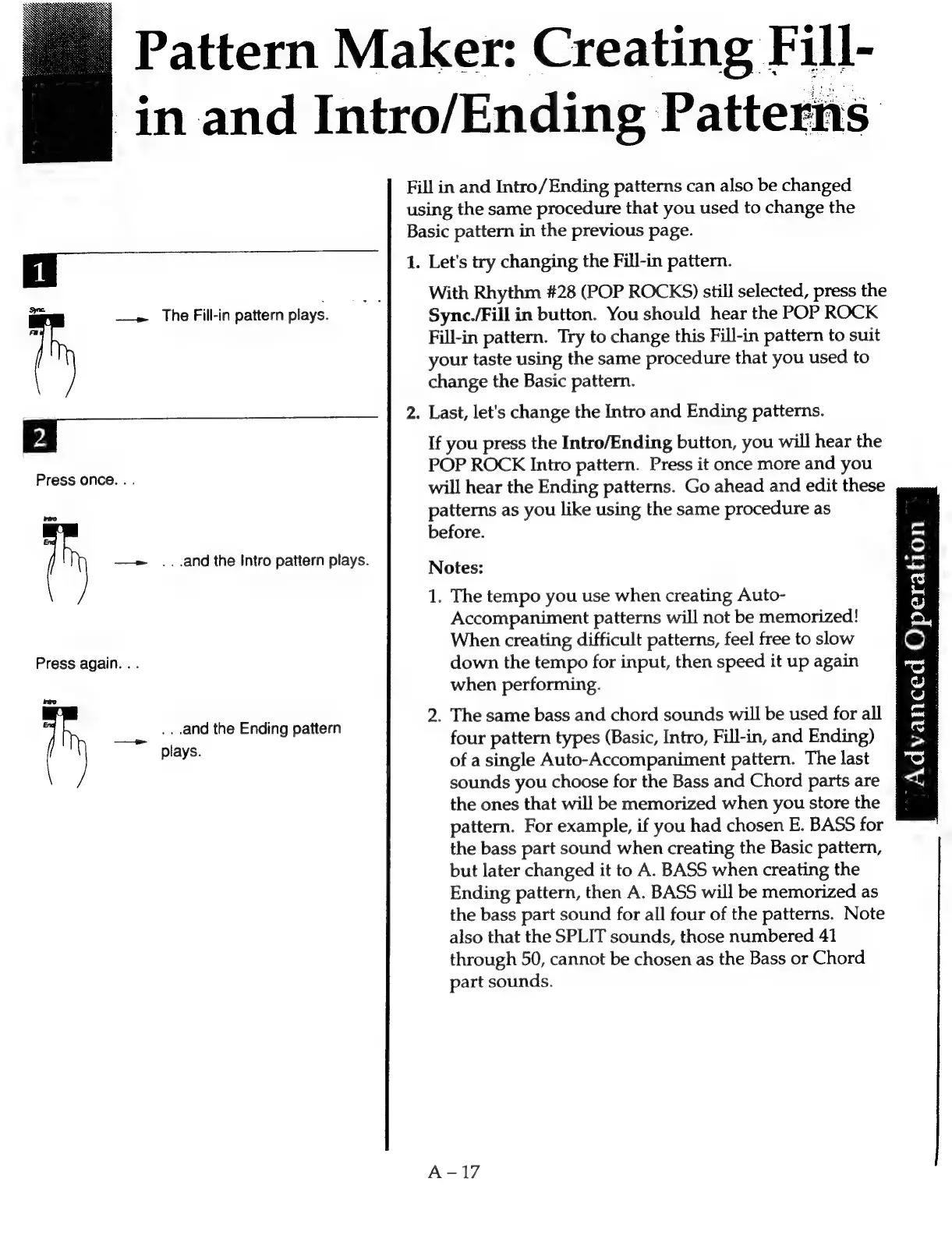
Pattern
Maker:
Creating
Fill-
in
and
Intro/Ending
Patterns
Fill
in
and
Intro/Ending
patterns
can
also
be
changed
using
the
same
procedure
that
you
used
to
change
the
Basic
pattern
in
the
previous
page.
Ea
1.
Let's
try
changing
the
Fill-in
pattern.
With
Rhythm
#28
(POP
ROCKS)
still
selected,
press
the
ie
——»
The
Fill-in
pattern
plays.
Sync./Fill
in
button.
You
should
hear
the
POP
ROCK
is
Fill-in
pattern.
Try
to
change
this
Fill-in
pattern
to
suit
your
taste
using
the
same
procedure
that
you
used
to
change
the
Basic
pattern.
2.
Last,
let's
change
the
Intro
and
Ending
patterns.
2.
If
you
press
the
Intro/Ending
button,
you
will
hear
the
5
POP
ROCK
Intro
pattern.
Press
it
once
more
and
you
ee
eerens
will
hear
the
Ending
patterns.
Go
ahead
and
edit
these
patterns
as
you
like
using
the
same
procedure
as
before.
—»
...and
the
Intro
pattern
plays.
Notes:
1.
The
tempo
you
use
when
creating
Auto-
Accompaniment
patterns
will
not
be
memorized!
When
creating
difficult
patterns,
feel
free
to
slow
Press
again.
.
.
down
the
tempo
for
input,
then
speed
it
up
again
when
performing.
2.
The
same
bass
and
chord
sounds
will
be
used
for
all
pave
four
pattern
types
(Basic,
Intro,
Fill-in,
and
Ending)
of
a
single
Auto-Accompaniment
pattern.
The
last
sounds
you
choose
for
the
Bass
and
Chord
parts
are
the
ones
that
will
be
memorized
when
you
store
the
pattern.
For
example,
if
you
had
chosen
E.
BASS
for
the
bass
part
sound
when
creating
the
Basic
pattern,
but
later
changed
it
to
A.
BASS
when
creating
the
Ending
pattern,
then
A.
BASS
will
be
memorized
as
the
bass
part
sound
for
all
four
of
the
patterns.
Note
also
that
the
SPLIT
sounds,
those
numbered
41
through
50,
cannot
be
chosen
as
the
Bass
or
Chord
part
sounds.
nro
...and
the
Ending
pattern
jan
©
Ae,
cS
es
se)
2.
eo)
S
GQ.
ow)
s
0)
>
"SS
<<

Related product manuals