EasyManua.ls Logo

Kawai FS690 - Using the SYSTEM Functions

Kawai FS690
68 pages
Print Icon
To Next Page IconTo Next Page
To Previous Page IconTo Previous Page
Loading...
Using
the
SYSTEM
Functions:
Tuning
Control
In
this
section
we
will
outline
the
FS690's
SYSTEM
functions
(which
are
concerned
with
the
overall
control
of
the
FS690).
SYSTEM
functions
The
SYSTEM
functions
include:
1.
TUNING
CONTROL
(pitch
adjustment)
2.
TRANSPOSE
(key
change)
3.
Accompaniment
Hold
Pedal
function
selection
4.
Selecting
among
the
four
types
of
Auto-
Accompaniment.
(Please
see
the
section
on
"Advanced
Use
of
Auto-Accompaniment
Section"
in
page
A-3.)
1.
TUNING
CONTROL
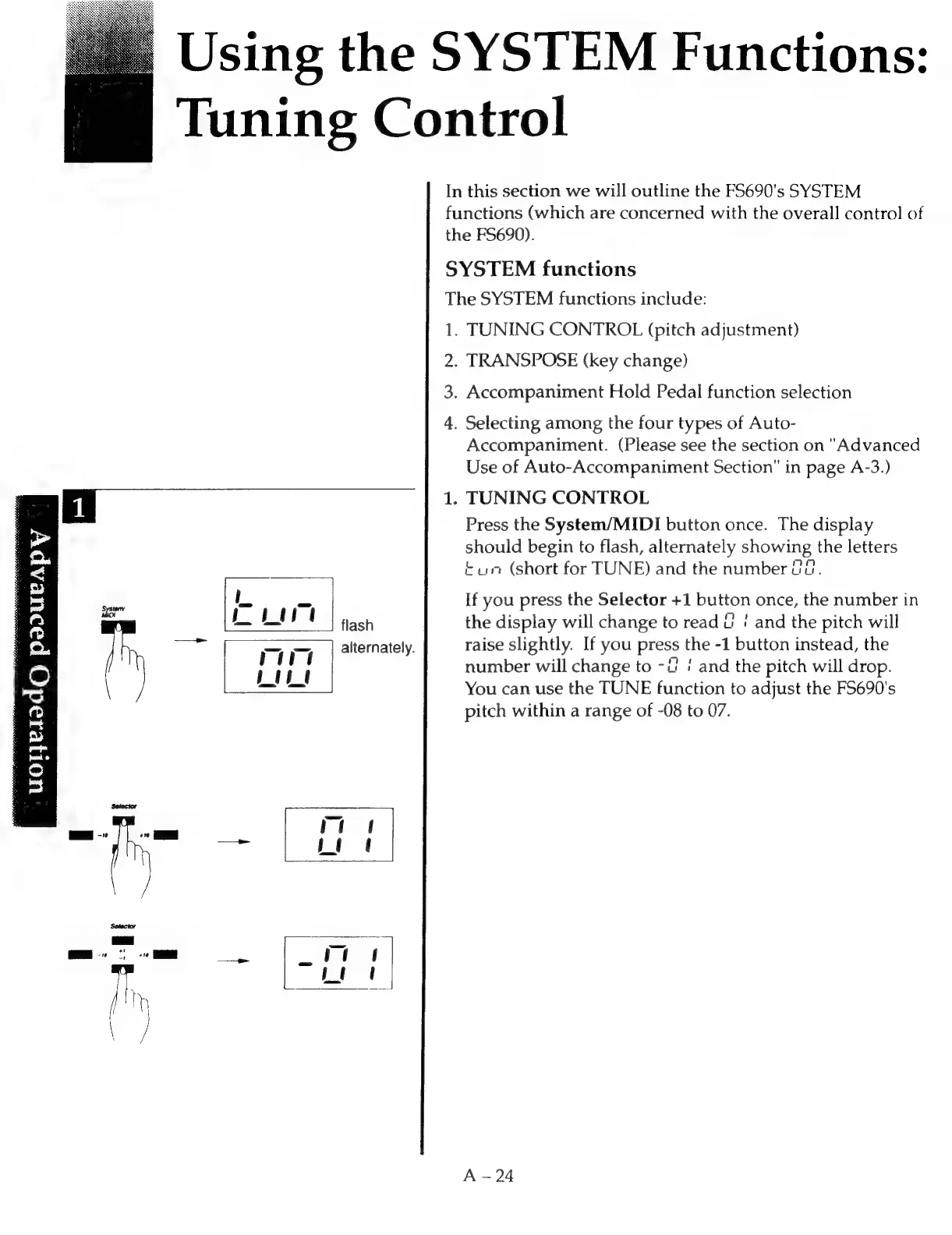
Press
the
System/MIDI
button
once.
The
display
should
begin
to
flash,
alternately
showing
the
letters
tur
(short
for
TUNE)
and
the
number
2.
L
=
If
you
press
the
Selector
+1
button
once,
the
number
in
Liv
flash
the
display
will
change
to
read
uti
and
the
pitch
will
—"
(ā€œ=
|
alternately.
raise
slightly.
If
you
press
the
-1
button
instead,
the
}
Me
H
number
will
change
to
-4
/
and
the
pitch
will
drop.
Rees
You
can
use
the
TUNE
function
to
adjust
the
F5690's
pitch
within
a
range
of
-08
to
07.
oe
Toners
do
rantnisie
|

Related product manuals