EasyManua.ls Logo

Kawai FS690 - (Rear Panel and Keys)

Kawai FS690
68 pages
Print Icon
To Next Page IconTo Next Page
To Previous Page IconTo Previous Page
Loading...
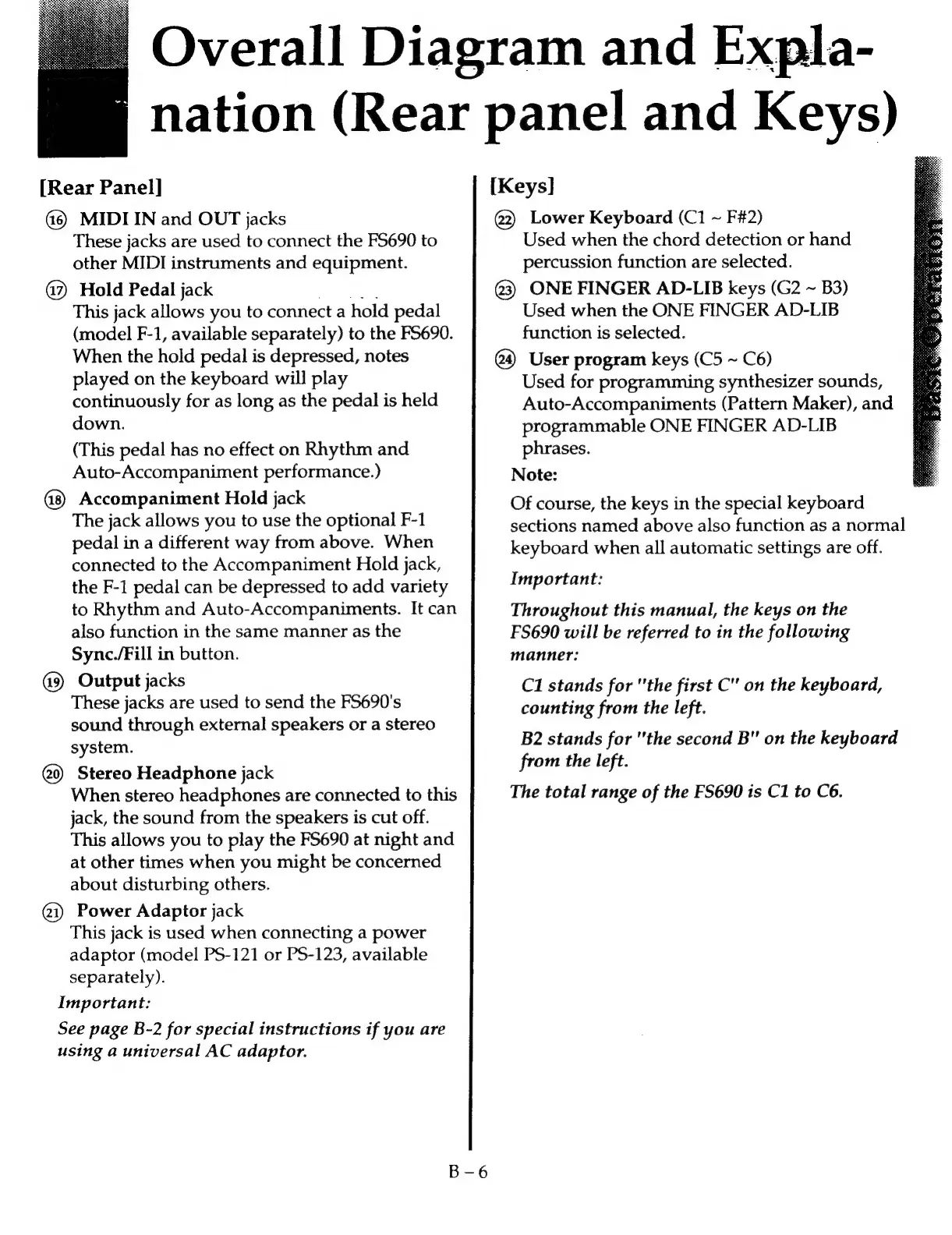
[Rear
Panel]
MIDI
IN
and
OUT
jacks
These
jacks
are
used
to
connect
the
FS690
to
other
MIDI
instruments
and
equipment.
@?
Hold
Pedal
jack
Oo
This
jack
allows
you
to
connect
a
hold
pedal
(model
F-1,
available
separately)
to
the
FS690.
When
the
hold
pedal
is
depressed,
notes
played
on
the
keyboard
will
play
continuously
for
as
long
as
the
pedal
is
held
down.
(This
pedal
has
no
effect
on
Rhythm
and
Auto-Accompaniment
performance.)
Accompaniment
Hold
jack
The
jack
allows
you
to
use
the
optional
F-1
pedal
in
a
different
way
from
above.
When
connected
to
the
Accompaniment
Hold
jack,
the
F-1
pedal
can
be
depressed
to
add
variety
to
Rhythm
and
Auto-Accompaniments.
It
can
also
function
in
the
same
manner
as
the
Sync./Fill
in
button.
Output
jacks
These
jacks
are
used
to
send
the
FS690's
sound
through
external
speakers
or
a
stereo
system.
Stereo
Headphone
jack
When
stereo
headphones
are
connected
to
this
jack,
the
sound
from
the
speakers
is
cut
off.
This
allows
you
to
play
the
FS690
at
night
and
at
other
times
when
you
might
be
concerned
about
disturbing
others.
@1)
Power
Adaptor
jack
This
jack
is
used
when
connecting
a
power
adaptor
(model
PS-121
or
PS-123,
available
separately).
Important:
See
page
B-2
for
special
instructions
if
you
are
using
a
universal
AC
adaptor.
[Keys]
@2)
Lower
Keyboard
(C1
~
F#2)
@3)
ONE
FINGER
AD-LIB
keys
(G2
~
B3)
User
program
keys
(C5
~
C6)
Overall
Diagram
and
Expla-
nation
(Rear
panel
and
Keys)
Used
when
the
chord
detection
or
hand
percussion
function
are
selected.
Used
when
the
ONE
FINGER
AD-LIB
function
is
selected.
Used
for
programming
synthesizer
sounds,
Auto-Accompaniments
(Pattern
Maker),
and
programmable
ONE
FINGER
AD-LIB
phrases.
Note:
Of
course,
the
keys
in
the
special
keyboard
sections
named
above
also
function
as
a
normal
keyboard
when
all
automatic
settings
are
off.
Important:
Throughout
this
manual,
the
keys
on
the
FS690
will
be
referred
to
in
the
following
manner:
C1
stands
for
"the
first
C"
on
the
keyboard,
counting
from
the
left.
B2
stands
for
"the
second
B"
on
the
keyboard
from
the
left.
The
total
range
of
the
FS690
is
C1
to
C6.

Related product manuals