3.
1
System software update
The rst stage will update the system software of the NV5 hybrid piano.
This procedure will require approximately 2 minutes to complete.
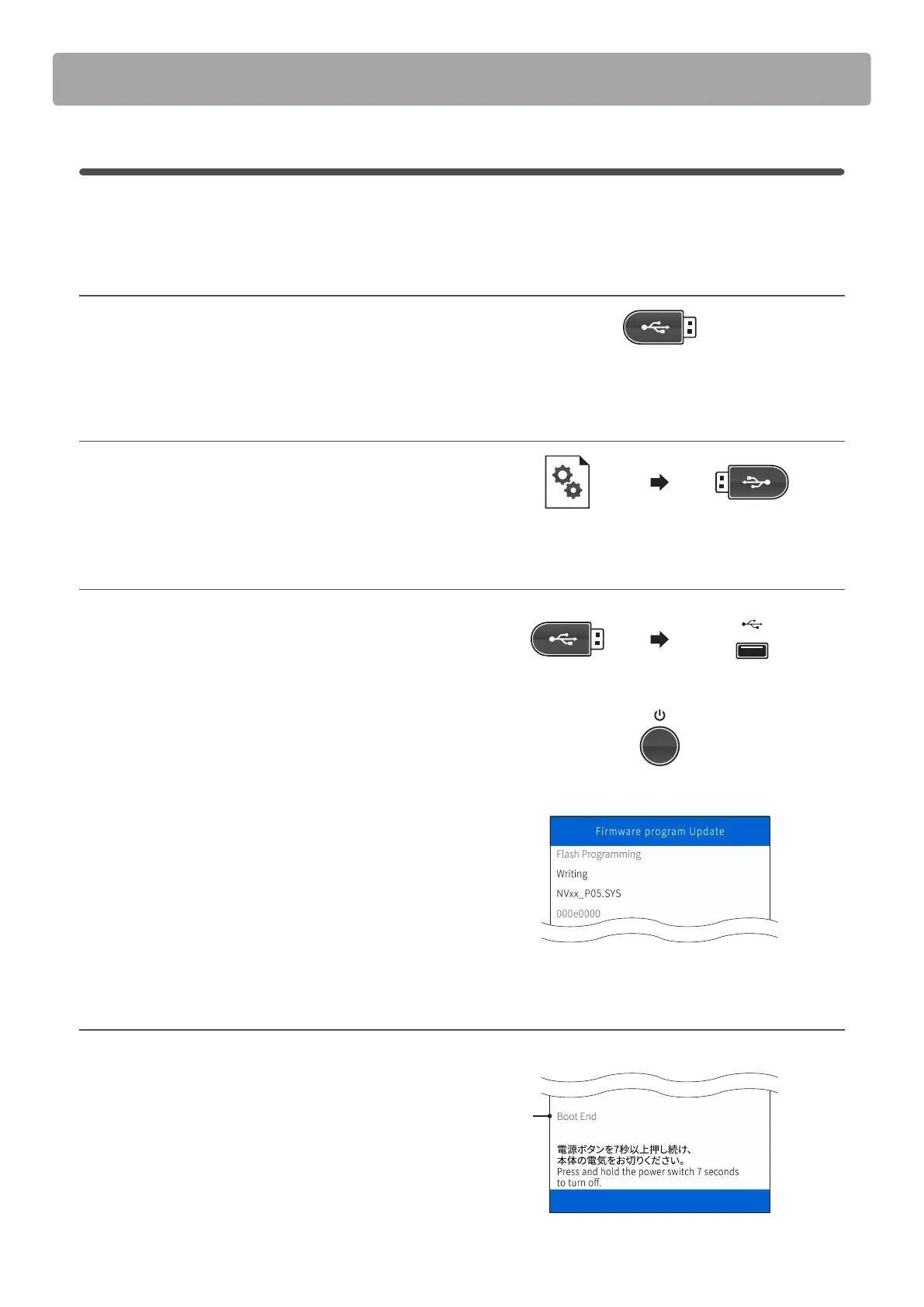
1. Format the USB memory device
Using a computer, format the USB memory device to ensure
that the device is empty.
* The USB device should be formatted to the ‘FAT’ or ‘FAT32’ lesystem.
2. Copy the update le to the USB memory device
Copy the NVxx_P05.SYS le from the temporary folder to the
root folder of the formatted USB memory device.
3. Connect the USB memory device, turn on the power
While the NV5 hybrid piano is turned o:
Connect the prepared USB memory device to the instrument.
Press and hold the POWER button, until the KAWAI logo is
shown in the LCD display.
The Firmware program Update screen will be shown, and the
update process will start automatically, with status messages
shown in the LCD display.
* Do not disconnect the USB memory device or turn o the instrument
while the update is in progress.
* If the update screen does not appear, wait 5 minutes, disconnect the
instrument’s power, then reconnect and retry this step.
4. Finish the update, disconnect the USB memory device
After approximately 1 minute a [Boot End] message will be
shown in the LCD display, indicating that the rst stage of the
update has been successful.
Disconnect the USB memory device, then press and hold the
POWER button to turn o the instrument.
When the instrument is turned on, the updated system software
will be used automatically.
* If this stage of the update is unsuccessful, restart from step 1.
Software Update (NV5)
Stage
complete
NVxx_P05.SYS


 To Next Page