LS30 CONTROLLER INSTALLATION AND OPERATING GUIDE
23
For entry to reference menu 'Set' and 'Exit' buons are
pressed together unl 'r.lo' parameter appears on screen.
'Set' buon is pressed once when oat is at lowest point,
When 'r.hi' parameter appears on screen by moving buoy rap-
idly to the top point 'Set' buon is pressed once again and
main operang screen is returned,
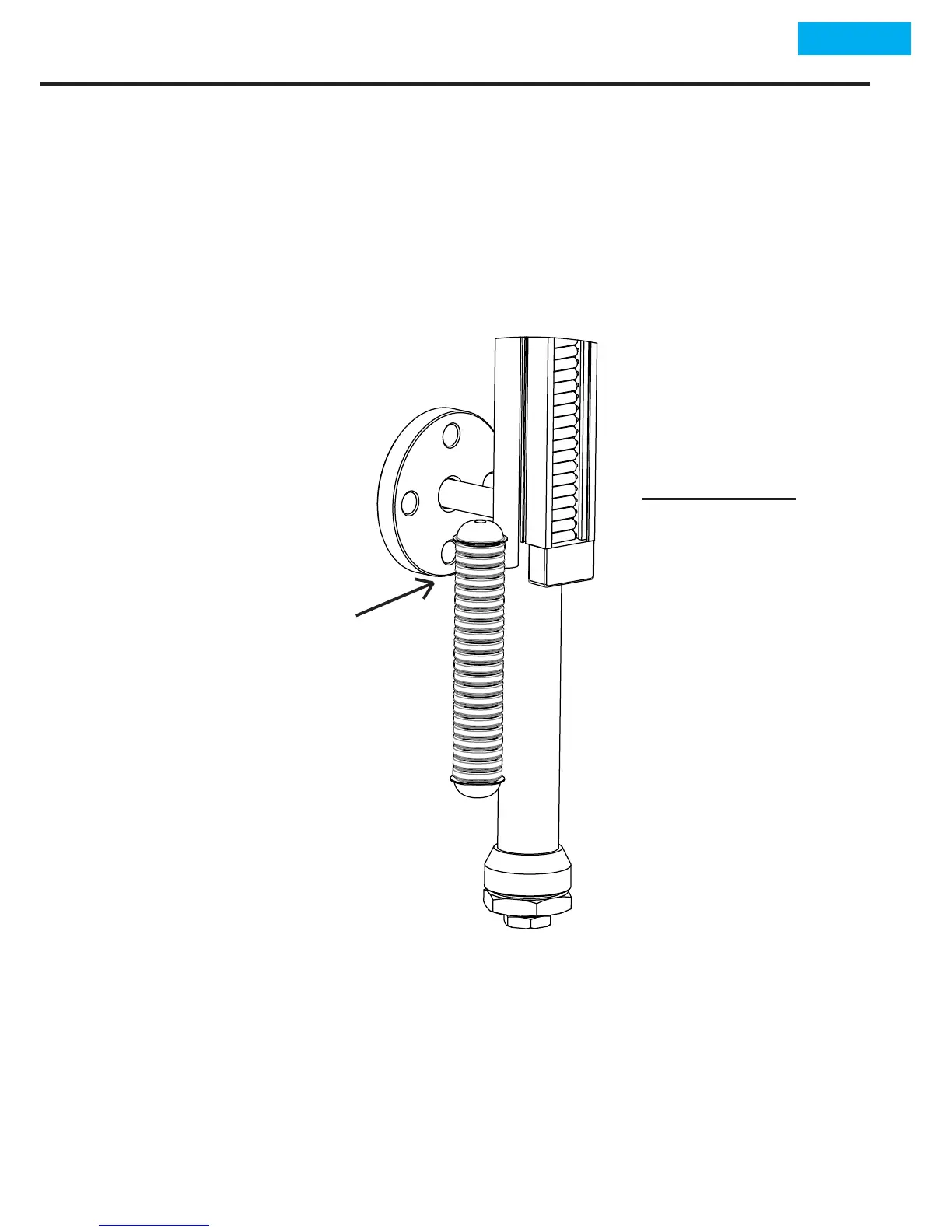
The top point of
oat and lower con-
necon pipe centers
are brought into the
same line.
(ATTENTION :
The oat should be
kept in a manner
its magnec part
facing upward. For
determinaon of
magnec part an
iron material can
be used).
•
•
•
•
•
When the reference values of LS30 Controller connected to
MLG30 Level Control Equipment are being adjusted the oat
within MLG30 Level Control Equipment should be removed.
The oat is brought closer to contact to the lower part of sen-
sor over the buoy level indicator,


 To Next Page