37
Frame your subject on screen. You can zoom in or out by
placing two fingers on the touch screen and pinching them
together to zoom out or spreading them apart to zoom in.
Touch the shutter icon on the screen.
The picture you just took is displayed for a moment, and then is
displayed as a thumbnail.
• Shoot a video
Adjust the video quality, color effect, and other settings if you
wish.
Point the lens to the scene you want to shoot
Touch the camcorder icon to start.
Touch the camcorder icon again to stop shooting.
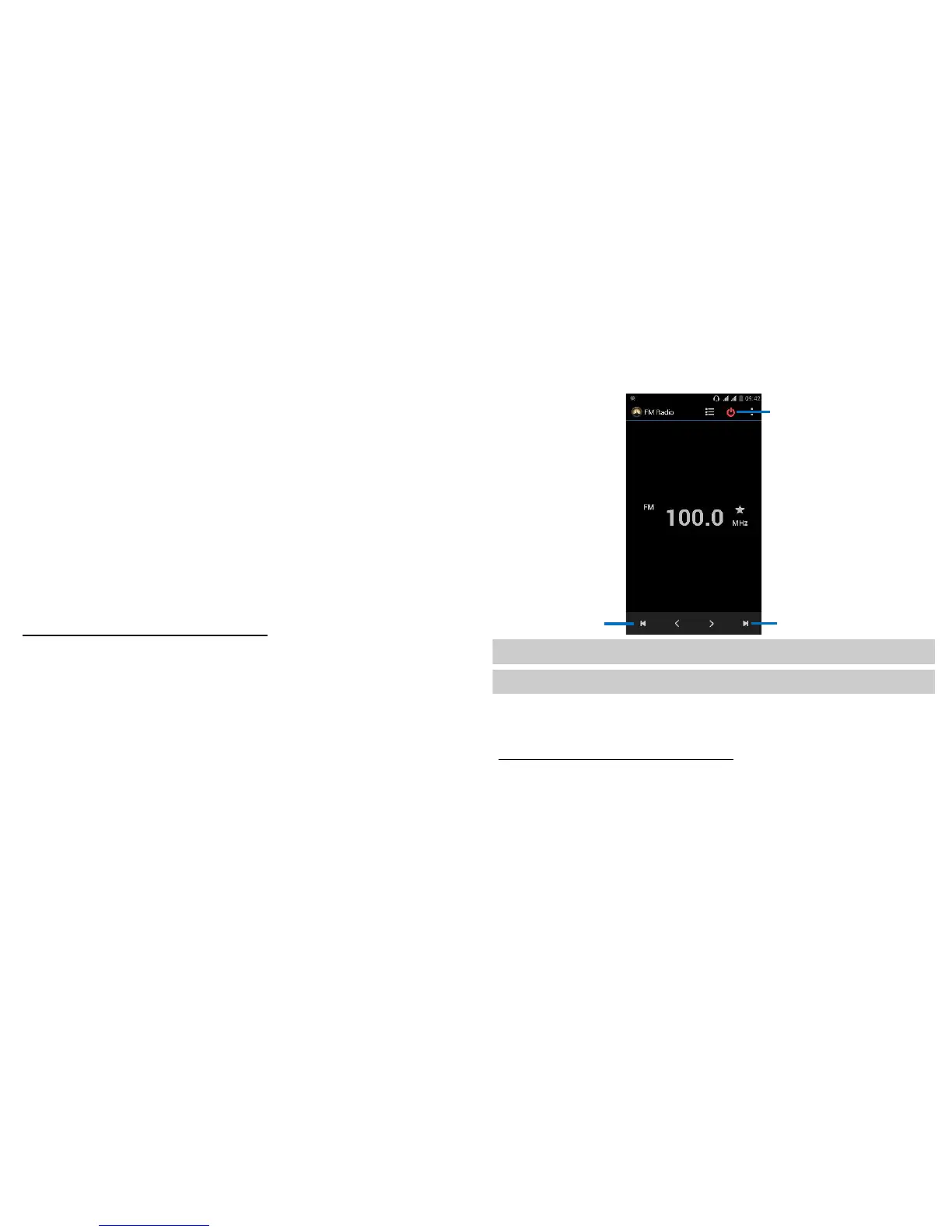
FM radio
Find it: Application menu > FM radio
38
The phone comes with an in-built FM Radio. You can listen to FM radio
stations, and add them to channel list. You have to plug in an earphone,
as the antenna of the FM radio. You can listen to the radio either through
an earphone, or through the speaker in the phone.
To search around the effective frequency
Gallery
Find it: Application menu > Gallery
The Gallery offers you to view photos and play videos which are
downloaded as well as those taken by the phone camera.
From Gallery, you can also share your photos and videos with your
friends, via Messaging, Bluetooth, or Email.
1. Touch an album to open it and view its contents.


 To Next Page