© 2019 KCodes Corporation. All rights reserved. 6 Series User’s Manual V1.0
5. Follow the usual steps to do scanning.
6. After the scanning, close the “Auto-Connect Scanner” window. At this moment, Control Center
will automatically do a disconnect.
4.8. USB Storage
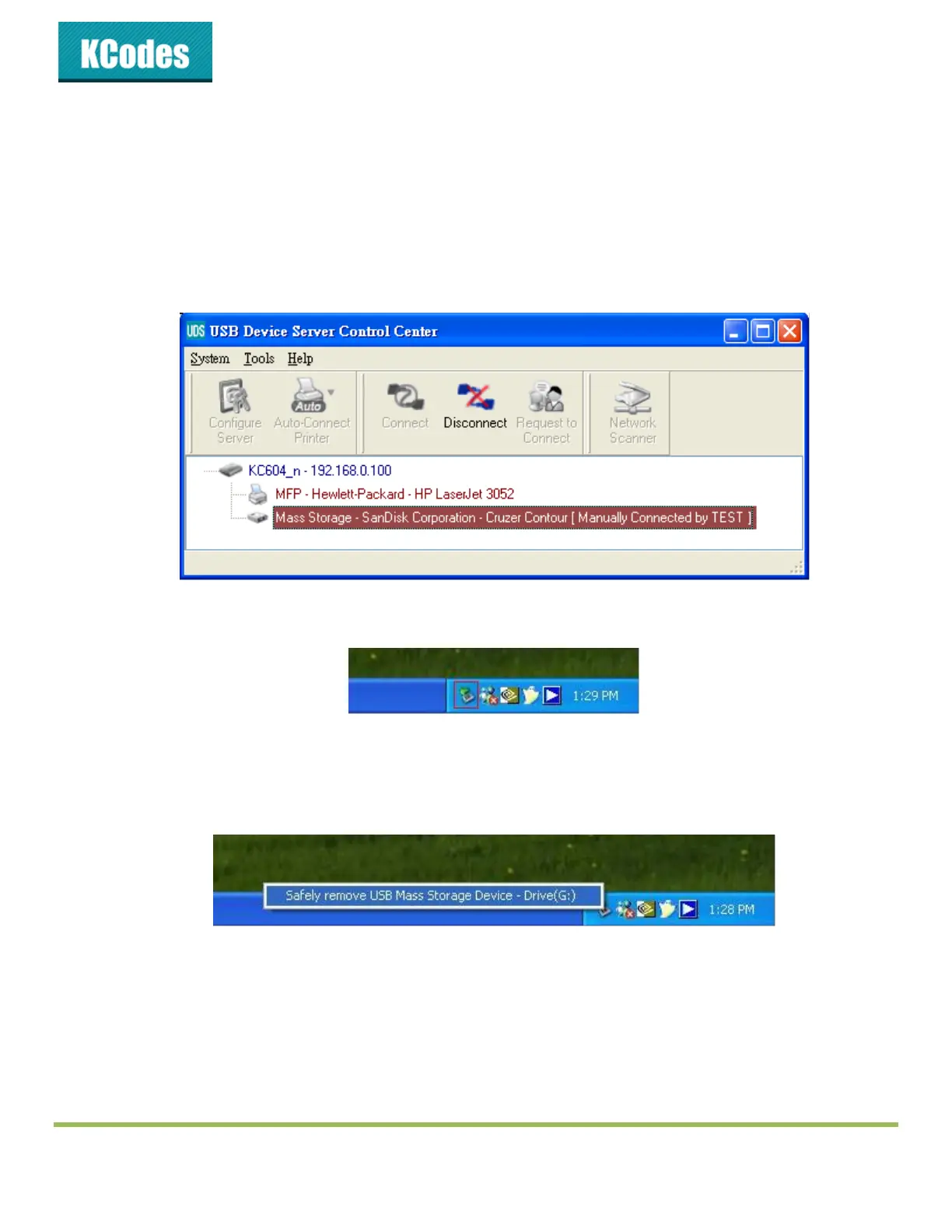
You must use “manually connect” for USB storage. After you connect a USB storage, like the following
picture, your PC will have a new disk. If the USB storage is a flash drive, the new disk is a “removable disk”.
You can see the storage icon in the system tray.
Then just use the new disk as a general disk. After you finish the disk operations, click the storage icon in
the system tray and choose “Safely remove USB Mass Storage Device” to remove the USB storage, as the
following figure.
Then, in the Control Center, click the USB storage device and click the “Disconnect” button to disconnect
the USB storage device.



 To Next Page