© 2019 KCodes Corporation. All rights reserved. 6 Series User’s Manual V1.0
4. Now, PC will detect the plug-in of the USB device. The “connect” operation is a software operation
that simulates an actual USB device plug-in. That is to say, when you do a “connect” operation in
the Control Center, PC can then detect a USB device’s plug-in, although actually you do not plug in
any USB device.
5. Then, just use the USB device as if it is connected directly to your PC’s USB port.
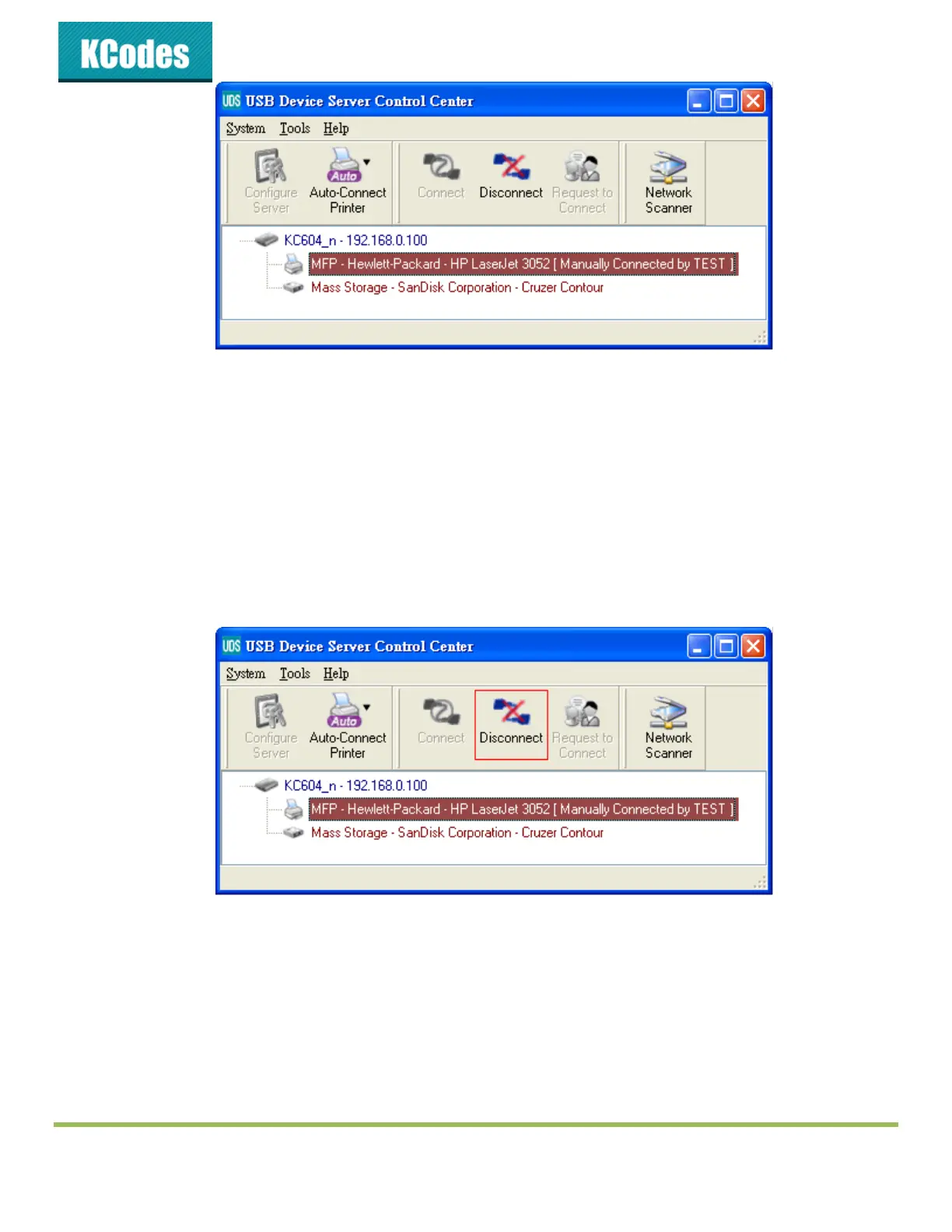
6. After you finish using the USB device, click the USB device in the Control Center and then click the
“Disconnect” button to disconnect the USB device. Other PCs can not “Connect” the USB device
until you “Disconnect” that USB device. That is to say, only one PC is allowed to connect the USB
device at the same time.
4.6. Auto-Connect Printer
The method described in section 4.5 is so-called manual-connect, which means users must manually
connect the USB device before using that device, and must manually disconnect the USB device after
using the device, otherwise nobody else can connect this device. However, for printers and scanners (and
MFPs), the USB device server supports auto-connect so users don’t need to manually connect/disconnect.
This and the next sections show you how to do this.



 To Next Page