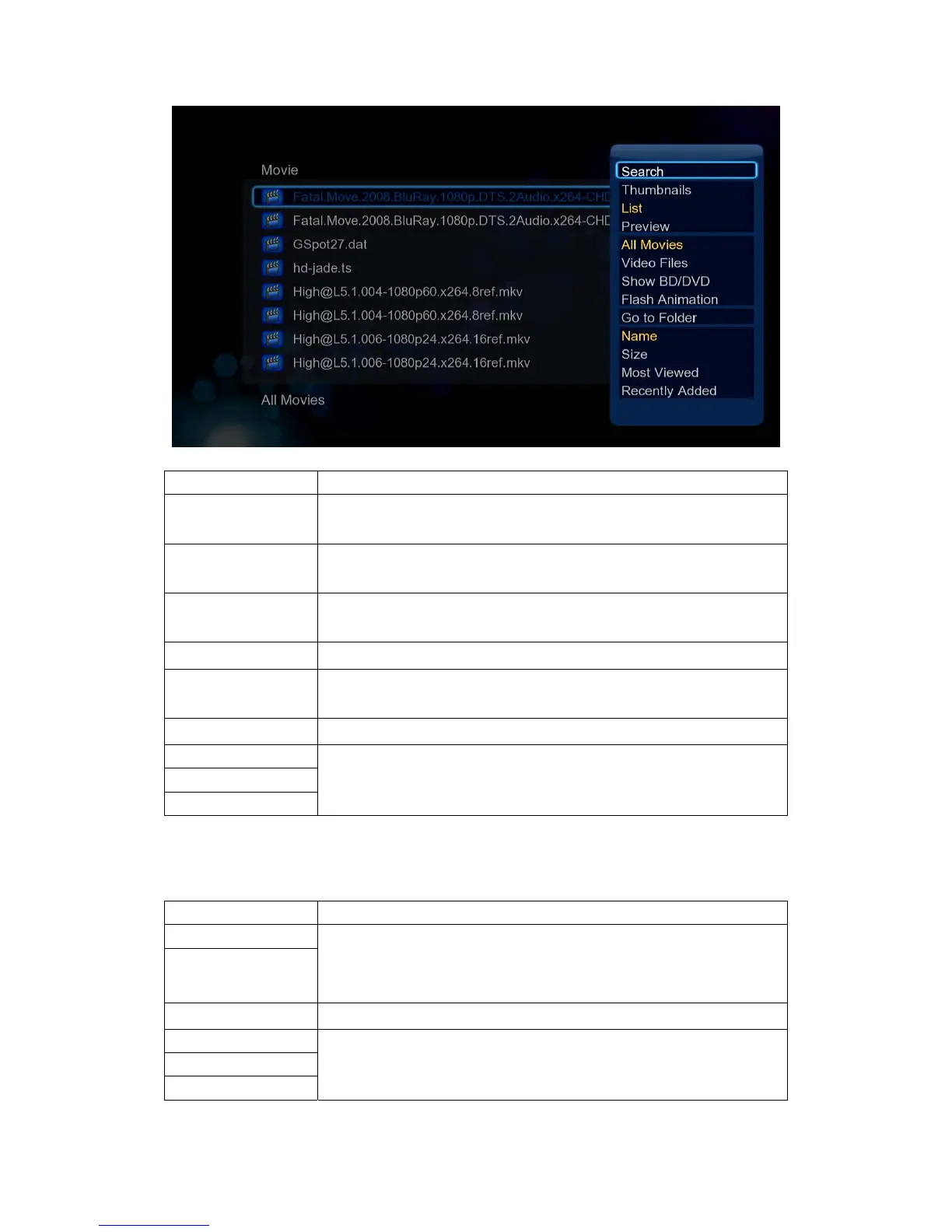
Function Description
Quick-Search
- Choose the Search option in the option menu, you can search for
a media file by filter media library to locate the specific media file.
Review Mode
- Choose a review mode among Thumbnails, List, Preview from
option menu.
Sorting Mode
- Choose to sorting files by Name, Size, Most Viewed, Recently
played or Recently Added from option menu.
Flash Animation
- Choose to display .swf files in media library.
BD/DVD
- Choose to display DVD IFO, BD MV and ISO files directly in media
library.
Go to Folder
- Choose to locate the file in file manager.
Folder Directory
- Different mode to view photos in photo library.
Leaf Folder View
Date View
3.2.3 Playback Option
Press Menu button during playback, you can get following functions through the Option menu.
Function Description
Title menu
- Useful for DVD IFO and ISO playback.
Title menu, return to the main menu of entire disc.
Root menu, return to the root main of each title.
Root menu
Video Setting
- Adjust Brightness, Contrast, Saturation and Hue.
Slide Timing
- With these three options, you can choose the Interval, Transition
effect and background music during the photo playback.
Slide Transition
Select Music


 To Next Page