EasyManua.ls Logo

KE2 Therm Solutions 20844 - User Manual

KE2 Therm Solutions 20844
20 pages
Print Icon
To Next Page IconTo Next Page
Loading...
Parts List
The following parts are included in the
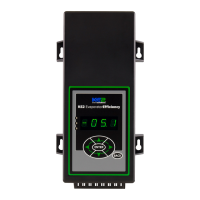
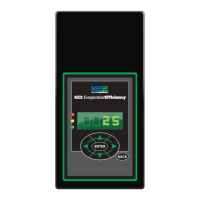
KE2 Evaporator Eciency (KE2 Evap) controller kits:
Kit #20178 with 120/208-240 VAC controller
Kit #20844
with 120/208-240 VAC controller
Kit #20631
with 120/208-240 VAC controller
Kit #20222
Beacon® I & II replacement controller
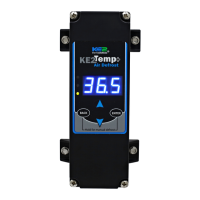
(1) KE2 Evaporator Eciency controller
(1) high voltage safety shield
(3) 15’ colored temperature sensors

(4) 90 degree quick disconnects
(5) self-tapping screws
(2) course thread screws (1) ne thread machine screw with
lock washer
(1) KE2 Terminal Board with fuses
(1) KE2 Evap Navigation sticker
(2) 1/2” plastic knockout plugs
(4) wire ties (rated for low temp)
(1) Air sensor mount
(1) 5-position pluggable connector (for EEV)
(4) 3-position pluggable connectors (for power in, transducer
and 3A relay)
(9) 2-position pluggable connectors (for sensors and digital
input, analog output)
(1) 120 Voltage jumper
(1) 208-240V Voltage jumper (already installed on KE2 Evap)
© Copyright 2017 KE2 Therm Solutions, Inc., Washington, Missouri 63090
Q.1.3
November 2017
KE2 EvaporatorEfciency
Quick Start Guide
Supplies List
The KE2 Evap is supplied with all of the accessories required for the con-
troller to work, however, standard truck stock items will also be required
to install the controller. A list of items is provided.
Conduit to go between the controller and the evaporator
(2) Conduit connectors (straight or elbow as required)
(11) High voltage wires matched to the load of the heaters, fans, liquid
line solenoid, alarm (if used), and the controller.
(8) Spade Connectors matched to gauge of high voltage wires
Wire labeling (numbers, colors, etc.)
Additional wire ties
18 gauge twisted shielded pair (if extending sensor wires)
Foam insulation if running wires outside the space.
Silicone (for sealing any box penetrations)
Popular Accessories
The following parts are available separately:
Wire Harness- 10’ pn 20736, 25’ pn 20670, 40’ pn 20737
Mounting Box pn 20687
Door Switch pn 20543
Buzzer pn 20972
Buzzer & Light Combo pn 20973
Further information on accessories can be found in KE2 Condensed Catalog 411.
This reference should remain on site with the installed KE2 Evaporator Eciency controller.
A
C
D
E
F
G
H
I
J
K
L
M
N
B
O
P
20844 KE2 Ultimate Install kit includes KE2 Mounting Box pn 20687 and 40’
colored temperature sensors
20631 kit does not include temperature sensors
20222 Beacon® kit includes an extra temperature sensor, and pressure
transducer with cable.
Now with
KE2 Smart Access!
Get your controller
online in 3 easy steps.
See page16
L M N
D
E
O
P
F
B
Left Arrow & Right Arrow
Use to move between Menus columns
Up Arrow & Down Arrow
Scroll through Menu Parameters
ENTER
Press and hold ENTER for 3 seconds, when
display is blinking changes can be made.
BACK
Press BACK to return to the previous view.
Press and hold ENTER for 3 seconds.
Change settings:
Save changes:
Moving through controller menus:
Return to Main Menu:
Lights:
Red - critical alarm (system not running)
Yellow - non-critical alarm (system running)
Green - compressor should be on
- compressor waiting on timer to start/stop
ENTER
Press ENTER to go from parameter to value.
Toggle beween
description & value :
Menu Layout:
Variables Manual*
(view only)
Alarms
(view only)
ENTER
Setpoints
Enter
Password
NO ALARM
EMAIL FAILURE
ROOM TEMP
DERIVATIVE
ROOM TEMP
FIRMWARE VERSION
MANUAL CONTROL
CLEAR MD
Controller Navigation
ENTER
ENTER
BACK
Press BACK 3 - 4 times
If you lose your place:
* For manual defrost use MANUAL CONTROL
BACK
24-hour Emergency Support: 1.888.337.3358 www.ke2therm.com
pn 21061 9-14
A
C
G H
I
J
K
NOTE: All sensors can be
used for any purpose and
are interchangeable,
colors are for ease of
identication only.
Video 046 How to Wire the KE2 Evap Controller
Video 033 How to Conrm the KE2 Evap is Wired Correctly
Video 068 How to Determine Proper Coil Sensor Location
Video 069 How to Properly Install a Coil Sensor
Video 032 Initial Defrost Sequence: KE2 Evap & KE2 Adaptive Control
Video 012 How to Navigate the KE2 Evap Controller
Video 020 KE2 Evap Scrolling Text - Initiate Manual Defrost
Video 017 KE2 Evap Scrolling Text - Change Room Temp Setpoint
Video 040 Congure the KE2 Evap for a Door Switch from the Front Panel
youtube.com/ke2therm
Visit our YouTube channel for videos
on KE2 Evap installation and setup.
Question and Answer IconNeed help?

Do you have a question about the KE2 Therm Solutions 20844 and is the answer not in the manual?

Summary

Product Overview and Resources

Included Parts List

Lists all components included in the KE2 Evaporator Efficiency controller kit.

Required Supplies List

Lists standard truck stock items needed for installation.

Popular Accessories

Lists optional accessories available for separate purchase.

KE2 Evaporator Efficiency Video Tutorials

Provides a list of YouTube videos for installation and setup guidance.

Initial Jobsite Assessment

Verifying System Health

Assess system health via superheat, subcooling, and temperature difference.

Understanding Frost Formation

Explains frost formation and its effect on evaporator efficiency.

Controller Installation Location

Controller Placement Guidance

Discusses controller location based on user preference and accessibility.

Conduit and Wire Preparation

Conduit and Wire Preparation Steps

Steps for cutting conduit, wires, and determining current draw.

Wiring the Controller - Power and Voltage

Details on connecting power and selecting voltage for the controller.

Wire Harness Key and Relay Wiring

Wire Harness Color Coding Key

Explains wire colors used in the KE2 Wire Harness for identification.

Fan Relay and Defrost Relay Wiring

Instructions for wiring the Fan Relay and Defrost Relay.

Solenoid, Auxiliary, and Safety Cover Installation

Liquid Line Solenoid;Compressor Relay Wiring

Instructions for wiring the LLS/Compressor Relay.

Auxiliary Relay and Safety Cover Installation

Wiring the auxiliary relay and installing the safety cover.

Evaporator Wiring Preparation

Preparing the evaporator for wiring by turning off power.

Evaporator Wiring - General and Fans

Assessing Existing Evaporator Wiring

Steps to study and understand the existing evaporator wiring.

Controller Power and Fan Wiring

Wiring the controller power input and evaporator fan connections.

Evaporator Wiring - Heater and Solenoid

Heater Wiring to Terminal Board

Connecting evaporator heater wires to the terminal board.

Defrost Termination and LLS;Compressor Wiring

Wiring defrost termination safety and LLS/Compressor.

Wiring Schematic with Contactor Box

Contactor Box Wiring Overview

Overview of wiring schematic using a KE2 Contactor Box.

Contactor and Load Ratings

Information on contactor ratings and fan/heater capacities.

Coil Sensor Location Determination

Optimal Coil Sensor Placement Strategy

Guidance on finding the best location for the coil sensor during defrost.

Verifying Heating Element Functionality

Checking that all heating elements are working properly.

Coil Sensor Installation Best Practices

Methods for installing the coil sensor, including protective plugs.

Sensor Installation and Configuration

Auxiliary Wiring and Sensor Labeling

Wiring auxiliary components and labeling sensors for clarity.

Air and Coil Sensor Installation

Installing air temperature and coil sensors in their proper locations.

Sensor Wire Connection and Controller Mounting

Connecting Sensor Wires and Strain Relief

Connecting sensor wires to the controller and using strain relief.

Controller Mounting and Final Steps

Securing the controller and completing the installation.

Controller Specifications and Layout

Detailed Controller Specifications

Covers input voltage, temperature ranges, IP rating, inputs, and relays.

Digital Input and Communication Specs

Details functions of digital inputs and communication protocols.

Back View Controller Layout

Identifies key components and connections on the back of the controller.

Controller Navigation and Menu Structure

Controller Navigation Overview

Explains how to move through controller menus and change settings.

Menu Structure and Parameters

Overview of Variables, Alarms, Setpoints, and Password menus.

User Interface and Controller Setup

Navigating the User Interface

Explains the 6-button interface for navigation and input.

Four Step Introduction Mode Setup

Guides through initial Room Temp, Defrost Type, Valve Type, and Smart Access setup.

Adjusting Controller Parameters with Passwords

Details password requirements for accessing controller setpoints.

Introduction to KE2 Smart Access

Benefits and Setup of KE2 Smart Access

Lists advantages and network connection requirements for Smart Access.

KE2 Smart Access Online Access Guide

Enabling KE2 Smart Access Feature

Steps to enable KE2 Smart Access in the Introduction Mode menu.

Accessing the KE2 Smart Access Portal

Instructions for logging into the KE2 Smart Access web portal.

Controller Menu Parameters Explained

Setpoints Menu Parameter Descriptions

Explains parameters like Room Temp, Defrost Type, Valve Type, and Superheat.

Alarms and Variables Menu Descriptions

Lists available alarms and sensor readings for system monitoring.

Controller Parameter Ranges and Defaults

Temperature and Time Parameter Ranges

Covers ranges for temperature setpoints, defrost times, and run times.

Input and Mode Parameter Ranges

Details parameters for digital inputs, fan speed, and defrost modes.

Manual Control and System Status

Manual Control and Reset Options

Manual override options for control, relays, and factory reset.

System Variables and Alarm Status

Displays current system mode, sensor readings, and alarm meanings.

Summary

Product Overview and Resources

Included Parts List

Lists all components included in the KE2 Evaporator Efficiency controller kit.

Required Supplies List

Lists standard truck stock items needed for installation.

Popular Accessories

Lists optional accessories available for separate purchase.

KE2 Evaporator Efficiency Video Tutorials

Provides a list of YouTube videos for installation and setup guidance.

Initial Jobsite Assessment

Verifying System Health

Assess system health via superheat, subcooling, and temperature difference.

Understanding Frost Formation

Explains frost formation and its effect on evaporator efficiency.

Controller Installation Location

Controller Placement Guidance

Discusses controller location based on user preference and accessibility.

Conduit and Wire Preparation

Conduit and Wire Preparation Steps

Steps for cutting conduit, wires, and determining current draw.

Wiring the Controller - Power and Voltage

Details on connecting power and selecting voltage for the controller.

Wire Harness Key and Relay Wiring

Wire Harness Color Coding Key

Explains wire colors used in the KE2 Wire Harness for identification.

Fan Relay and Defrost Relay Wiring

Instructions for wiring the Fan Relay and Defrost Relay.

Solenoid, Auxiliary, and Safety Cover Installation

Liquid Line Solenoid;Compressor Relay Wiring

Instructions for wiring the LLS/Compressor Relay.

Auxiliary Relay and Safety Cover Installation

Wiring the auxiliary relay and installing the safety cover.

Evaporator Wiring Preparation

Preparing the evaporator for wiring by turning off power.

Evaporator Wiring - General and Fans

Assessing Existing Evaporator Wiring

Steps to study and understand the existing evaporator wiring.

Controller Power and Fan Wiring

Wiring the controller power input and evaporator fan connections.

Evaporator Wiring - Heater and Solenoid

Heater Wiring to Terminal Board

Connecting evaporator heater wires to the terminal board.

Defrost Termination and LLS;Compressor Wiring

Wiring defrost termination safety and LLS/Compressor.

Wiring Schematic with Contactor Box

Contactor Box Wiring Overview

Overview of wiring schematic using a KE2 Contactor Box.

Contactor and Load Ratings

Information on contactor ratings and fan/heater capacities.

Coil Sensor Location Determination

Optimal Coil Sensor Placement Strategy

Guidance on finding the best location for the coil sensor during defrost.

Verifying Heating Element Functionality

Checking that all heating elements are working properly.

Coil Sensor Installation Best Practices

Methods for installing the coil sensor, including protective plugs.

Sensor Installation and Configuration

Auxiliary Wiring and Sensor Labeling

Wiring auxiliary components and labeling sensors for clarity.

Air and Coil Sensor Installation

Installing air temperature and coil sensors in their proper locations.

Sensor Wire Connection and Controller Mounting

Connecting Sensor Wires and Strain Relief

Connecting sensor wires to the controller and using strain relief.

Controller Mounting and Final Steps

Securing the controller and completing the installation.

Controller Specifications and Layout

Detailed Controller Specifications

Covers input voltage, temperature ranges, IP rating, inputs, and relays.

Digital Input and Communication Specs

Details functions of digital inputs and communication protocols.

Back View Controller Layout

Identifies key components and connections on the back of the controller.

Controller Navigation and Menu Structure

Controller Navigation Overview

Explains how to move through controller menus and change settings.

Menu Structure and Parameters

Overview of Variables, Alarms, Setpoints, and Password menus.

User Interface and Controller Setup

Navigating the User Interface

Explains the 6-button interface for navigation and input.

Four Step Introduction Mode Setup

Guides through initial Room Temp, Defrost Type, Valve Type, and Smart Access setup.

Adjusting Controller Parameters with Passwords

Details password requirements for accessing controller setpoints.

Introduction to KE2 Smart Access

Benefits and Setup of KE2 Smart Access

Lists advantages and network connection requirements for Smart Access.

KE2 Smart Access Online Access Guide

Enabling KE2 Smart Access Feature

Steps to enable KE2 Smart Access in the Introduction Mode menu.

Accessing the KE2 Smart Access Portal

Instructions for logging into the KE2 Smart Access web portal.

Controller Menu Parameters Explained

Setpoints Menu Parameter Descriptions

Explains parameters like Room Temp, Defrost Type, Valve Type, and Superheat.

Alarms and Variables Menu Descriptions

Lists available alarms and sensor readings for system monitoring.

Controller Parameter Ranges and Defaults

Temperature and Time Parameter Ranges

Covers ranges for temperature setpoints, defrost times, and run times.

Input and Mode Parameter Ranges

Details parameters for digital inputs, fan speed, and defrost modes.

Manual Control and System Status

Manual Control and Reset Options

Manual override options for control, relays, and factory reset.

System Variables and Alarm Status

Displays current system mode, sensor readings, and alarm meanings.

KE2 Therm Solutions 20844 Specifications

General IconGeneral
BrandKE2 Therm Solutions
Model20844
CategoryController
LanguageEnglish

Related product manuals