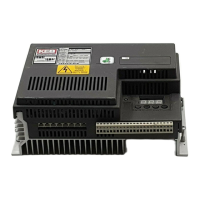
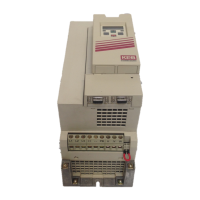
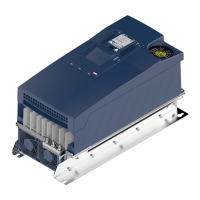
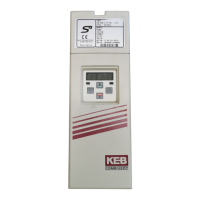
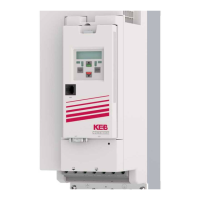
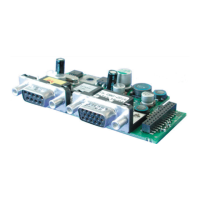
The KEB COMBIVERT F4-C(ompact) and F4-S(mall) are control boards designed to manage frequency inverters, serving as a definitive source for quality pre-owned equipment. These units are part of a full-service, independent repair center with experienced engineers and technicians on staff, ensuring reliable operation and support. The Artisan Technology Group, an independent supplier, offers these devices, extending the life of critical industrial, commercial, and military systems through superior service and support. They also buy excess, underutilized, and idle equipment, offering credit for buybacks and trade-ins, and provide custom engineering to ensure equipment works exactly as specified.
Function Description:
The KEB COMBIVERT F4 series primarily functions as a control circuit for frequency inverters, enabling precise management of motor speed and torque. The device allows for the adjustment of various operational parameters to optimize drive performance for specific applications. Key functions include:
- Frequency Control: The inverter can operate at fixed frequencies (CP.11, CP.12, CP.13) or be controlled by analog set values. The actual output frequency is displayed (CP.1), and minimal (CP.9) and maximal (CP.10) frequencies can be set to limit the operating range.
- Acceleration and Deceleration Control: Parameters CP.7 and CP.8 allow for the adjustment of acceleration and deceleration times, determining how quickly the drive reaches or reduces speed. These times are proportional to the frequency change.
- Boost Function (CP.6): This feature compensates for voltage decrease in the lower speed range, ensuring the motor's breakdown torque remains almost constant across the entire speed range. This is crucial for maintaining consistent performance under varying loads.
- Ramp Current Control (CP.14): This function protects the frequency inverter from overcurrent during acceleration ramps. If the current exceeds the adjusted value, the ramp is temporarily stopped until the current decreases, preventing system shutdowns.
- Constant Current Control (CP.15): Similar to ramp current control, this protects the inverter from overcurrent during constant output frequency operation. If the current exceeds the set limit, the output frequency is reduced until the current drops below the adjusted value.
- Speed Search (CP.16): When connecting to a decelerating motor, this function allows the inverter to search for the actual motor speed, adapt its output frequency, and then accelerate to the given set value using the adjusted ramp. This prevents errors caused by differing rotating field frequencies.
- Voltage Stabilization (CP.17): This parameter enables the adjustment of a regulated output voltage relative to the rated frequency, minimizing the influence of voltage variations at the input or in the intermediate circuit. This allows for adaptation to special motors and ensures stable output voltage.
- Slip Compensation (CP.18): This function balances speed changes caused by load variations, helping to maintain stable speed at increasing torque.
- Autoboost (CP.19): This feature provides automatic I*R-compensation by raising the output voltage during high load torques, keeping the magnetizing current constant.
- DC-Braking (CP.20, CP.21): This function allows for quick braking of the motor by applying a D.C. voltage to the motor winding. The parameter determines how the DC-braking is triggered and its duration.
- Relay Output (CP.22, CP.23): The control board includes a relay output that can be configured for various functions, such as fault indication, overload alerts, or to switch at a specific frequency level.
- Reference Signal Input (CP.24): This input allows the set value to be driven by various signal levels, accommodating different signal sources (e.g., 0-10V DC, 0-20mA DC, 4-20mA DC).
Usage Features:
The KEB COMBIVERT F4 offers a user-friendly interface for operation and parameter adjustment:
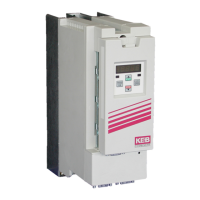
- Digital Operator: The device can be operated using a 5-digit LED display and a double-function keyboard. The digital operator (Part-No. 00.F4.010-2009) and interface operator (Part-No. 00.F4.010-1009) facilitate interaction.
- Keyboard Functionality: The keyboard allows users to change between parameter values and parameter numbers using the "FUNC" key. The "UP" and "DOWN" keys increase or decrease parameter numbers and changeable parameters. The "ENTER" key accepts and stores adjusted values, with a point appearing behind the last digit for values not immediately accepted.
- Operating Display (CP.1 - CP.4): The display provides real-time information on actual output frequency, inverter status, actual load, and peak load, allowing users to monitor the drive's performance.
- Drive Mode: This mode enables manual control of the drive, where set values and rotation presetting are done exclusively via the keyboard. A password (CP.0) is required to activate this mode.
- Error Diagnosis: The device provides error messages (e.g., "E. UP" for undervoltage, "E. OP" for overvoltage, "E. OC" for overcurrent) to help users identify and troubleshoot malfunctions. These messages are displayed on the KEB COMBIVERT and can be reset by pressing "ENTER."
- Password Protection (CP.0): The inverter can be protected against unauthorized access by setting a password, which can bar or release CP-parameters and activate the drive mode.
- Connection Options: The control boards offer various terminal strips (X1.1 to X1.23 for Version C, X1.1 to X1.14 for Version S) for digital inputs, analog inputs, and outputs, allowing for flexible integration into different systems. Shielded/drilled cables and proper grounding are recommended to prevent malfunctions due to interference voltage.
Maintenance Features:
Maintenance of the KEB COMBIVERT F4 primarily involves ensuring proper installation and addressing error conditions:
- Safety Precautions: The manual emphasizes the importance of safety, particularly regarding high voltages. Installation and work on the unit should only be performed by qualified electro-personnel, adhering to relevant safety regulations (DIN VDE 0100, IEC1000, EN 60204-1, EN 55014, EN 50082-2).
- Capacitor Discharge Time: After switching off the frequency inverter, a 5-minute waiting period is required for intermediate circuit capacitors to discharge high voltage before any work can be done on the unit.
- Error Reset: While the "ENTER" key resets error messages in the display, a complete error reset requires removing the cause of the error and performing a reset on terminal X1.20 (C-Version) / X1.14 (S-Version) or a power-on reset.
- Cooling Down Phase: After an overload error ("E. OL"), a cooling down period is necessary before the error can be reset, indicated by the "E. NOL" message.
- Overheat Protection: The device monitors inverter temperature ("E. OH") and external temperature ("E. dOH"), indicating potential issues like insufficient cooling or clogged ventilators.
- Inductive Consumer Protection: When using inductive consumers at the relay output, a protective wiring (e.g., a free-wheeling diode) is necessary to protect the relay from damage.
- Parameter Optimization: The manual provides guidance on adjusting parameters like boost, slip compensation, and autoboost to optimize drive performance and prevent overheating, especially during continuous low-speed operation with high voltage.
- Documentation: Artisan Technology Group provides comprehensive support, including price quotes, drivers, technical specifications, manuals, and documentation, to assist with the maintenance and operation of the equipment.

 Need help?
 General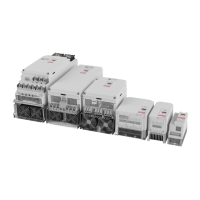


 To Next Page
