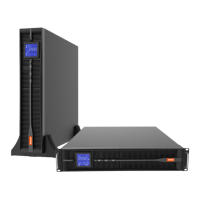
KR-RM Series(1~3kVA) UPS
User Manual
All rights reserved ©Xiamen Kehua Hengsheng Co., Ltd.
Altitude: meet the provisions of GB3859.2-93.
Verticality: without vibration and the vertical gradient should be less than 5º.
Pollution grade: gradeⅡ.
UPS should be installed in the environment where is with good ventilation, cool, proper humidity and
without dust. The recommended working temperature is 20℃~25℃, and the humidity should be
about 50%.
Do not install UPS in the environment with metal conductive dust. UPS is only suitable to use in the
non-tropical climate conditions.
4.2 Unpacking
When installing UPS, it should carry the UPS to the installation place and then unpacking the
package. The package of UPS and accessories (battery, etc.) are carton or wooden box. Check
whether the UPS and accessories are correct according to the delivery list.
If there is any shipping damage to UPS or accessories or there is any discrepancy with ordering
contact, take notes in time and contact the local office or distributor immediately.
Random configuration is as shown in Table4-1.
Table4-1 Random configuration list



 To Next Page