EasyManua.ls Logo

Keiser INFINITY 003010BP - User Manual

Keiser INFINITY 003010BP
24 pages
Print Icon
To Next Page IconTo Next Page
Loading...
PERFORMANCE TRAINER
MODELS: 003010BP, 003010XP
OPERATION MANUAL
INFINITY SERIES
STRENGTH | CARDIO | FUNCTIONAL
Question and Answer IconNeed help?

Do you have a question about the Keiser INFINITY 003010BP and is the answer not in the manual?

Summary

GENERAL INFORMATION

Introduction and Purchase Registration

Welcome, manual importance, and how to register the trainer for service and notifications.

Serial Number and Equipment Identification

Guide to locating and recording the serial number and understanding equipment identification labels.

IMPORTANT SAFETY INFORMATION

General User Safety Guidelines

Essential safety instructions and warnings for all users to prevent injury during operation.

SAFETY CONVENTIONS AND LABELS

Understanding Warnings and Labels

Explains the meaning of WARNING, CAUTION, and IMPORTANT labels and highlights safety labels on the equipment.

CONTRAINDICATIONS FOR USE

Medical Conditions and Precautions

Lists medical conditions and situations requiring medical consultation before using the Performance Trainer.

TECHNICAL SPECIFICATIONS

Equipment Models, Specs, and Data

Details model numbers, physical dimensions, resistance range, cable length, and technical data.

TRAINING SPACE REQUIREMENTS

Planning Operational Space

Guidelines for ensuring adequate space for safe and full-range operation, including clearing and marking limits.

OPERATION: TRAINER OVERVIEW

Key Components Identification

Identifies and labels the main parts of the Keiser Performance Trainer for user understanding.

POWER DISPLAY OPERATION

Workout Data Display Features

Explains the information displayed, including resistance, reps, and peak power.

Adjusting Resistance and System Messages

Instructions for resistance adjustment, data reset, and understanding system messages.

ECHIP WORKOUT LOGGING

Recording and Recalling Data

Details on using the eChip to log workout progress and recall previous session data.

CORE OPERATIONAL PROCEDURES

Vertical Adjustment and Cable Connection

Steps for setting vertical adjustment and safely connecting cable accessories.

Setting Resistance Levels

Guide on how to adjust resistance using the thumb buttons and testing settings.

POWER TEST PROCEDURE

Performing the 6-Rep Maximum Power Test

Detailed steps for conducting the Power Test to determine the optimal resistance setting for maximum power.

EXERCISE GUIDELINES AND EXAMPLES

Safe Exercise Practices and Form

Recommendations for warm-up, proper form, breathing, and control during exercises.

Sample Exercise Demonstrations

Visual examples of various core, upper, and lower body exercises performed on the trainer.

MAINTENANCE AND CARE

Preventative Maintenance Schedule

Guidelines for daily, weekly, monthly, and quarterly checks and cleaning for equipment longevity.

BATTERY REPLACEMENT

Power Display Battery Replacement Procedure

Step-by-step instructions for safely replacing the batteries in the Power Display unit.

ANNUAL MAINTENANCE

Annual Service and Inspection

Recommended annual maintenance tasks including cleaning, cable inspection, and lubrication for optimal performance.

REGULATORY AND COMPLIANCE

Standards, Marks, and Safety Notifications

Information on equipment standards, certifications, and general safety notifications for various operating conditions.

EMC AND DISPOSAL INFORMATION

Electromagnetic Compatibility and FCC Compliance

Details on electromagnetic compatibility, Korean registration, and US FCC compliance statements.

Equipment Disposal Procedures

Instructions for proper disposal of the equipment and wear parts according to environmental regulations.

WARRANTY STATEMENT

Warranty Information and Support Contacts

Information on how to access warranty details, contact customer support, and find international representatives.

Summary

GENERAL INFORMATION

Introduction and Purchase Registration

Welcome, manual importance, and how to register the trainer for service and notifications.

Serial Number and Equipment Identification

Guide to locating and recording the serial number and understanding equipment identification labels.

IMPORTANT SAFETY INFORMATION

General User Safety Guidelines

Essential safety instructions and warnings for all users to prevent injury during operation.

SAFETY CONVENTIONS AND LABELS

Understanding Warnings and Labels

Explains the meaning of WARNING, CAUTION, and IMPORTANT labels and highlights safety labels on the equipment.

CONTRAINDICATIONS FOR USE

Medical Conditions and Precautions

Lists medical conditions and situations requiring medical consultation before using the Performance Trainer.

TECHNICAL SPECIFICATIONS

Equipment Models, Specs, and Data

Details model numbers, physical dimensions, resistance range, cable length, and technical data.

TRAINING SPACE REQUIREMENTS

Planning Operational Space

Guidelines for ensuring adequate space for safe and full-range operation, including clearing and marking limits.

OPERATION: TRAINER OVERVIEW

Key Components Identification

Identifies and labels the main parts of the Keiser Performance Trainer for user understanding.

POWER DISPLAY OPERATION

Workout Data Display Features

Explains the information displayed, including resistance, reps, and peak power.

Adjusting Resistance and System Messages

Instructions for resistance adjustment, data reset, and understanding system messages.

ECHIP WORKOUT LOGGING

Recording and Recalling Data

Details on using the eChip to log workout progress and recall previous session data.

CORE OPERATIONAL PROCEDURES

Vertical Adjustment and Cable Connection

Steps for setting vertical adjustment and safely connecting cable accessories.

Setting Resistance Levels

Guide on how to adjust resistance using the thumb buttons and testing settings.

POWER TEST PROCEDURE

Performing the 6-Rep Maximum Power Test

Detailed steps for conducting the Power Test to determine the optimal resistance setting for maximum power.

EXERCISE GUIDELINES AND EXAMPLES

Safe Exercise Practices and Form

Recommendations for warm-up, proper form, breathing, and control during exercises.

Sample Exercise Demonstrations

Visual examples of various core, upper, and lower body exercises performed on the trainer.

MAINTENANCE AND CARE

Preventative Maintenance Schedule

Guidelines for daily, weekly, monthly, and quarterly checks and cleaning for equipment longevity.

BATTERY REPLACEMENT

Power Display Battery Replacement Procedure

Step-by-step instructions for safely replacing the batteries in the Power Display unit.

ANNUAL MAINTENANCE

Annual Service and Inspection

Recommended annual maintenance tasks including cleaning, cable inspection, and lubrication for optimal performance.

REGULATORY AND COMPLIANCE

Standards, Marks, and Safety Notifications

Information on equipment standards, certifications, and general safety notifications for various operating conditions.

EMC AND DISPOSAL INFORMATION

Electromagnetic Compatibility and FCC Compliance

Details on electromagnetic compatibility, Korean registration, and US FCC compliance statements.

Equipment Disposal Procedures

Instructions for proper disposal of the equipment and wear parts according to environmental regulations.

WARRANTY STATEMENT

Warranty Information and Support Contacts

Information on how to access warranty details, contact customer support, and find international representatives.

Overview

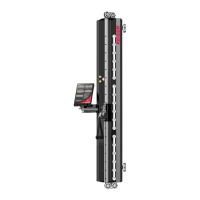
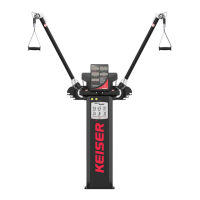
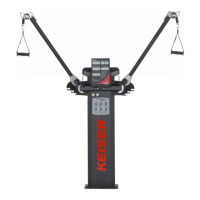
The Keiser Performance Trainer is a single-column, high/low pulley system designed for strength, cardio, and functional resistance training. It offers resistance training at any speed without harmful shock load to the body, making it suitable for sports-specific applications and rehabilitation.

Function Description:

The Performance Trainer provides resistance through an air accumulator system, allowing for a resistance range of 0 to 75 lbs (0 to 34 kg). The resistance can be adjusted using "+" and "-" thumb buttons on the Power Display. The device incorporates an optional digital workout log, the Keiser eChip, which records and recalls workout data, including set count, target reps, target resistance, and machine adjustment settings. The Power Display shows current resistance, number of repetitions, percentage of peak power achieved for the most recent repetition, and the highest power output (measured in Watts) during a workout.

The machine features a Vertical Adjustment system with 18 settings, allowing users to position the pulley carriage at their desired height. Cable accessories connect to the cable via a Speed Clip, enabling a variety of exercises. The Performance Trainer is designed for functional training workouts, including core, upper body, and lower body exercises.

Important Technical Specifications:

  • Models: 003010BP (Performance Trainer, Black, Power display) and 003010XP (Performance Trainer, Special color, Power display).
  • Dimensions:
    • Height: 87 inches (2,210 mm)
    • Width: 24 inches (610 mm)
    • Depth: 12 inches (305 mm)
  • Weight: 120 lbs (54 kg)
  • Resistance Range: 0 to 75 lbs (0 to 34 kg)
  • Cable Length: 93 inches (2,362 mm) from start to full extension (without Cable Accessory).
  • Air Storage Tank (Air Accumulator):
    • Maximum working pressure: 125 psi (8.6 bar)
    • Maximum working temperature: 104°F (40°C)
    • Minimum working temperature: 32°F (0°C)
    • Maximum vessel capacity: 144 in³ (2.36 L)
  • Power:
    • 2 x 1.5V D Alkaline Batteries (Keiser PN 966500) for the Power Display.
    • 1 x 3V CR2032 Lithium Coin Cell Battery (permanently attached, not serviceable).
  • Compliance: ISO/EN 20957-1 Accuracy Class A (High accuracy) and Usage Class S (Studio, commercial use), IEC/EN 60601-1 and IEC/EN 60601-1-2. CE, TÜV SÜD, UKCA marks.

Usage Features:

  • Resistance Adjustment: Use "+" and "-" thumb buttons to increase or decrease resistance in 0.10 lb (0.05 kg) increments.
  • Workout Data Reset: Press and hold both thumb buttons simultaneously until "CLEr" appears in the RESISTANCE window to clear workout data. For eChip users, this also deletes data from the eChip.
  • Sleep Mode: The display enters "OFF" (low-power consumption sleep mode) after 60 seconds of inactivity to prolong battery life. Press any thumb button to wake.
  • Low Battery Indicator: "Lo-bA" appears on the Power Display when batteries are weak.
  • Vertical Adjustment: Pull out and hold the spring-loaded Adjustment Plunger, move the Vertical Adjustment to the desired position (18 settings), and release the plunger. Ensure it is fully engaged before use.
  • Cable Accessory Connection: Push the Accessory Ring into the Retainer until it closes. To release, twist the Accessory Ring against the Retainer. Only Keiser accessories should be used.
  • Power Test (KEISER 6-Rep Test): A procedure to determine the RESISTANCE SETTING FOR MAXIMUM POWER, consisting of two sets of three repetitions at low (10% of maximum) and high (80-90% of maximum) resistance, performed at maximum speed.
  • eChip Integration (Optional): Insert the eChip into the eChip Reader to record and recall workout data (set, target reps, target resistance, machine adjustment). Minimum three reps are required to record a set.

Maintenance Features:

  • Daily Maintenance:
    • Wipe down external body/parts with a moist cloth and mild detergent, then dry to prevent corrosion.
    • Check susceptible parts (Pulleys, Cable, Speed Clip, Handle, Thumb Buttons, Adjustment Plunger) for damage.
    • Ensure the Performance Trainer is securely fastened to the Mount Tubes and wall.
    • Press thumb buttons to ensure air cycles and Power Display powers on.
    • Verify cable travels freely and smoothly.
  • Weekly Maintenance:
    • Hand wash strap material of accessories with mild detergent and water; air dry.
    • Clean and dry chrome and paint with a damp soft towel or cloth.
    • Apply wax to chrome to protect the finish (e.g., Meguiar's® Quik Detailer Mist and Wipe*). Failure to wax high-sweat areas voids the warranty.
  • Monthly Maintenance:
    • Inspect Air Line for kinks, tears, or breaks.
    • Thoroughly clean external body/parts, especially areas in contact with sweat, using a moist cloth and mild detergent, then dry.
  • Quarterly Maintenance:
    • Check all mount hardware (bolts/nuts) and externally visible screws for looseness.
  • Annually and Other Required Maintenance:
    • Clean accumulated dust on interior and exterior with a clean cloth.
    • Visually inspect Cables for tears/fraying.
    • Replace Muffler if discolored (tool: 11/16 inch (17 mm) Combination Wrench).
    • Lubricate Cylinder Rod: Wipe clean and coat lightly with SAE 30 motor oil or silicon-based spray.
    • Replace Air Filter if element is dirty (turns bright pink or red) (tools: Small Needle Nose Pliers, Cutter Tool).
    • Battery Replacement: When "Lo-bA" appears, replace the two D alkaline batteries. Open the Performance Trainer by removing five Phillips Screws, locate the Processor Box at the base, unscrew the brass nut, remove the battery sleeve, insert new D batteries observing polarity, and reassemble.
    • Air Compressor Maintenance: Refer to the Keiser Air Compressor user manual for instructions (not included with the Performance Trainer).

Safety Information:

  • Read and understand the manual before use.
  • Consult a physician before starting any exercise program.
  • Proper warm-up is required before exercise and Power Tests.
  • Maintain good form and control during exercise; stop if pain occurs.
  • Do not pull the cable beyond its maximum length of 93 inches (2,362 mm) to avoid injury or damage.
  • Never adjust resistance during exercise. Return the handle/cable to the start position before making adjustments.
  • Ensure the Adjustment Plunger is fully engaged.
  • Regularly inspect equipment for damage and wear; replace damaged parts immediately.
  • Use only Keiser accessories and replacement parts.
  • Children under 14 should not use the trainer; children 14-17 require constant supervision.
  • Disconnect from air supply and release all air before performing routine maintenance.
  • Do not use household or industrial cleaners as they can cause corrosion. Use only mild detergent.

Keiser INFINITY 003010BP Specifications

General IconGeneral
BrandKeiser
ModelINFINITY 003010BP
CategoryFitness Equipment
LanguageEnglish

Related product manuals