AGITATOR OVERLOAD PROTECTOR
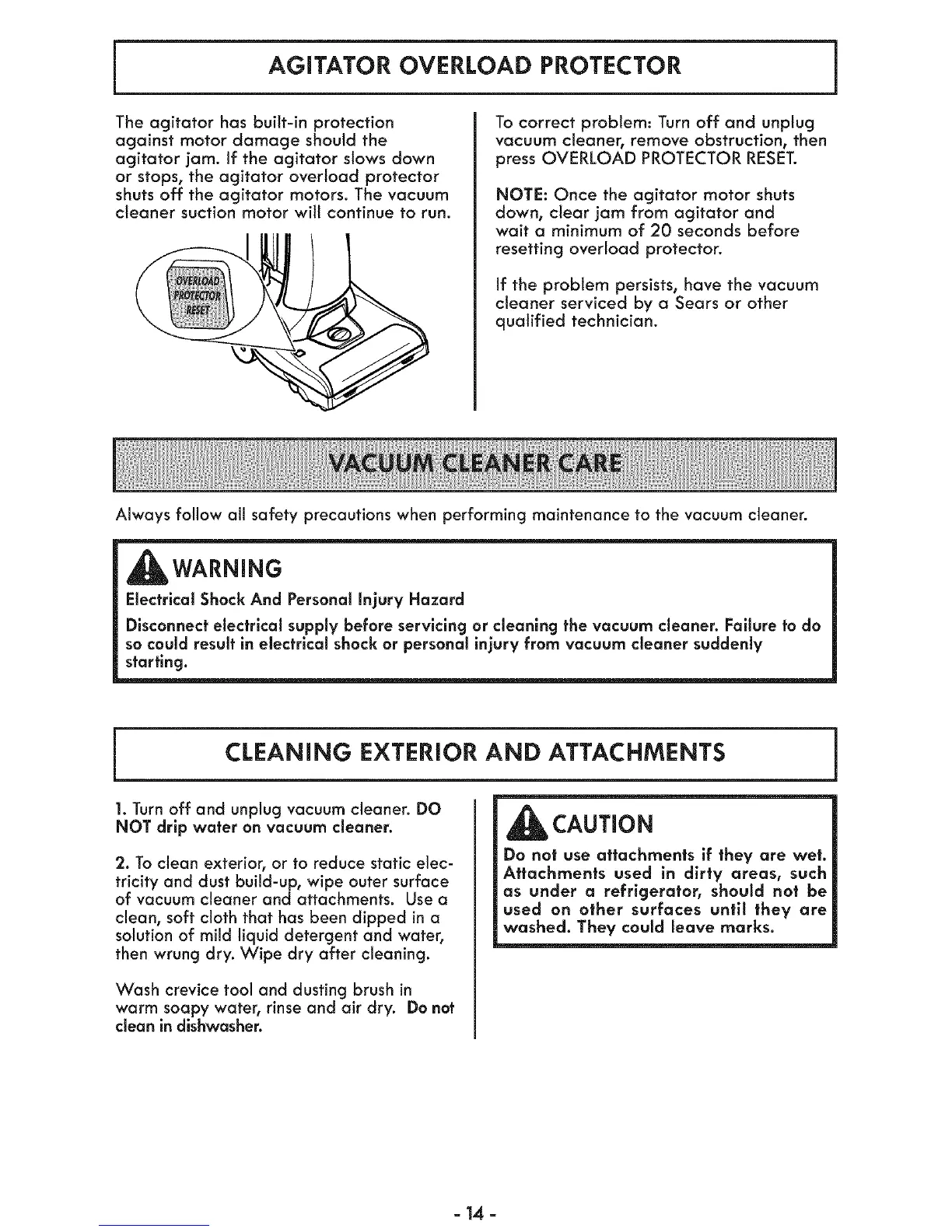
The agitator has built-in protection
against motor damage should the
agitator jam. If the agitator slows down
or stops, the agitator overload protector
shuts off the agitator motors. The vacuum
cleaner suction motor will continue to run.
To correct problem: Turn off and unplug
vacuum cleaner, remove obstruction, then
press OVERLOAD PROTECTOR RESET.
NOTE: Once the agitator motor shuts
down, clear jam from agitator and
wait a minimum of 20 seconds before
resetting overload protector.
If the problem persists, have the vacuum
cleaner serviced by a Sears or other
qualified technician.
Always follow all safety precautions when performing maintenance to the vacuum cleaner.
_WARNiNG
Electrical ShockAnd Personalinjury Hazard
Disconnectelectrical supplybefore servicing or cleaning the vacuum cleaner. Failure to do
so could resultin electrical shock or personal injury from vacuum cleaner suddenly
starting.
CLEANING EXTERIOR AND ATTACHMENTS
1.Turn off and unplug vacuum cleaner. DO
NOT drip water on vacuum cleaner.
2. To clean exterior, or to reduce static elec-
tricity and dust build-up, wipe outer surface
of vacuum cleaner and attachments. Use a
clean, soft cloth that has been dipped ina
solution of mild liquid detergent and water,
then wrung dry. Wipe dry after cleaning.
Wash crevice tool and dusting brush in
warm soapy water, rinse and air dry. Do not
clean in dishwasher.
CAUTION
Do not use attachments if they are wet.
Attachments used in dirty areas, such
as under a refrigerator, should not be
used on other surfaces until they are
washed. They could leave marks.
=14 =




 To Next Page