- 10 -
ASSEMBLY INSTRUCTIONS
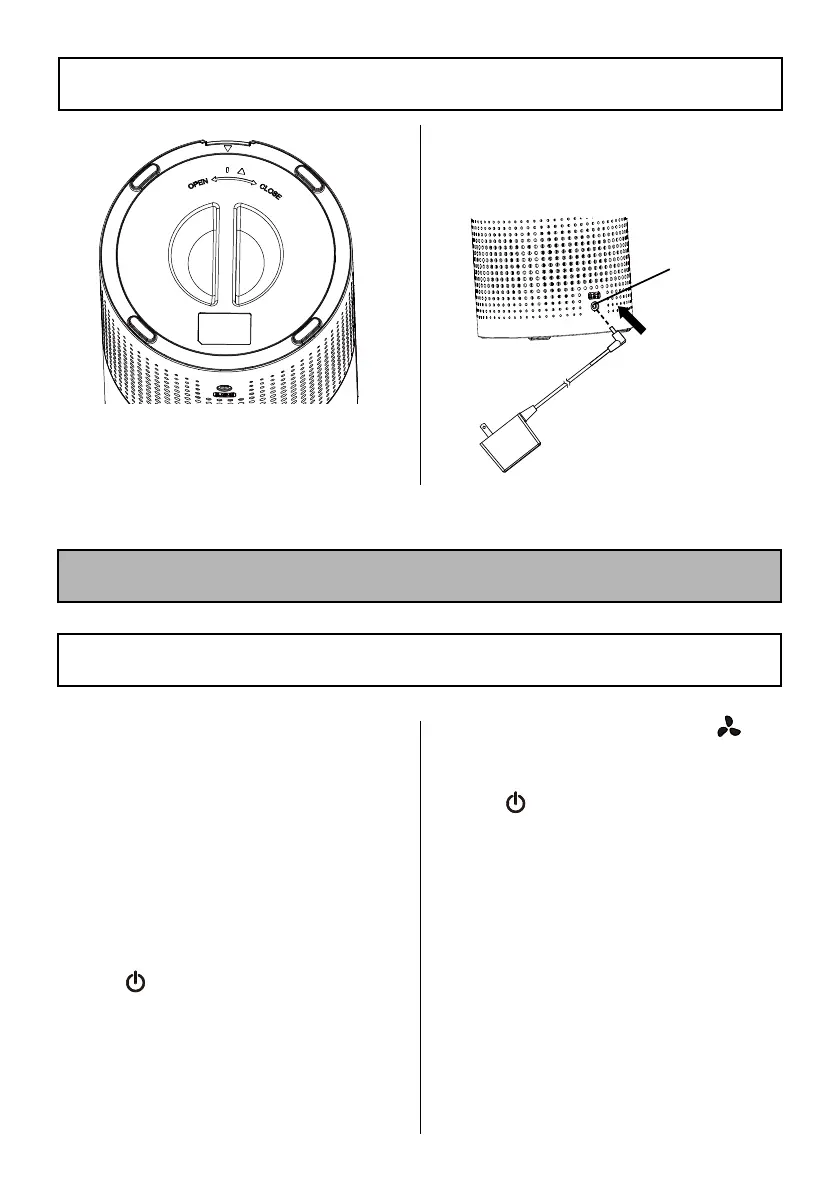
4. Flip the air purier back. Insert
the power adapter into the
power port on the lower part of
the air purier.
OPERATING INSTRUCTIONS
USING THE AIR PURIFIER
1. When using the air purier,
keep it away from anything that
would block airow, such as
curtains.
2. Plug the power adapter into
the outlet. When powered on,
the buzzer makes a "Di" sound.
The ON/OFF button glows a
red light. Timer button is in
dim light. The air purier is in
the standby state.
3. Tap
to turn on the air
purier. The fan will default
to the rst speed setting. The
light of the air purier will
illuminate and can be switched
between seven colors.
4. To adjust fan speed, tap
to switch between all three
speeds and the sleep mode.
5. Tap
to turn off the air
purier. A "Di" sound will be
heard. The ON/OFF button will
turn red and the timer button
is in dim light. The air purier
enters into the standby state.
Power
Port




 To Next Page