16
Setting Warmer Drawer Controls
• Arranging Warmer Drawer Racks
• Operating & Setting Warmer Drawer Controls
• Warmer Drawer & Bread Proofing Indicator Lights
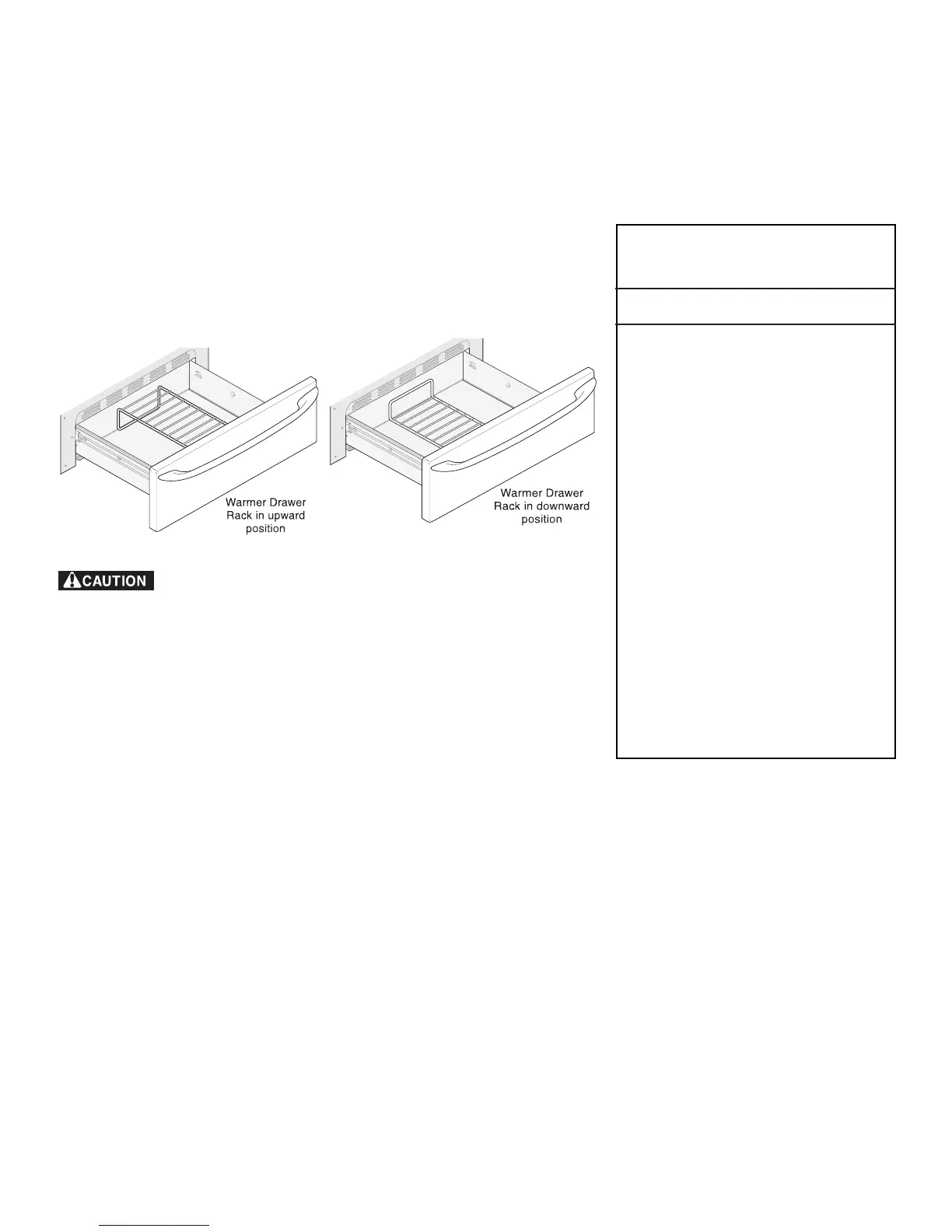
Arranging Warmer (Warm & Ready™) Drawer Rack Positions
The rack can be used in two ways:
• In the upward position (Fig. 1) to allow low profile food items to be
placed both under and on top of the rack (for example, rolls or biscuits on
top of the rack and a casserole dish underneath).
• In the downward position (Fig. 2) to allow you to place light weight food
items and empty dishware (for example, rolls or pastries and dinner
plates) on the rack.
Operating the Warmer Drawer
The purpose of the Warmer Drawer is to keep hot cooked foods at serving
temperature. Always start with hot food. It is not recommended to heat cold
food in the Warmer Drawer. All food placed in the Warmer Drawer should be
covered with a lid or aluminum foil to maintain quality.
Do not use plastic wrap to cover food. Plastic may melt onto the drawer
and be very difficult to clean. Use only utensils and cookware recommended
for oven use in the Warmer Drawer.
Warmer Drawer Recommended
Food Settings Table
Food Item Setting
Bacon HI
Hamburger Patties HI
Poultry HI
Pork Chops HI
Fried Foods HI
Pizza HI
Gravies MED
Casseroles MED
Eggs MED
Roasts (Beef, Pork, Lamb) MED
Vegetables MED
Biscuits MED
Rolls, hard MED
Pastries MED
Rolls (soft) LO
Empty Dinner Plates LO
Always use potholders or oven mitts when removing food from
the Warmer Drawer as cookware and plates will be hot and you can be burned.
Note: The Warmer Drawer will not operate during the Self-Clean cycle.
Fig. 1
Fig. 2
Fig. 3
Warmer (Warm & Ready™) Drawer & Bread Proofing Indicator Lights
The control and indicator lights for the Warmer Drawer and Bread Proofing features are located on the control panel. The
indicator lights will turn ON when the control is set, and remain ON until the controls are turned OFF.



 To Next Page