38
Note: The oven
temperature adjustments
made with this feature will
not change the Self-Clean
cycle temperature.
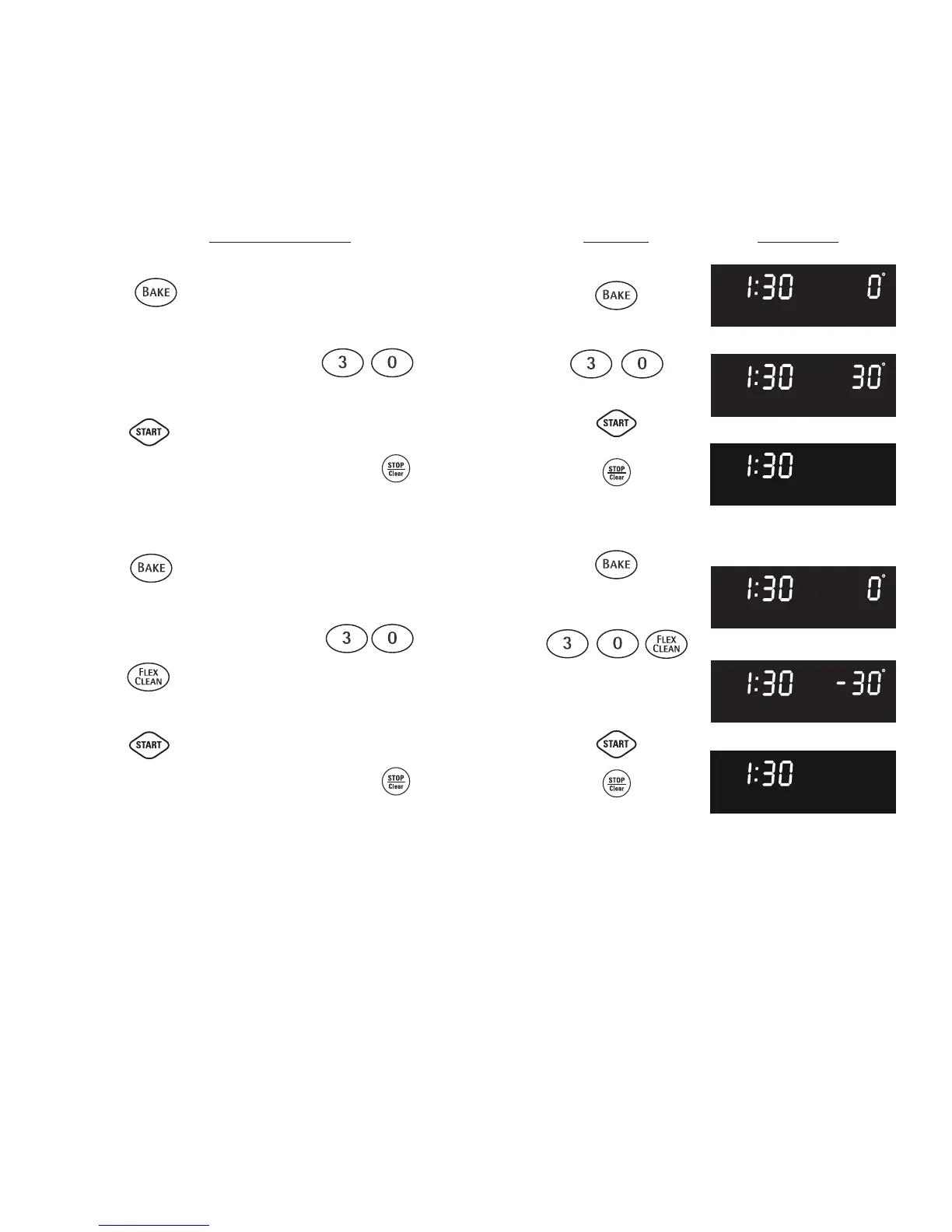
Fig. 1
Fig. 2
Fig. 3
Fig. 4
Figure 5
Figure 6
The temperature in the oven has been pre-set at the factory. When first using the oven, be
sure to follow recipe times and temperatures. If you think the oven is too hot or too cool, the
temperature in the oven can be adjusted. Before adjusting, test a recipe by using a
temperature setting that is higher or lower than the recommended temperature. The baking
results should help you to decide how much of an adjustment is needed.
To adjust the oven temperature higher:
1. Press for 6 seconds (Fig. 1).
2. To increase the temperature use the number pads to enter the
desired change. (Example 30°F) (Fig. 2). The
temperature may be increased as much as 35°F (19°C).
3. Press to accept the temperature change and the display
will return to the time of day (Fig. 3). Press to reject the
change if necessary.
To adjust the oven temperature lower:
1. Press for 6 seconds (Fig. 4).
2. To decrease the temperature use the number pads to enter the
desired change. (Example -30°F) and then
press (Fig. 5). The temperature may be decreased as
much as 35°F (19°C).
3. Press to accept the temperature change and the display
will return to the time of day (Fig. 6). Press to reject the
change if necessary.
INSTRUCTIONS PRESS DISPLAY
Adjusting Oven Temperature
• How to adjust the oven temperature higher or lower



 To Next Page