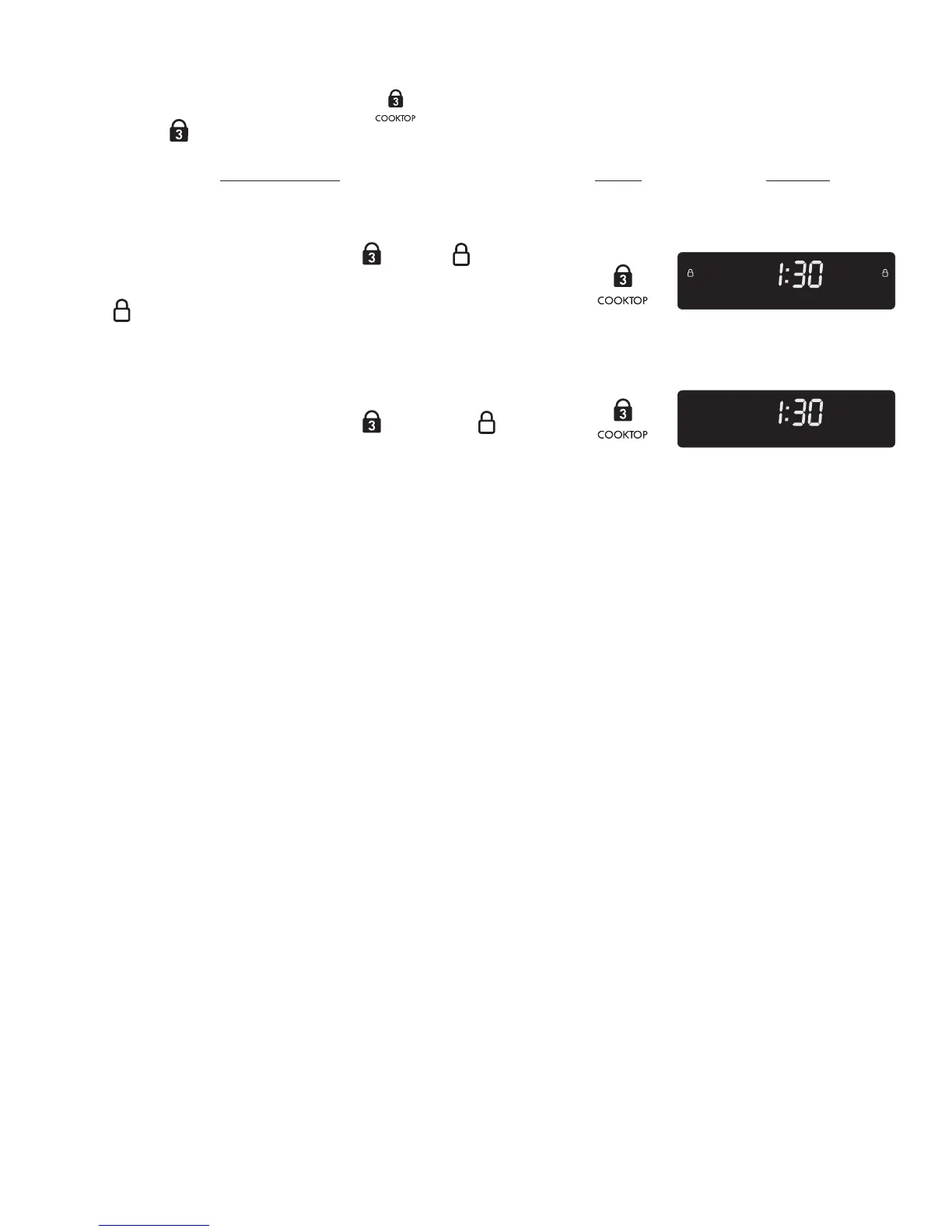
The COOKTOP pad is used to activate the Cooktop Lockout feature which will lock all surface elements from being
accidentally turned ON. This feature will only lock the cooktop.
Figure 1
1. BE SURE ALL surface element controls are set to the OFF position.
2. Press and hold for 3 seconds COOKTOP
until two appears in
the display (Figure 1). If a triple beep sounds instead, check all surface
elements and turn them to the OFF position and repeat this step. The
two
will appear in the display indicating the cooktop controls and
functions are locked out until the cooktop is unlocked. Whenever the
Cooktop Lockout feature is active, “” will appear in all of the surface
element display windows.
1. Press and hold for 3 seconds COOKTOP
until the two disappears
from the display (Figure 2). This will indicate the cooktop may be used
normally.
Note: Starting a Self-Clean cycle will automatically turn ON the Cooktop
Lockout feature. The cooktop will remain locked until the Self-Clean cycle
has completed and the oven door has unlocked.
Note: If a power failure occurs after the Cooktop Lockout has been
activated, you must turn OFF the Cooktop Lockout feature before being able
to use the cooktop features again.
PRESS
Before Setting Surface Controls
Figure 2
for 3 seconds
for 3 seconds




 To Next Page