General Cleaning
(continued)
The door isheavy. For
safe, temporary storage, lay the door
flat with the inside of the door facing
down.
To Remove and Replace Oven Door
To Remove Oven Door:
1. Open the door.
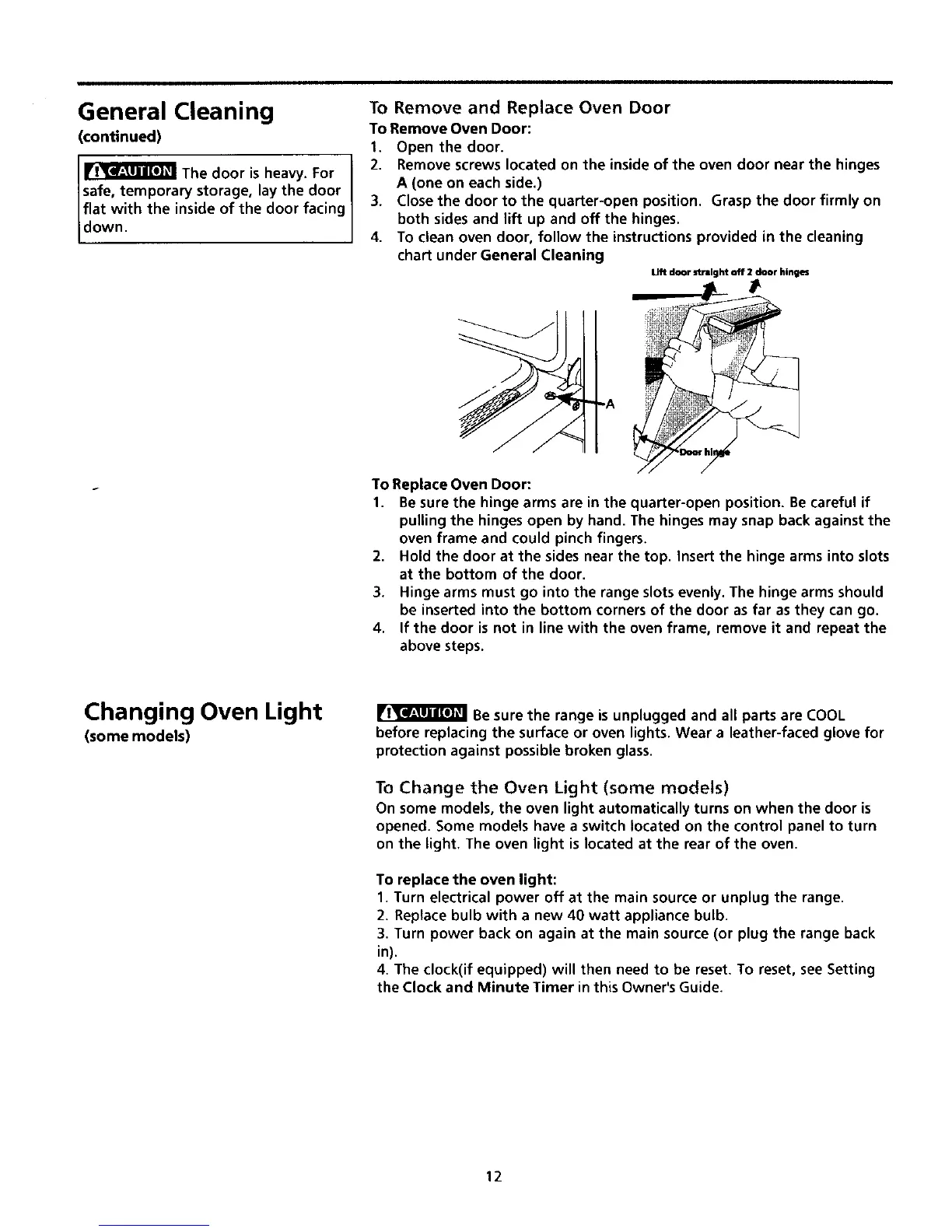
2. Remove screws located on the inside of the oven door near the hinges
A (one on each side.)
3. Close the door to the quarter-open position. Grasp the door firmly on
both sides and lift up and off the hinges.
4. To clean oven door, follow the instructions provided in the cleaning
chart under General Cleaning
To Replace Oven Door:
1.
Lift doar stral _t elf 2 door hinges
Be sure the hinge arms are in the quarter-open position. Be careful if
pulling the hinges open by hand. The hinges may snap back against the
oven frame and could pinch fingers.
2. Hold the door at the sides near the top. Insert the hinge arms into slots
at the bottom of the door.
3. Hinge arms must go into the range slots evenly. The hinge arms should
be inserted into the bottom corners of the door as far as they can go.
4. If the door is not in line with the oven frame, remove it and repeat the
above steps.
Changing Oven Light
(some models)
Be sure the range is unplugged and all parts are COOL
before replacing the surface or oven lights. Wear a leather-faced glove for
protection against possible broken glass.
To Change the Oven Light (some models)
On some models, the oven light automatically turns on when the door is
opened. Some models have a switch located on the control panel to turn
on the light. The oven light is located at the rear of the oven.
To replace the oven light:
1. Turn electrical power off at the main source or unplug the range.
2. Replace bulb with a new 40 watt appliance bulb.
3. Turn power back on again at the main source (or plug the range back
in).
4. The clock(if equipped) will then need to be reset. To reset, see Setting
the Clock and Minute Timer in this Owner's Guide.
12




 To Next Page