17
• Select ash mode
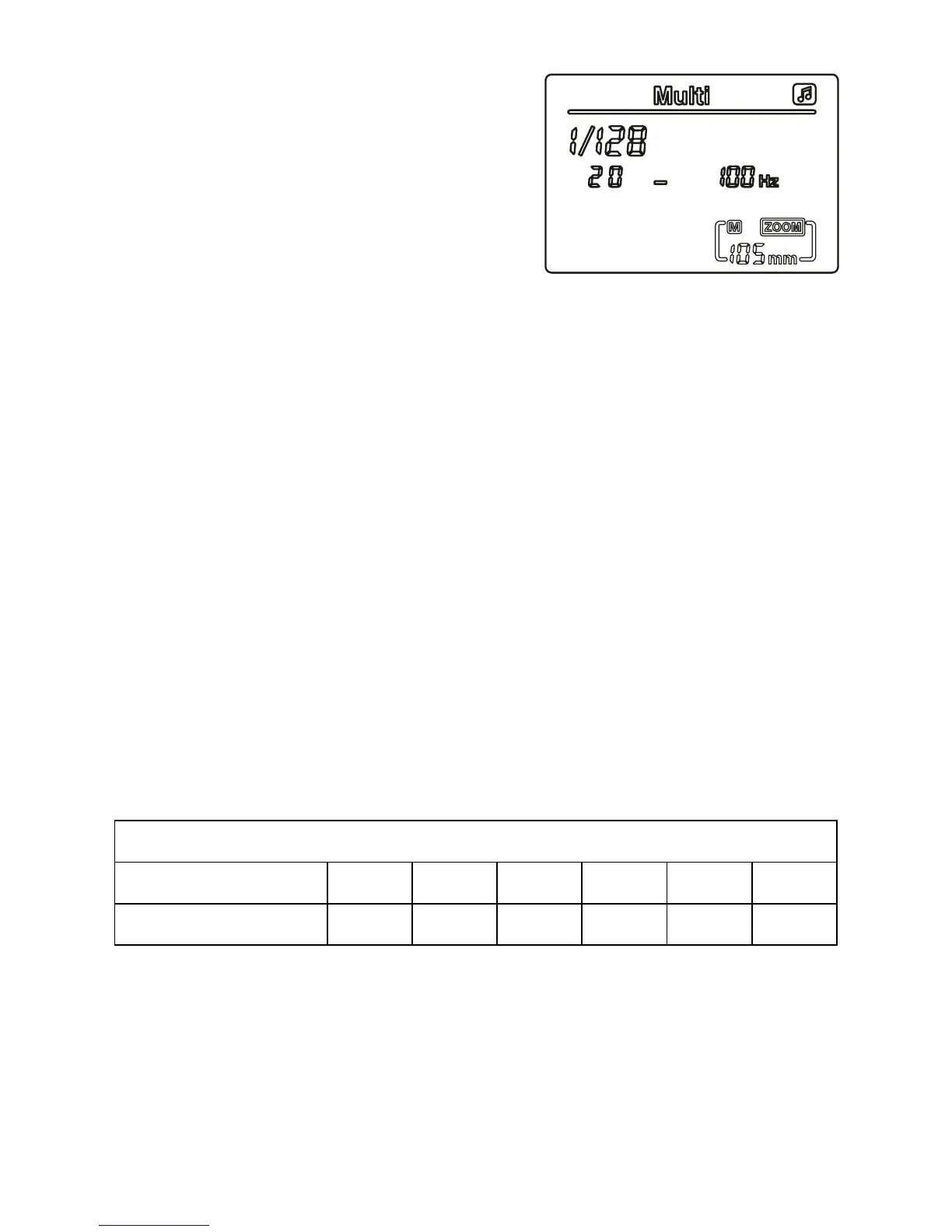
Select the ash mode by pressing
the MODE button until the LCD
display shows MULTI
• Frequency setting
Press the ‘set’ button, and the Hz
setting on the right of the screen
will start to ash. Frequencies
of 1 Hz to 199 Hz are available;
pressing the right button on the directional keypad increases
the frequency, whereas pressing the left button decreases the
frequency. Press the ‘set’ button again to save – the number of
ashes on the left of the screen will now be ashing.
• Set number of ashes
To set the number of ashes, press the right button on the
directional keypad to increase the number of ashes, and press
the left button to decrease the number of ashes. The number of
ashes can be set from 1 to 40, when you have set the desired
number, press ‘set’ to save, the exposure power setting will now
be ashing.
• Exposure power setting
Press the right button on the directional keypad to increase
the power, and press the left button to decrease the power of
the ash.
Once the above settings have been set they are saved, even when
the ash is powered off.
Relational table of ash power and number of ashes
Flash power 1/128 1/64 1/32 1/16 1/8 1/4
Number of ashes 1-40 1-20 1-12 1-8 1-4 1-2
NOTE: In stroboscopic mode, use the following formula to determine the
shutter speed: Number of ashes ÷ Flash frequency (Hz) = shutter speed
Example: To get 20 ashes at 10Hz: 20÷10=2
Therefore the shutter speed to be set on the camera is 2 seconds or longer.


 To Next Page