20
Zoom settings
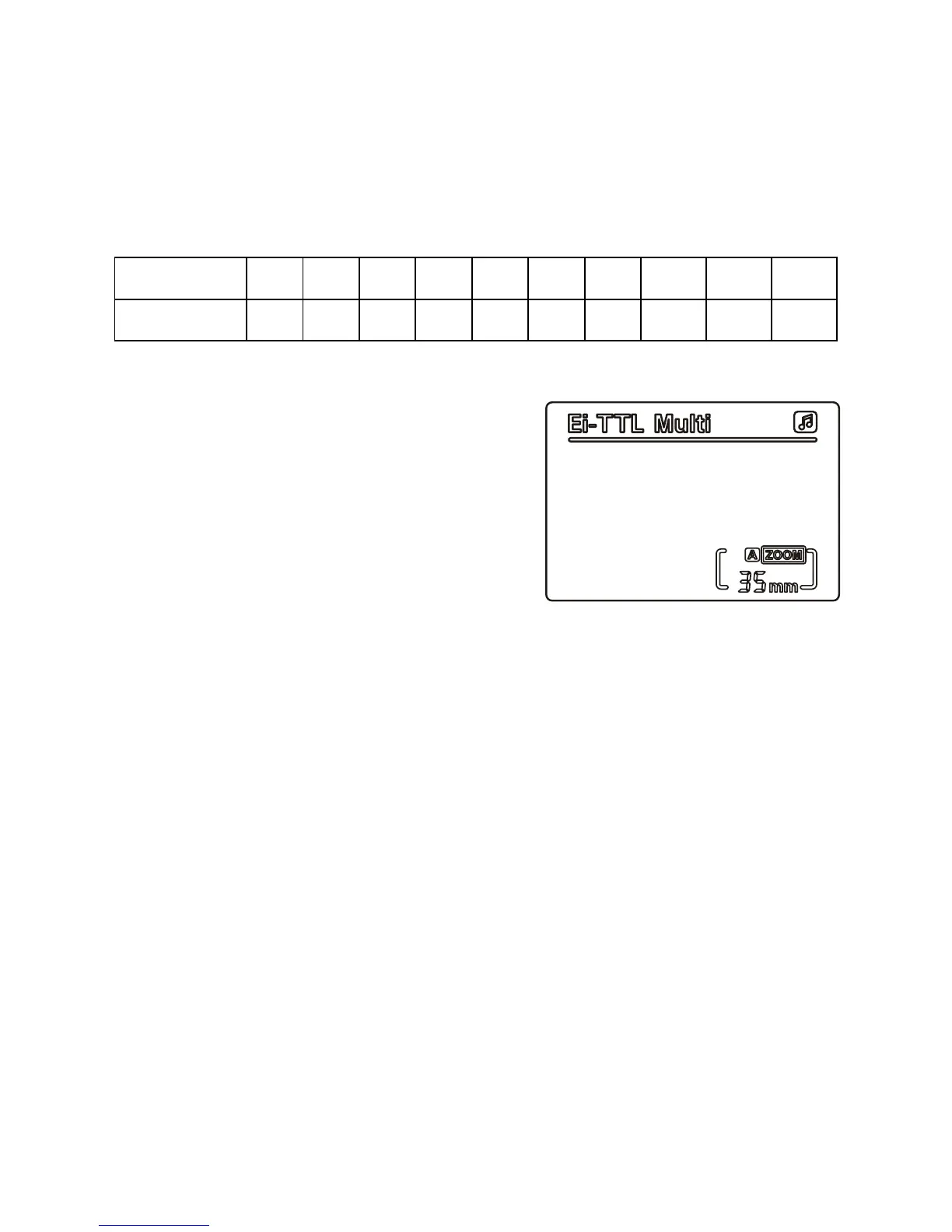
Press the ‘zoom’ button until the
XXmm
symbol ashes (where
XX
is the zoom value), then use the directional keypad to set the
appropriate values. Pressing right increases the zoom value; pressing
left decreases the zoom value. Press the ‘zoom’ button again to exit
setup.
A M M M M M M M M M M
Automatic 18 24 28 35 50 70 85 105 135 180
About automatic (A) and manual (M) zoom settings
Automatic zoom: Adjust the ash
range by pressing left or right as above.
When the A is displayed, the speedash
will automatically adjust ash coverage
(zoom set to 35mm in auto). In
cameras that support E-TTL and i-TTL,
the lens zoom will increase or decrease
to adapt to different ash coverage.
Manual zoom: Adjust the ash range by pressing left or right as
above. When the M is displayed, you can manually adjust the ash
coverage according to the table above.
When under manual zoom, make sure that ash coverage extends to
cover the lens zoom, so that shadows do not appear at the edge of
the photograph.


 To Next Page