21
Wireless ash modes
The wireless ash system comprises multiple wireless ash modes.
You can create a wide variety of lighting effects by using ordinary TTL
ash.
The speedash can be used in both MASTER and SLAVE ash modes.
MASTER ash mode can be divided into:
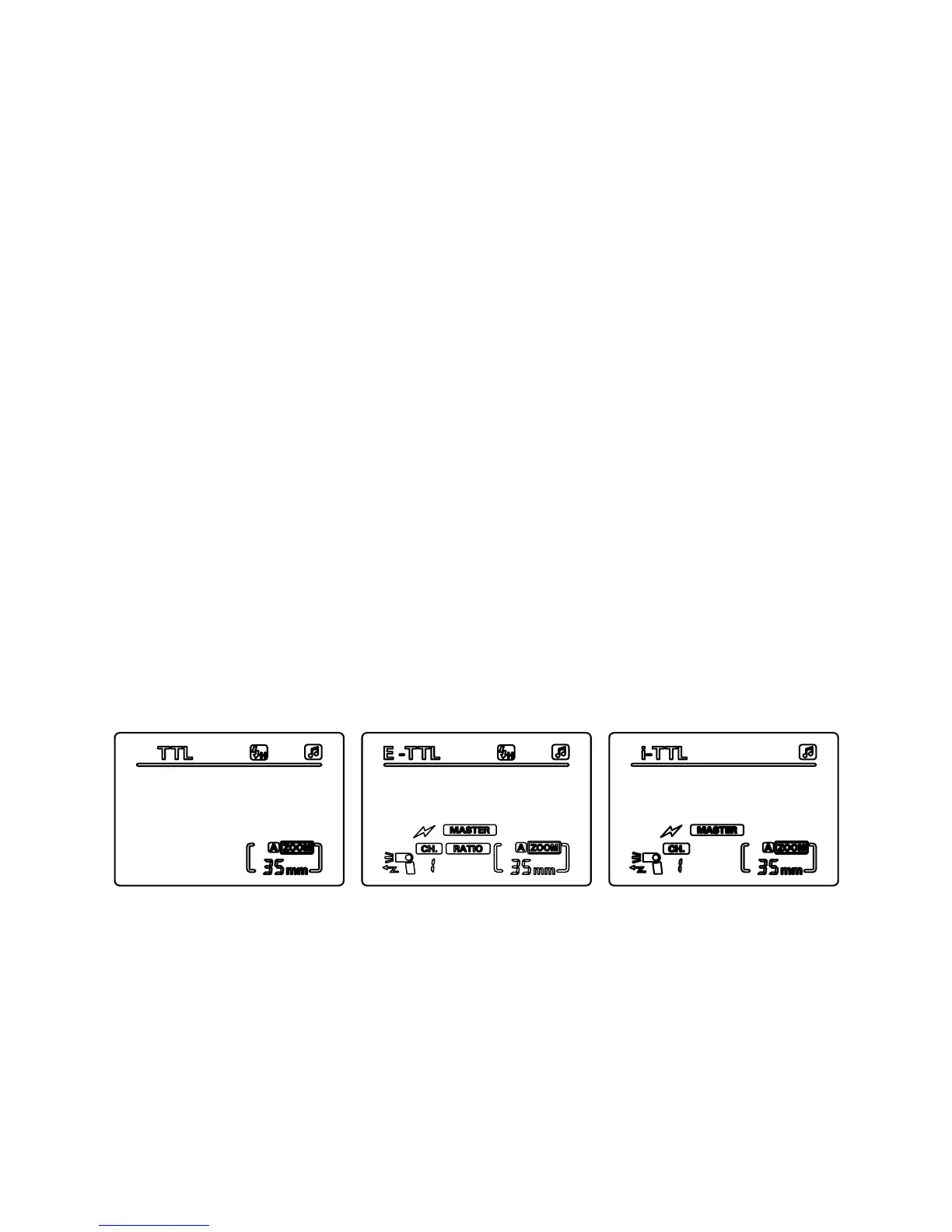
• Canon: Wireless MASTER ash mode (E-TTL)
• Nikon: Command MASTER ash mode (i-TTL)
SLAVE ash mode can be divided into:
• Canon: Wireless SLAVE ash mode (E-TTL)
• Nikon: Command SLAVE ash mode (i-TTL)
Please refer to page 28 for more details.
MASTER ash mode
Press the ‘left clear’ button to switch between wireless MASTER
(Canon – E-TTL) and command MASTER (Nikon – i-TTL) modes. The
MASTER will be the main control unit and will trigger the SLAVE ash
to re the off-camera TTL / M / multi ash, allowing you to create
different lighting effects.
Note: There are a number of differences between Canon MASTER
interface and Nikon main control interface. On a Canon camera, the
ashgun can be controlled independently of the camera, whereas
Nikon is controlled from the camera.
When using a Canon camera, the SLAVE unit will re at the same
power as the MASTER in TTL. When using a Nikon camera, the
power settings of each SLAVE group can be set independently
of the MASTER.


 To Next Page