22
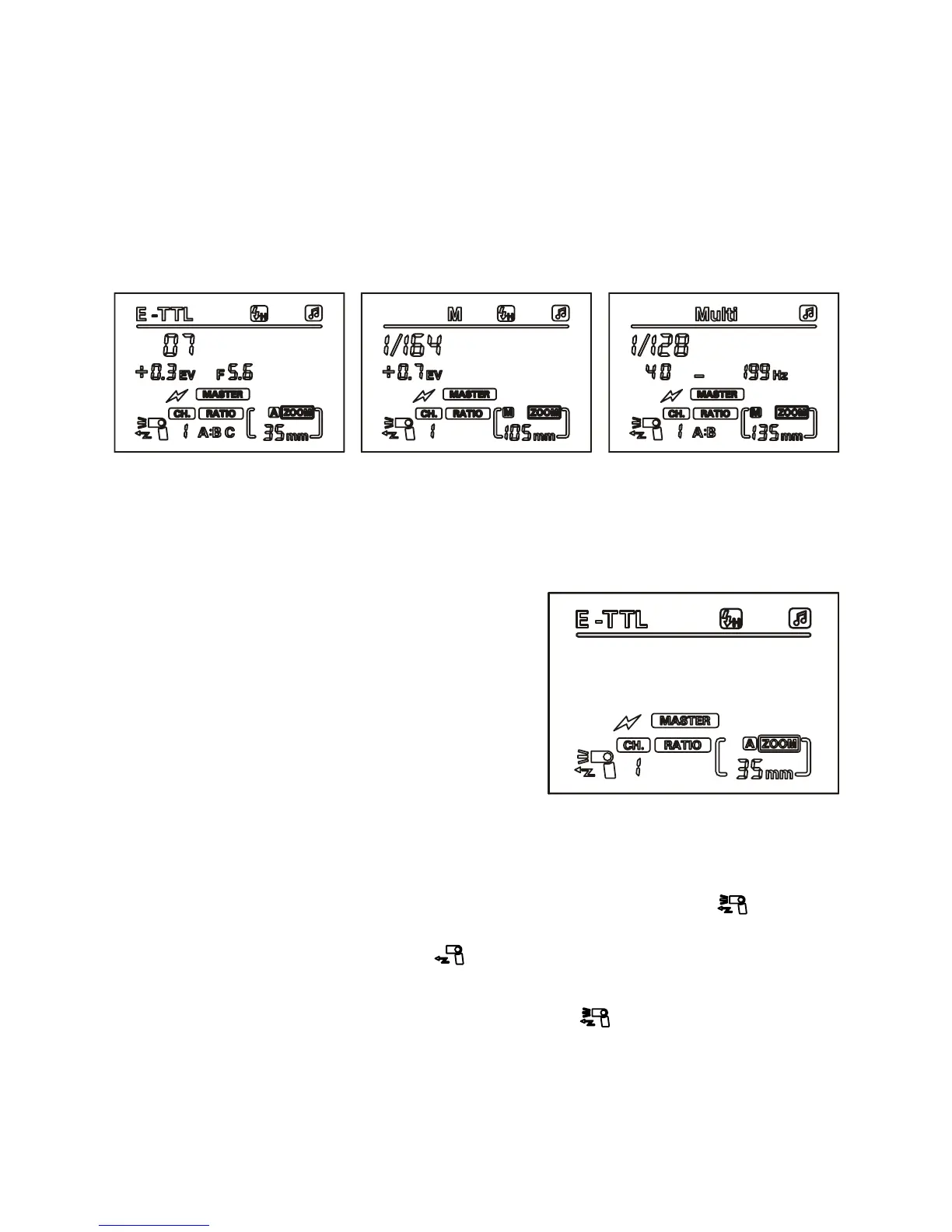
Wireless MASTER ash mode (MASTER Canon)
Wireless MASTER ash mode (Canon) can be divided into:
• Automatic wireless control mode (E-TTL Auto MASTER Canon)
• Manual wireless control mode (Manual MASTER Canon)
• Stroboscopic wireless control mode (Multi stroboscopic MASTER
Canon)
Press the ‘left clear’ button until the LCD shows the Canon MASTER
mode.
Set the MASTER control unit wireless channel
Press the ‘zoom’ button twice so that
the channel number ashes, then use
the left and right buttons to select
channel (between 1-4).
Note: The SLAVE ash mode should be
the same as the MASTER unit.
MASTER mode supports high speed
sync, does not support rear curtain sync.
Switch off MASTER mode
If you only need the SLAVE function, you can switch off the MASTER
function on your speedash. Press the ‘zoom’ button until
begins to ash, then use the left button to switch off the MASTER
function so that the LCD display shows
To switch MASTER mode back on, follow the steps above, but press
the right button until the LCD display shows again.


 To Next Page