23
Full auto wireless MASTER mode (E-TTL,
MASTER Canon)
Press the ‘mode’ button to set the speedash in TTL mode, then
press the ‘left clear’ button to set Canon MASTER E-TTL mode.
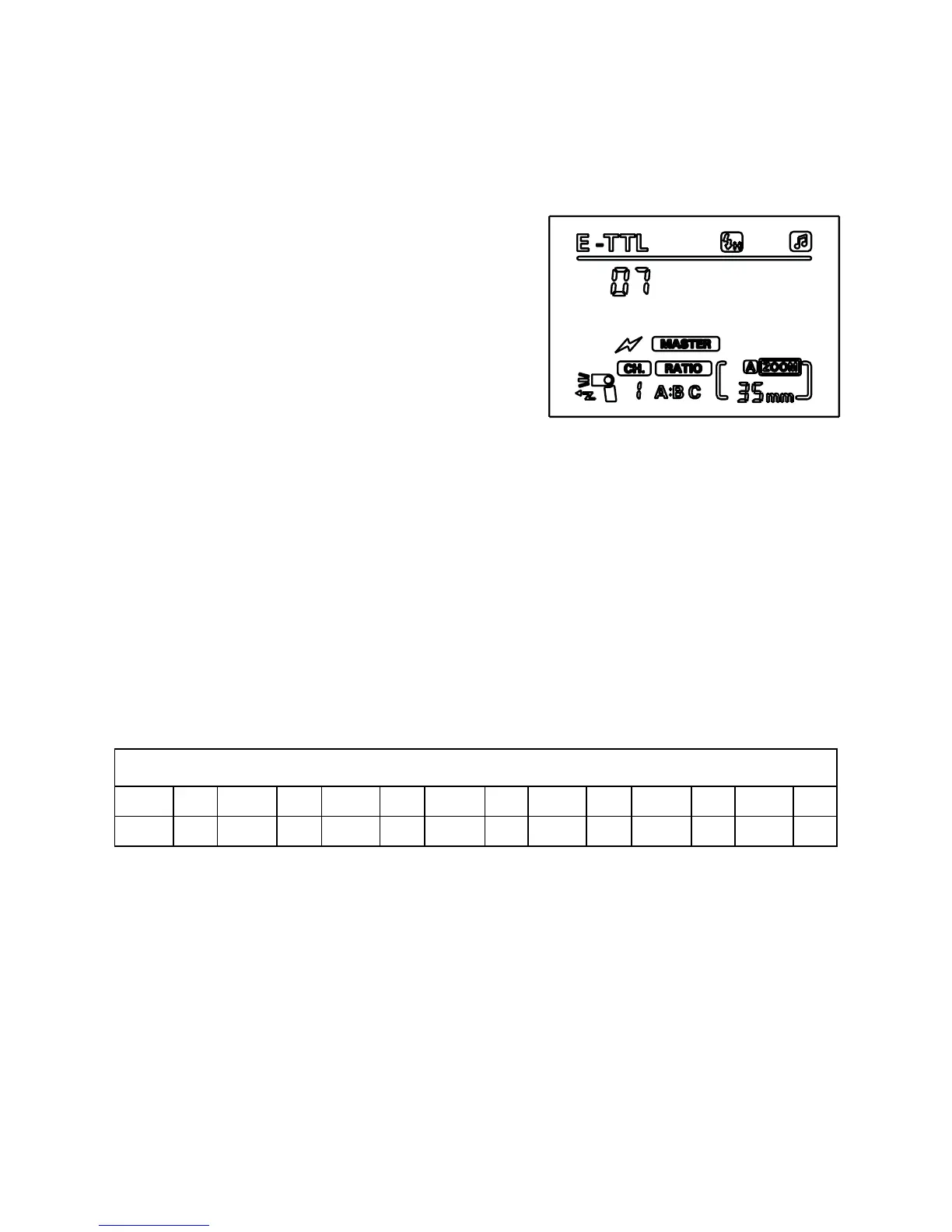
1. Press the ‘zoom’ button until you
see the [RATIO] symbol ashing.
2. Use the left and right buttons to
set the ash light ratio as [RATIO],
[RATIO A:B] or [RATIO A:B C].
[RATIO] will ensure all units in all
SLAVE groups ash at the same
power as the MASTER unit.
[RATIO A:B] means that the power of the SLAVE and the
MASTER can be adjusted as per the below ratio table.
[RATIO A:B C] means that all three groups will be triggered, with
A/B being able to be adjusted as per the below ratio table, and C
as power compensation.
3. Once you have set the ratio to either [RATIO A:B] or [RATIO A:B
C] and the symbol is no longer ashing, press the ‘set’ button
so that the ratio symbol and the code number begin ashing
simultaneously, then use the left and right buttons on the
directional pad to set the ash ratio according to requirements,
using the corresponding code from the table below.
Flash light ratio code and ash light ratio table
Code 01 02 03 04 05 06 07 08 09 10 11 12 13
Ratio 8:1 5.6:1 4:1 2.8:1 2:1 1.4:1 1:1 1:1.4 1:2 1:2.8 1:4 1:5.6 1:8
* Setting the ratio at 8:1 will give you the lightest photograph, whereas 1:8 will
give you the darkest.
4. To set group C exposure compensation on [RATIO A:B C], press
the ‘set’ button until the group C and the EV symbols ash
simultaneously. The EV can then be set to 3.0 or -3.0 in 0.3 stop
increments.
Note: If the ratio is set to A/B only and slave units in remote group C are still
directed at the subject, the subject may be overexposed.


 To Next Page