24
Manual wireless MASTER mode (M, manual,
MASTER, Canon)
Press the ‘mode’ button to set the speedash in M (manual) mode,
then press the ‘left clear’ button to set the unit in MASTER mode.
In this mode, you can set each slave unit with a different ash light
ratio, using the MASTER unit to conrm all settings (SLAVE unit
model and MASTER unit model must be the same).
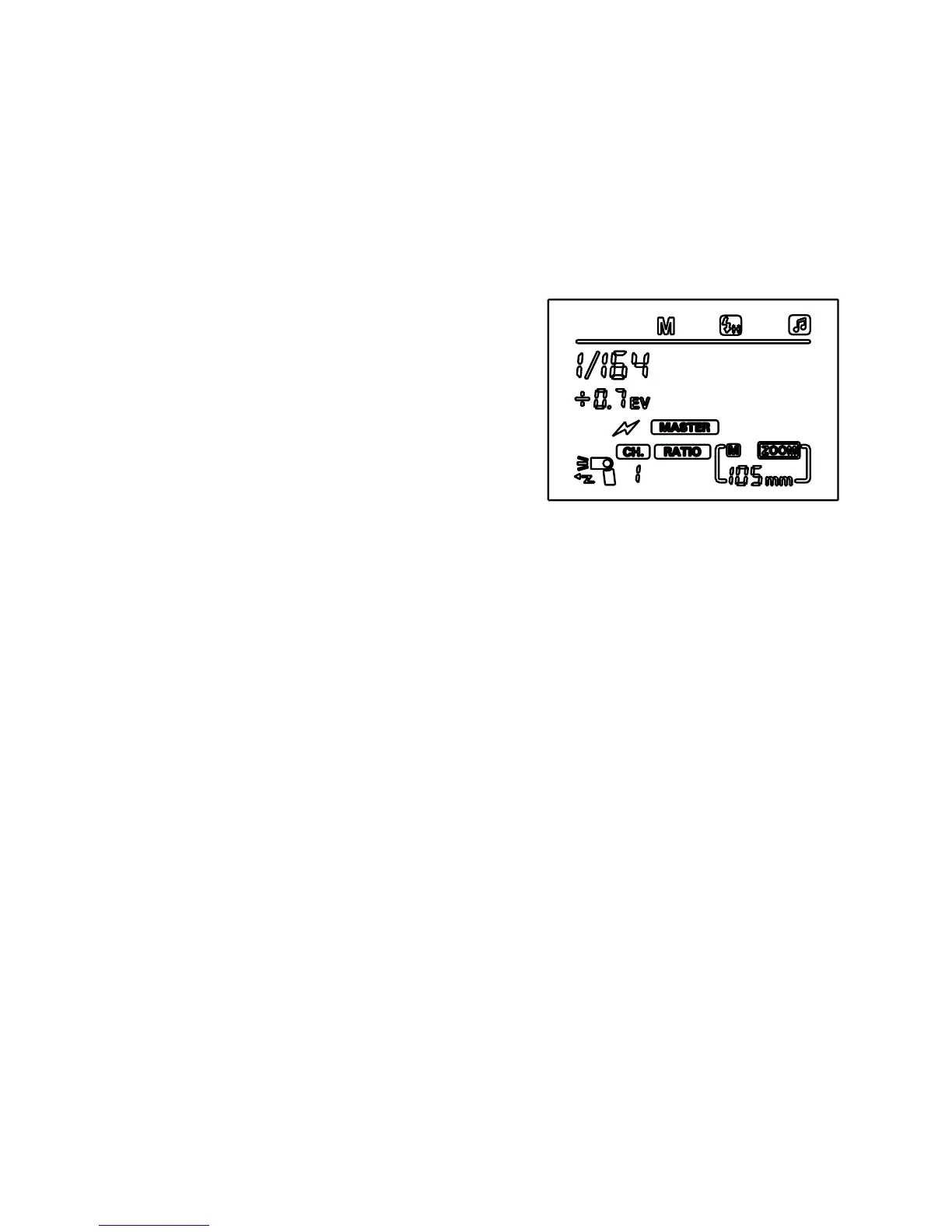
1. Press the ‘zoom’ button until the
[RATIO] symbol ashes on the
screen.
2. Use the left and right buttons to
select your ash ratio: [RATIO],
[RATIO A:B] or [RATIO A:B C]
[RATIO] means that all SLAVE
units will be triggered at the same
power as the MASTER unit. When
the [RATIO] symbol stops ashing, you can use the left and right
buttons on the directional pad to select the power output.
[RATIO A:B] means that the power output for groups A and B
can be adjusted independently. When the [RATIO A:B] symbol
stops ashing, press the ‘set’ button until the symbol A ashes,
then use the left and right buttons to set the power output. Then
press the ‘set’ button again until the symbol B ashes, and use
the left and right buttons to set the power output.
[RATIO A:B C] can be used as [RATIO A:B] above, but all three
groups can have the power output adjusted independently. Set
power outputs as above.


 To Next Page