25
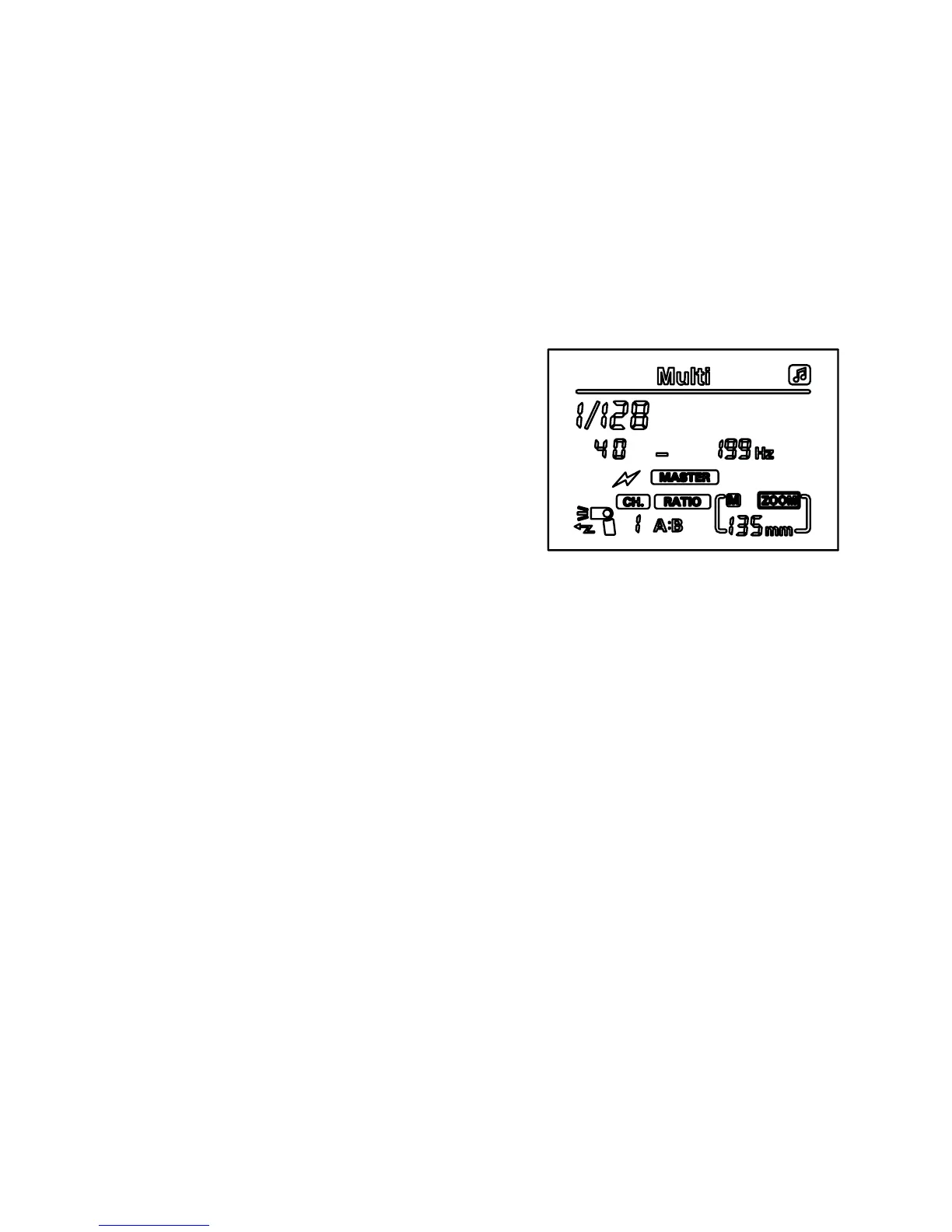
Multi wireless MASTER mode (Multi,
MASTER, Canon)
Press the ‘mode’ button to set your speedash in Multi (stroboscopic)
mode, then press the ‘left clear’ button to enter MASTER mode. In
Multi mode, you can re off a number of ashes in a very short space
of time, which is ideal for capturing moving objects such as sports
or wildlife. You can also set each SLAVE unit with a different ash
light ratio, using the MASTER unit to conrm all settings (SLAVE unit
model and MASTER unit model must be the same).
1. Press the ‘zoom’ button until
[RATIO] ashes on the screen
2. Use the left and right buttons to
select your ash ratio: [RATIO],
[RATIO A:B] or [RATIO A:B C]
[RATIO] means that all SLAVE
units will be triggered at the same
power as the MASTER unit. Once
the [RATIO] symbol stops ashing,
use the left and right buttons on the directional pad to select the
power output.
[RATIO A:B] means that the power output for groups A and B
can be adjusted independently.
[RATIO A:B C] can be used as [RATIO A:B] above, but all three
groups can have the power output adjusted independently.
3. Once you have selected your ratio, press the ‘set’ button until the
frequency ashes, then use the left and right buttons to choose
the frequency.
Press the ‘set’ button again until the number of ashes indicator
begins to ash, then use the left and right buttons to choose the
number of ashes (please refer to the table on page 17)
When you are happy with the number of ashes, press the ‘set’
button again. If you have selected [RATIO A:B] or [RATIO A:B
C], the symbol for group A will now begin to ash, and you can
use the left and right buttons to select the power output for that
group, and press ‘set’ to conrm your settings. Repeat for all
other groups.


 To Next Page