Product Manuals/Man-1088_Sigma XT_26 Page 27 of 40
17. Access level 3 configuration options
The SIGMA XT control panel has many configuration options which can be set at the time of
commissioning to suit the requirements of the installation. These options are normally set once
and will rarely need to change. The configuration options are only available at access level 3. To
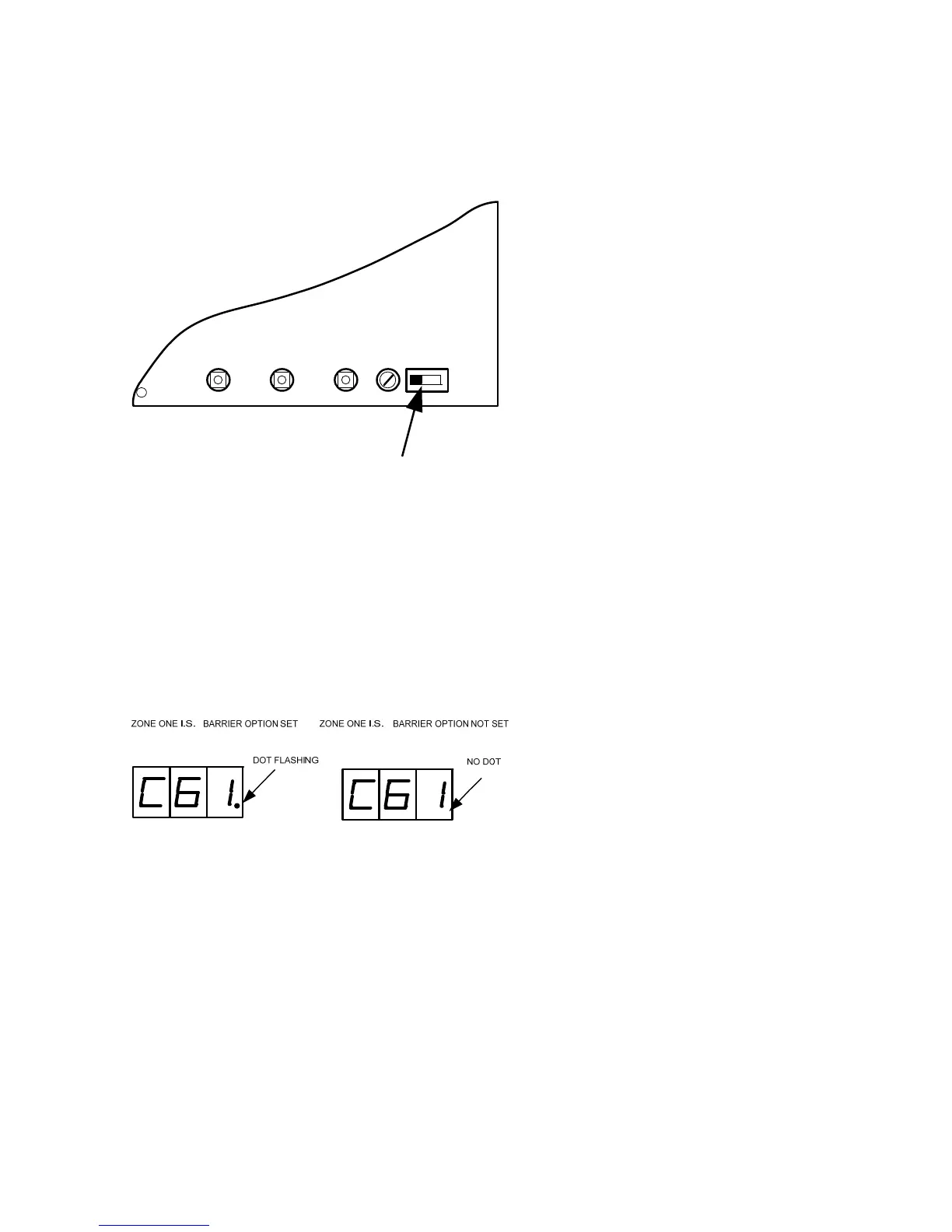
enter access level 3, CAREFULLY slide the Write Enable switch (located behind the aperture in
the panel plate) to the right position, using a small screwdriver or similar.
Configuration options are simple to enter using the codes in table 8 below. When the control panel
is at access level 3, the sub-text of the Mode and Select buttons is used to enter a number using
hundreds, tens and units. When the required code number is displayed, pressing the ENTER
button will cause the dot on the units, seven segment display to flash. This indicates that a
configuration option has been set. To review which configuration options have been set
previously, simply scroll through numbers 1 to 99, A1 to A8 and those with a flashing dot indicate
which options have been set.
Figure 17 – Display showing option set and not set.
TELL
TALE
EXTING
W/DOG
RESET
RESET
WRITE
ENABLE
PROC
.
TERMINATE
ACCESS LEVEL 3 SWITCH
PUSH TO RIGHT TO ENABLE



 To Next Page