Product Manuals/Man-1057 Syncro User_09 Page 3 of 8
2. Safety
Suppliers of articles for use at work are required under section 6 of the Health and Safety at Work act
1974 to ensure as reasonably as is practical that the article will be safe and without risk to health when
properly used.
An article is not regarded as properly used if it is used ‘without regard to any relevant information or
advice’ relating to its use made available by the supplier.
This product should be installed, commissioned and maintained by trained service personnel in accordance
with the following:
(i) IEE regulations for electrical equipment in buildings
(ii) Codes of practice
(iii) Statutory requirements
(iv) Any instructions specifically advised by the manufacturer
According to the provisions of the Act you are therefore requested to take such steps as are necessary to
ensure that you make any appropriate information about this product available to anyone concerned with
its use.
This equipment is designed to be operated from 230V 50Hz mains supplies and is of class 1 construction.
As such it must be connected to a protective earthing conductor in the fixed wiring of the installation and
a readily accessible double pole disconnect device shall be incorporated in the fixed wiring.
Failure to ensure that all conductive accessible parts of this equipment are adequately bonded to the
protective earth will render the equipment unsafe.
3. Panel Controls
3.1 Access Level 1
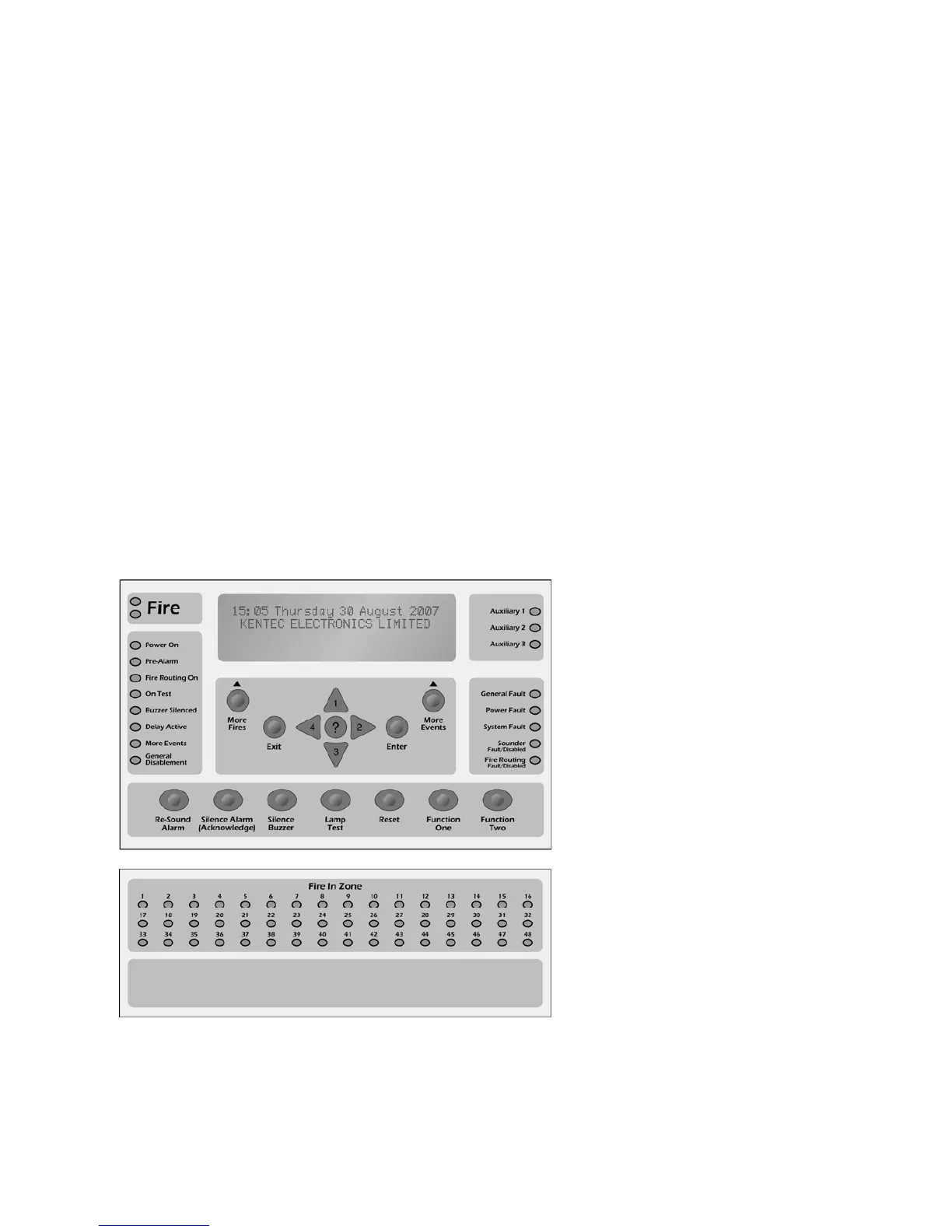
The front panel contains controls for
operating the panel.
Lamp Test
Press this button to illuminate all front
panel indicators and validate correct
operation.
Silence Buzzer
This button will switch the internal
buzzer from continuous to intermittent,
and will illuminate the Buzzer Silenced
panel indicator. No other sounder
outputs will be affected by this button
operation.
More Fires
This button is used to view suppressed
fire events. In the case of multiple fire
activations, or when fire activation
information has been temporarily
suppressed for menu navigation, the
fire events can be quickly restored and
viewed by pressing this button.
More Events
This button is used to view all other suppressed events. In the case of multiple panel events or when any
event information has been temporarily suppressed for menu navigation, this button is used to display the
view events list.
Fig 1 – Syncro Front Pane



 To Next Page