EasyManua.ls Logo

Kenwood DPC-721 - Page 15

Kenwood DPC-721
28 pages
Print Icon
To Next Page IconTo Next Page
To Previous Page IconTo Previous Page
Loading...
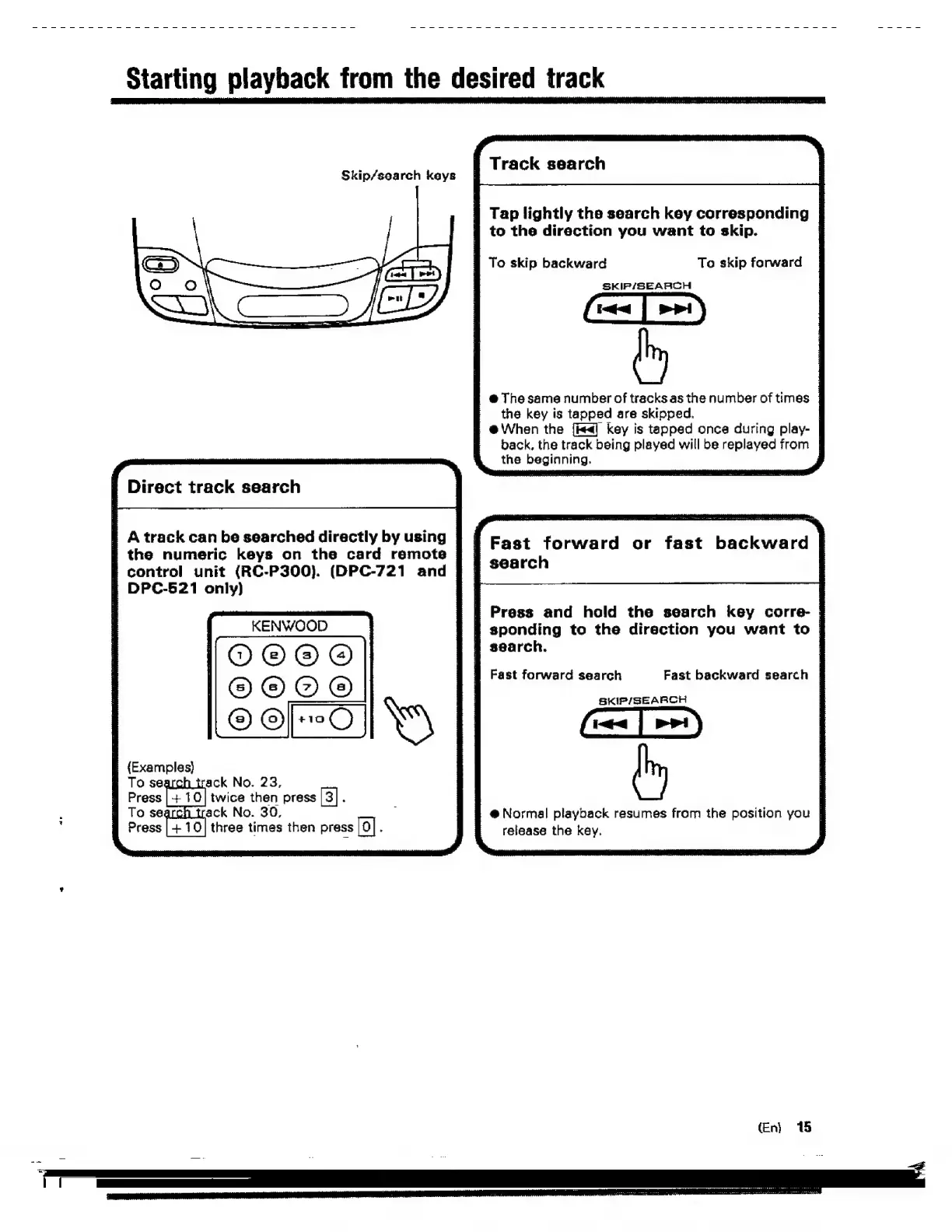
Skip/search
keys
A
track
can
be
searched
directly
by
using
the
numeric
keys
on
the
card
remote
control
unit
(RC-P300).
(DPC-721
and
DPC-521
only)
KENWOOD
OZOTORS
OZORORO,
To
search
track
No.
23,
Press
twice
then
press
|
3}
.
To
searcn
track
No.
30,
B
Press
three
times
then
press
[o]
.
Tap
lightly
the
search
key
corresponding
|
to
the
direction
you
want
to
skip.
|
To
skip
forward
|
To
skip
backward
SKIP/SEARCH
@
The
same
number
of
tracks
as
the
number
of
times
|
the
key
is
tapped
are
skipped.
|
@
When
the
[ie]
key
is
tapped
once
during
play-
|
back,
the
track
being
played
will
be
replayed
from
|
the
beginning.
Fast
forward
or
fast
backward
|
search
Press
and
hold
the
search
key
corre-
|
sponding
to
the
direction
you
want
to
|
search.
Fast
forward
search
Fast
backward
search
|
SskiP/SEARCH
@
Normal
playback
resumes
from
the
position
you
|
release
the
key.
(En)
15

Related product manuals