EasyManua.ls Logo

Kenwood DPC-721 - Start Playback

Kenwood DPC-721
28 pages
Print Icon
To Next Page IconTo Next Page
To Previous Page IconTo Previous Page
Loading...
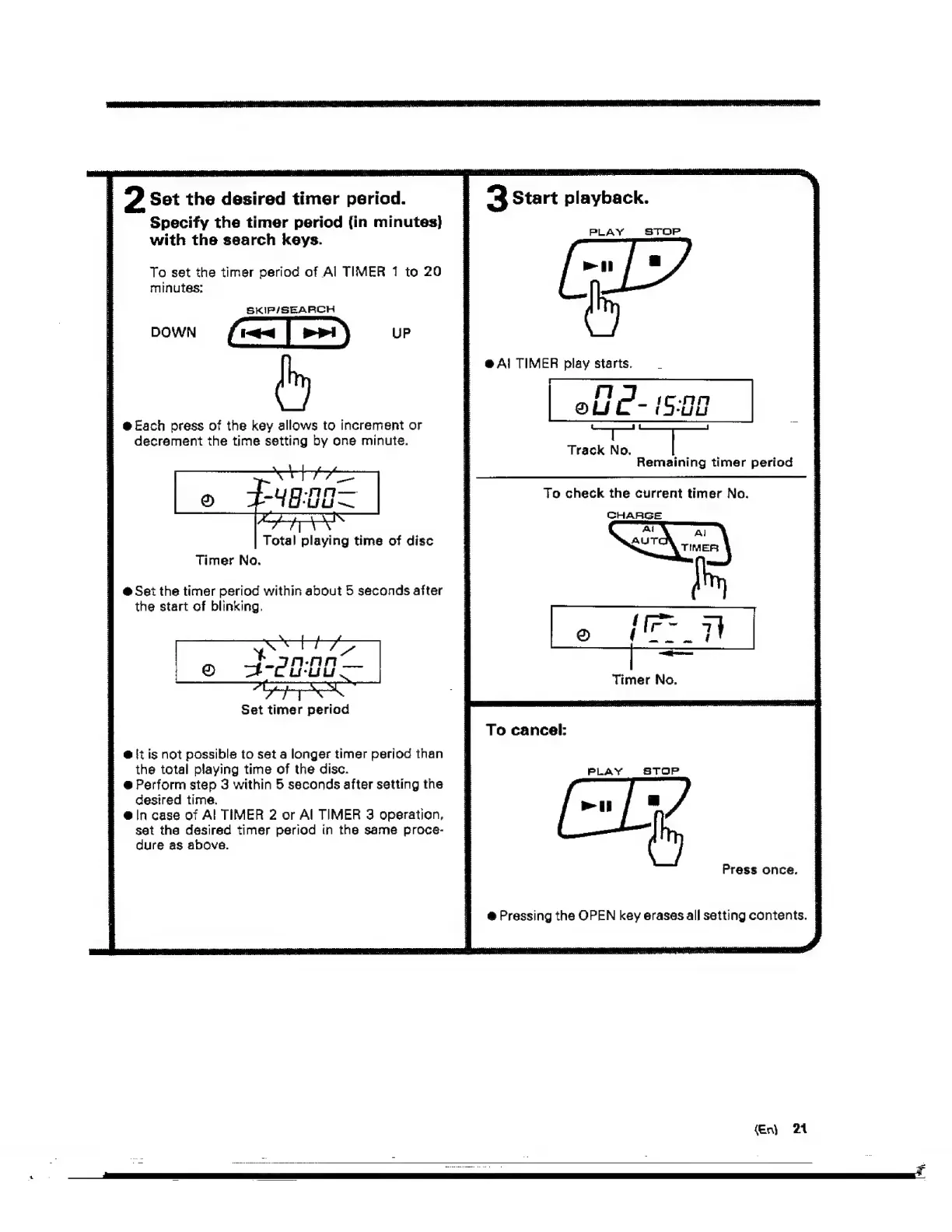
2
Sot
the
desired
timer
period.
Specify
the
timer
period
(in
minutes}
with
the
search
keys.
To
set
the
timer
period
of
Al
TIMER
1
to
20
minutes;
SKIP/SEARCH
#
@
Each
press
of
the
key
allows
to
increment
or
decrement
the
time
setting
by
one
minute.
Total
playing
time
of
disc
Timer
No.
@
Set
the
timer
period
within
about
5
seconds
after
the
start
of
blinking.
Set
timer
period
@
!t
is
not
possible
to
set
a
longer
timer
period
than
the
total
playing
time
of
the
disc.
@
Perform
step
3
within
5
seconds
after
setting
the
desired
time.
@
in
case
of
Al
TIMER
2
or
Al
TIMER
3
operation,
set
the
desired
timer
period
tn
the
same
proce-
dure
as
above.
“3
Start
playback.
PLAY
STOP
[-»[
2)
@
A!
TIMER
play
starts.
elic-i
Ug
a
is
Track
No.
Remaining
timer
period
Fo
check
the
current
timer
No.
CHARGE
Timer
No.
To
cancel:
Press
once.
@
Pressing
the
OPEN
key
erases
all
setting
contents.
|
(En)
21

Related product manuals