EasyManua.ls Logo

Kenwood DPC-721 - Auto Power off Function; To Stop Playback; To Turn the Power off

Kenwood DPC-721
28 pages
Print Icon
To Next Page IconTo Next Page
To Previous Page IconTo Previous Page
Loading...
ft
Basic
operation
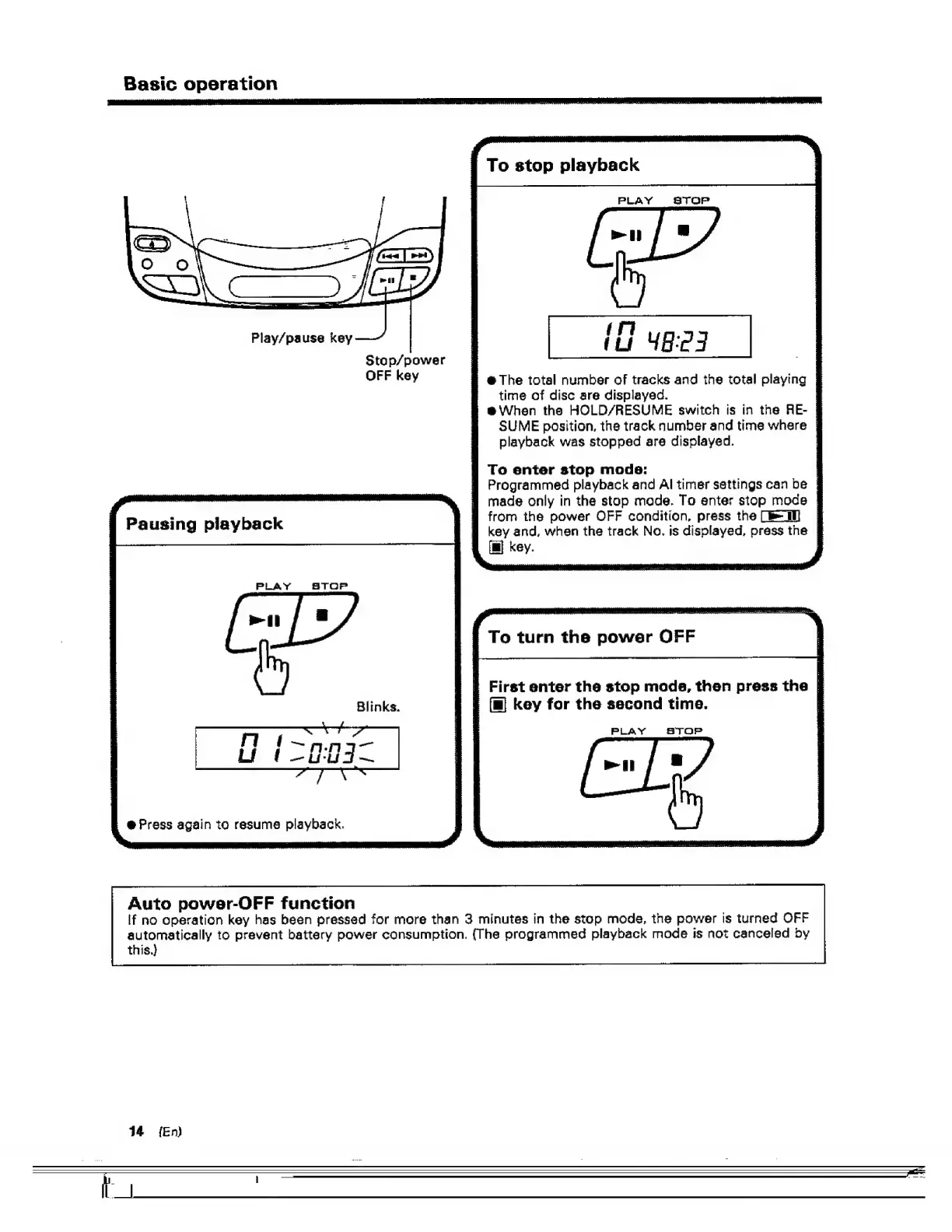
Play/pause
key
@
Press
again
to
resume
playback.
Auto
power-OFF
function
Stop/power
OFF
key
i
To
stop
playback
:
PLAY
STOP
@
The
total
number
of
tracks
and
the
total
playing
time
of
disc
are
displayed.
eVWhen
the
HOLD/RESUME
switch
is
in
the
RE-
SUME
position,
the
track
number
and
time
where
}
playback
was
stopped
are
displayed.
:
To
enter
stop
mode:
Programmed
playback
and
Al
timer
settings
can
be
|
made
only
in
the
stop
made.
To
enter
stop
mode
|
from
the
power
OFF
condition,
press
the
=
|
key
and,
when
the
track
No.
is
displayed,
press
the
|
fm}
key.
|
To
turn
the
power
OFF
First
enter
the
stop
mods,
then
press
the
,
(mg
key
for
the
second
time.
:
PLAY
STOP
If
no
operation
key
has
been
pressed
for
more
than
3
minutes
in
the
stop
mode,
the
power
Is
turned
OFF
automatically
to
prevent
battery
power
consumption.
(The
programmed
playback
mode
is
not
canceled
by
this.)
44°
{En)

Related product manuals