EasyManua.ls Logo

Kenwood DPC-721 - Programmed Playback

Kenwood DPC-721
28 pages
Print Icon
To Next Page IconTo Next Page
To Previous Page IconTo Previous Page
Loading...
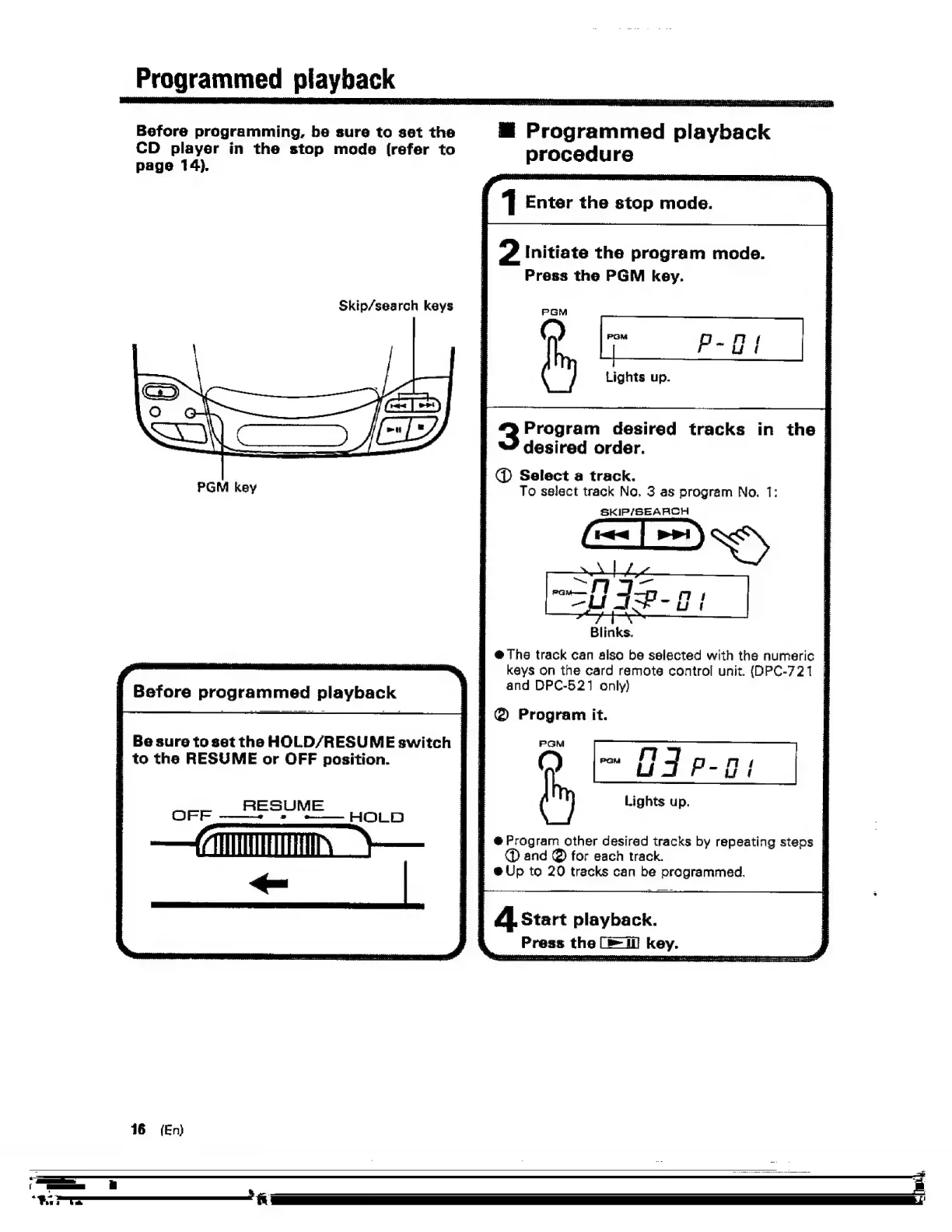
Programmed
playback
_
Before
programming,
be
sure
to
set
the
CD
player
in
the
stop
mode
(refer
to
page
14).
Skip/search
keys
Before
programmed
playback
s
Be
sure
to
set
the
HOLD/RESUME
switch
s
to
the
RESUME
or
OFF
position.
RESUME
OPF
——+
5
+—
HOLD
|
@
Select
a
track.
S
@
The
track
can
also
be
selected
with
the
numeric
|
'
@
Program
it.
|
@
Program
other
desired
tracks
by
repeating
steps
|
:
@Up
to
20
tracks
can
be
programmed.
@
Programmed
playback
procedure
1
Enter
the
stop
made.
?
Initiate
the
program
mode.
Press
the
PGM
key.
Lights
up.
Program
desired
tracks
in
the
|
desired
order.
|
To
select
track
No.
3
as
program
No.
1:
SKIP/SEARCH
Blinks.
keys
on
the
card
remote
control
unit.
(DPC-721
|
and
DPC-521
only)
3
Lights
up.
fh,
Geet
and
@
for
each
track.
4.
Start
playback.
Press
the
(=i)
key.

Related product manuals