Need help?
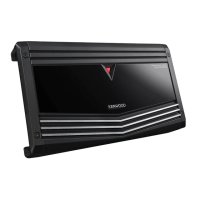
Do you have a question about the Kenwood KAC-7251/7201 and is the answer not in the manual?
Crucial warnings to prevent injury, fire, and unit damage from electrical hazards and heat.
Cautions to prevent machine damage from improper connection, environment, and fuse replacement.
Safe methods for cleaning the unit's front panel and precautions against volatile solvents.
Advises operating the unit after the engine starts to prevent battery depletion.
Explains the unit's protection function and how the indicator signals activation.
Lists parts included with the amplifier, such as screws, cables, and remote controller.
Instructions and notes for installing the remote controller, including knob adjustment.
Details prohibited locations and critical considerations for heat dissipation and safety.
Sets the cutoff frequency for low-pass filtering when the FILTER switch is set to LPF.
Applies high-pass or low-pass filtering to speaker outputs, or no filtering.
Adjusts bass boost level, with options for 12dB, OFF, or remote control.
Selects amplifier operation mode: STEREO or MONO (bridged).
Sets sensitivity based on center unit's pre-output level or maximum power output.
Allows bass boost adjustment via remote when switch is set to OFF (REMOTE).
Indicates when the unit is powered on; lights up when power is applied.
Details situations triggering the protection function, causing power indicator to go off.
Identifies all input, output, power, and control terminals on the amplifier.
Details stereo and bridged connection methods for speakers, including impedance requirements.
Explains how to connect speaker-level signals from a genuine-accessory car stereo.
Illustrates connecting the amplifier using RCA cables from a center unit.
Shows how to connect speaker-level outputs from a car stereo without line outputs.
Details the connection of the remote cable for controlling bass boost.
Illustrates stereo and bridged speaker wire connections to the amplifier terminals.
Shows the correct procedure for connecting the main power and ground wires.
Illustrates common system setups: 2-channel, high-power 2-channel, and 2-channel + subwoofer.
Explains the tri-mode setup for frequency band division using coils and capacitors.
Provides formulas and an example for calculating crossover frequencies for tri-mode systems.
Addresses common problems like no sound, blown fuses, poor sound quality, and remote controller issues.
Lists detailed technical specifications for the audio section and general unit characteristics.
 General
| Brand | Kenwood |
|---|---|
| Model | KAC-7251/7201 |
| Category | Car Amplifier |
| Language | English |


 To Next Page